4-38 l Operation
Control Function Descriptions -
Stand Alone Configuration
Dryer Navigation Screen
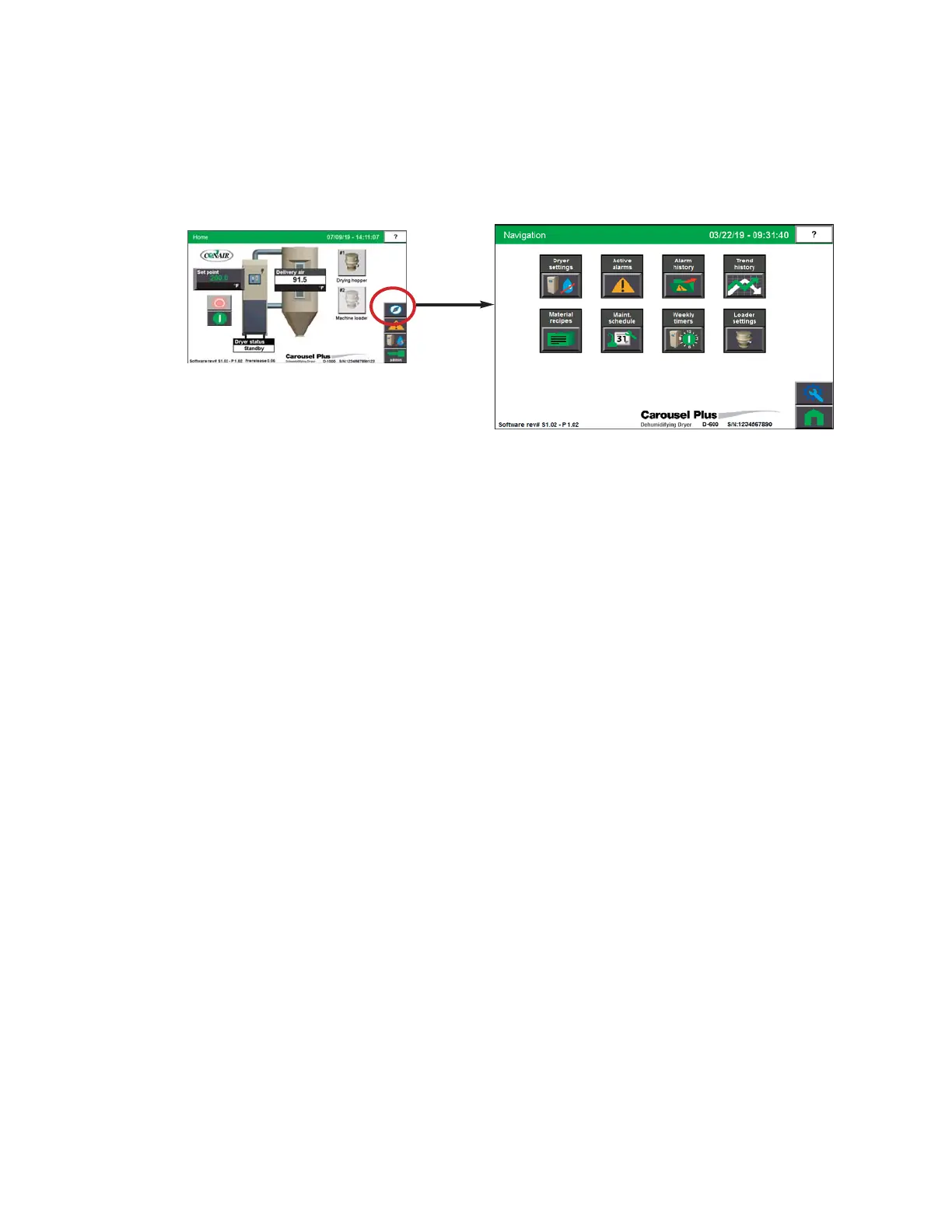
To access the Dryer Navigation Screen:
1 Press the Dryer Navigation button located on the home screen.
The Dryer Navigation screen provides the user with access to dryer set-up screens.
NOTE: On this Home screen, live
data is displayed. Data is dis-
played as colored text inside a
box. Set points boxes are beveled
buttons. Set points can be
changed, if the user has logged
in.
0


 To Next Page