5-8 l Maintenance
CAUTION: Hot surfaces.
Always protect yourself
from hot surfaces inside
and outside the dryer
and drying hopper.
Cleaning the Regeneration Filter
Clogged filters reduce air flow and dryer efficiency. Cleaning frequency depends on the con-
dition of your dryer’s ambient air.
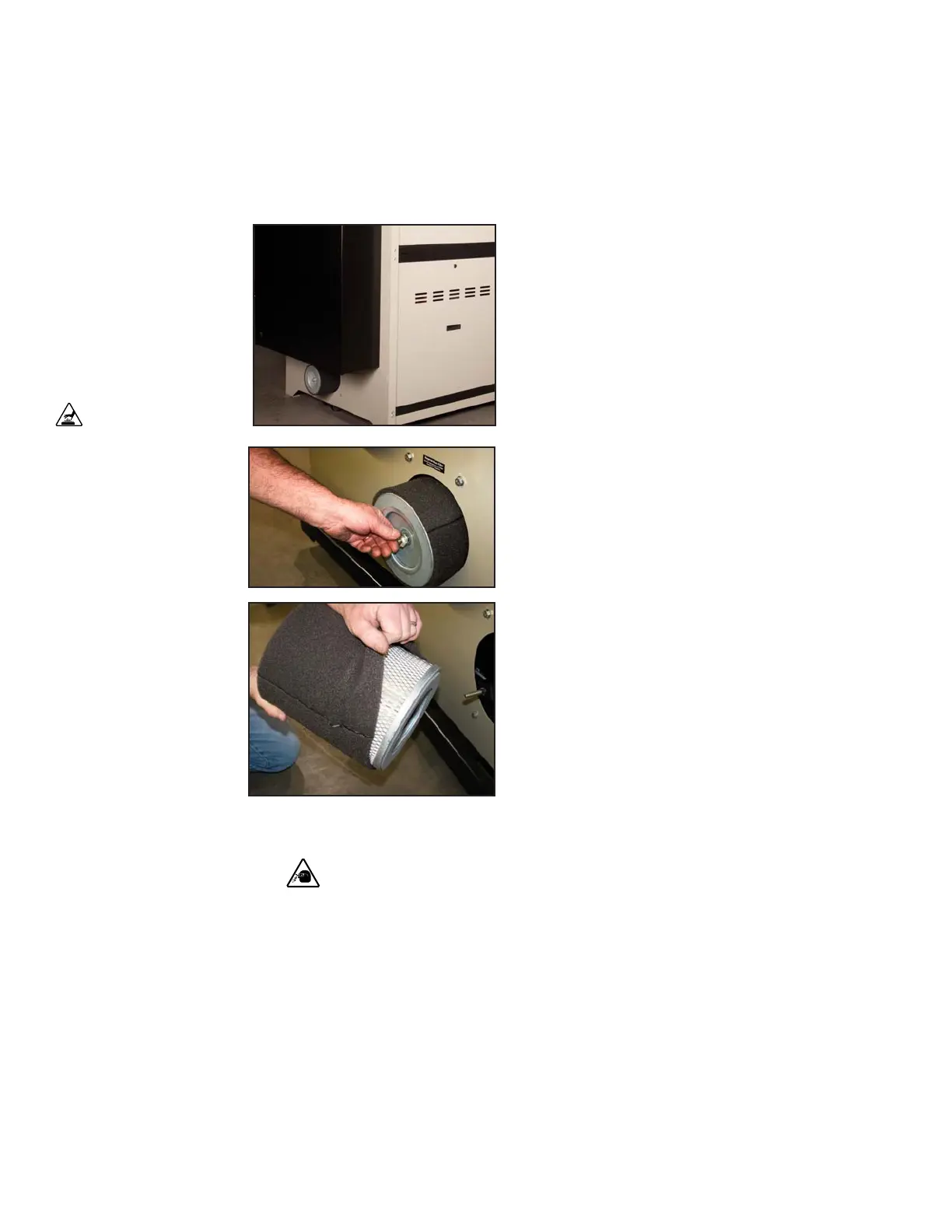
1 Locate the regeneration filter below the control
enclosure on the front of the dryer.
2 Remove the filter wing nut and washer, then remove
the filter.
3 Remove outer filter and clean it with soapy
water. Let air dry.
4 Clean the filter by laying it on its side
and gently tapping it on the floor.
Replace damaged, worn or clogged
filters.
5 Reverse the procedure to reinstall the
regeneration filter. Make sure that the filter is
completely seated in the filter housing.
NOTE: Dirty or clogged re-
generation filters are the
leading contributor of dry-
ers not reaching desired
dewpoints.
0
CAUTION: Wear eye protection. If you use compressed air to clean the equipment, you
must wear eye protection and observe all OSHA and other safety regulations pertaining to
the use of compressed air.
NOTE: The filter can be
cleaned by using an indus-
trial vacuum for the outside
and compressed air from
the inside. Follow all com-
pany and local compressed
air procedures.
If the filter has been used
and cleaned several times,
it probably needs to be re-
placed with a new filter for
optimum efficiency.
0
IMPORTANT: Clogged fil-
ters and worn filters reduce
airflow, may be ineffective,
and will reduce dryer effi-
ciency. Replace filters with
a new filter when neces-
sary.
Conair’s Instant Access
24/7 Parts and Service
number is
800-458-1960.
Outside the U.S., dial
814-437-6861.


 To Next Page