4-4 l Operation
How to Navigate the Control Screens
(continued)
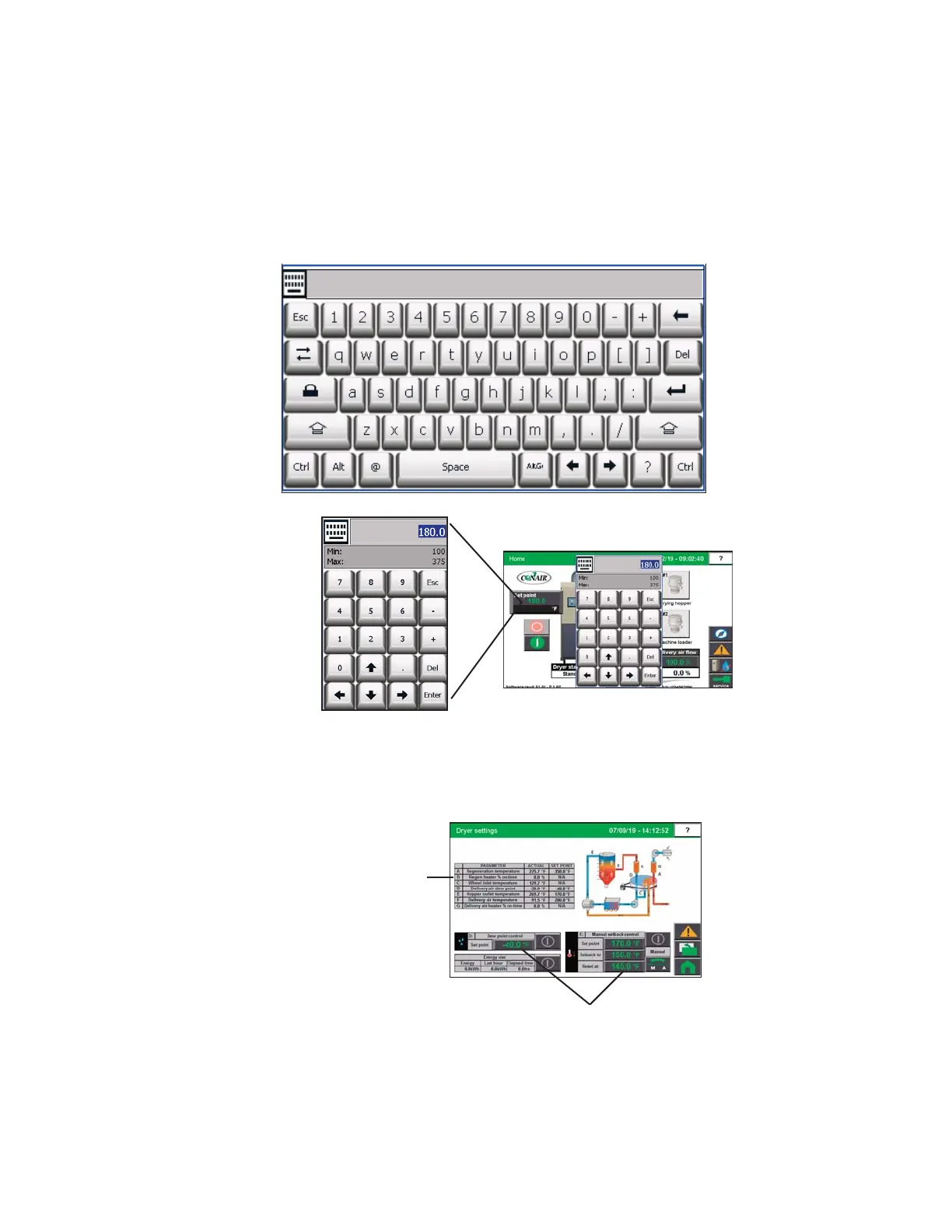
The user name, password and other information can be entered using the pop-up keyboard
window that appears when an appropriate field is touched. See DC-C System Security Levels
in the Operations Section of this manual for a list of user passwords..
Set points can be entered within fields with raised beveled edges with green values. Values
shown within flat rectangles are “actual” values and can not be changed.
Set point Field
(User Changeable)
Actual Values
(Non-Changeable)
(continued)
NOTE: Changing most parame-
ters will require a user login at
the proper security level.
See
the Operation section of this
User Guide entitled DC-C Sys-
tem Security Levels for more
information about user login
levels and access.
0


 To Next Page