4-30 l Operation
Control Function Descriptions - RW
Configuration
(continued)
Alarms
When an alarm occurs, an audible sound will be trig-
gered and the operator interface will display a flash-
ing alarm message.
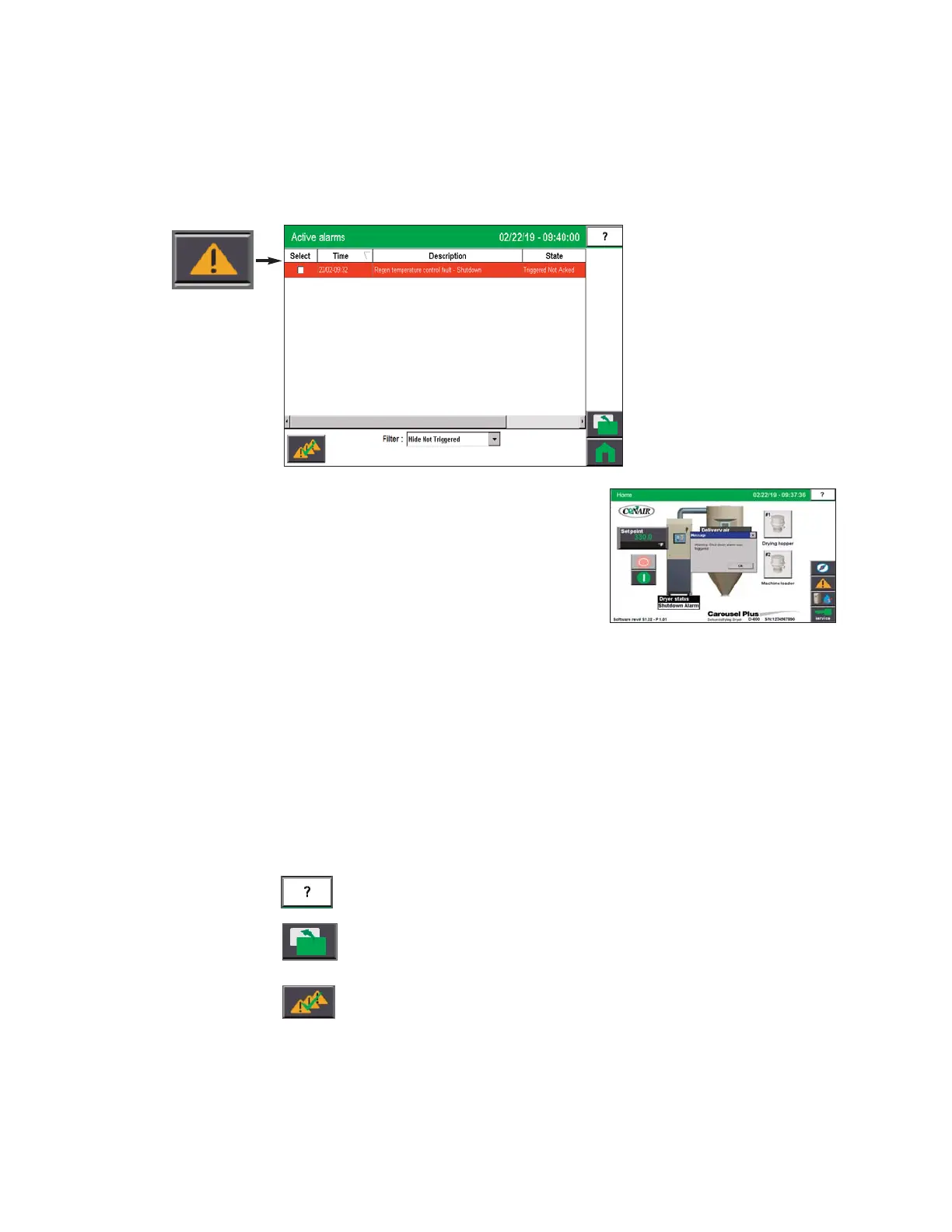
To view an alarm from any operator screen, press the
Alarm button.
1 Press the Alarms button.
2 View the current alarms.
3 Decide if you want to Acknowledge Alarms, Silence and Acknowledge Alarms, Reset
All Alarms or clear individual alarms.
If you select the alarm “check the box” or touch the word “select” to select all, the selected
alarms will also be acknowledged. The filter can be changed to “show all” to acknowledge
previous alarms that are no longer active.
The following buttons are available from the Alarms log screen:
Help Screen.
Alarm History- Pressing the Alarm History button will show a detailed list of the
alarm history.
Acknowledge All - The acknowledge all button is used to acknowledge all the
alarms on the list.


 To Next Page