Maintenance 30
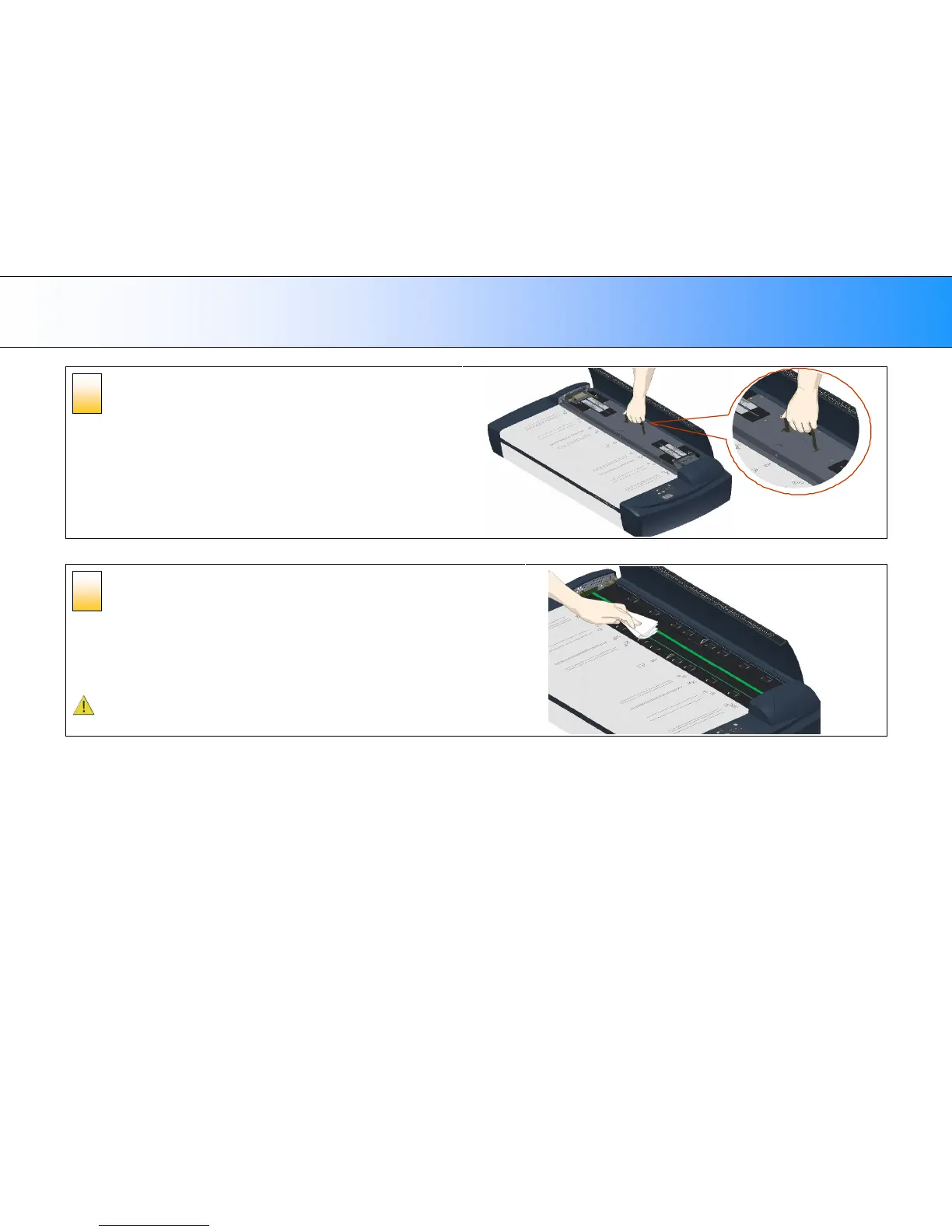
Remove the pressure platen
On the topside of the pressure-platen you will find a hinged handle.
1. Flip up the handle.
2. Grip the handle and lift out the pressure-platen
Clean the glass-plate
With the pressure platen removed, the glass-plate will be exposed for cleaning.
1. Clean the glass with a lint-free cloth and a mild, streak-free, glass cleaner. Aplly
the cleaner to cloth and then wipe the glas
2. Dry the glass completely using a separate clean, dry lint-free cloth like the one
provided with the maintenance kit.
Caution: Do not spray liquids directly onto the scanner glass-plate.













 To Next Page