Maintenance 37
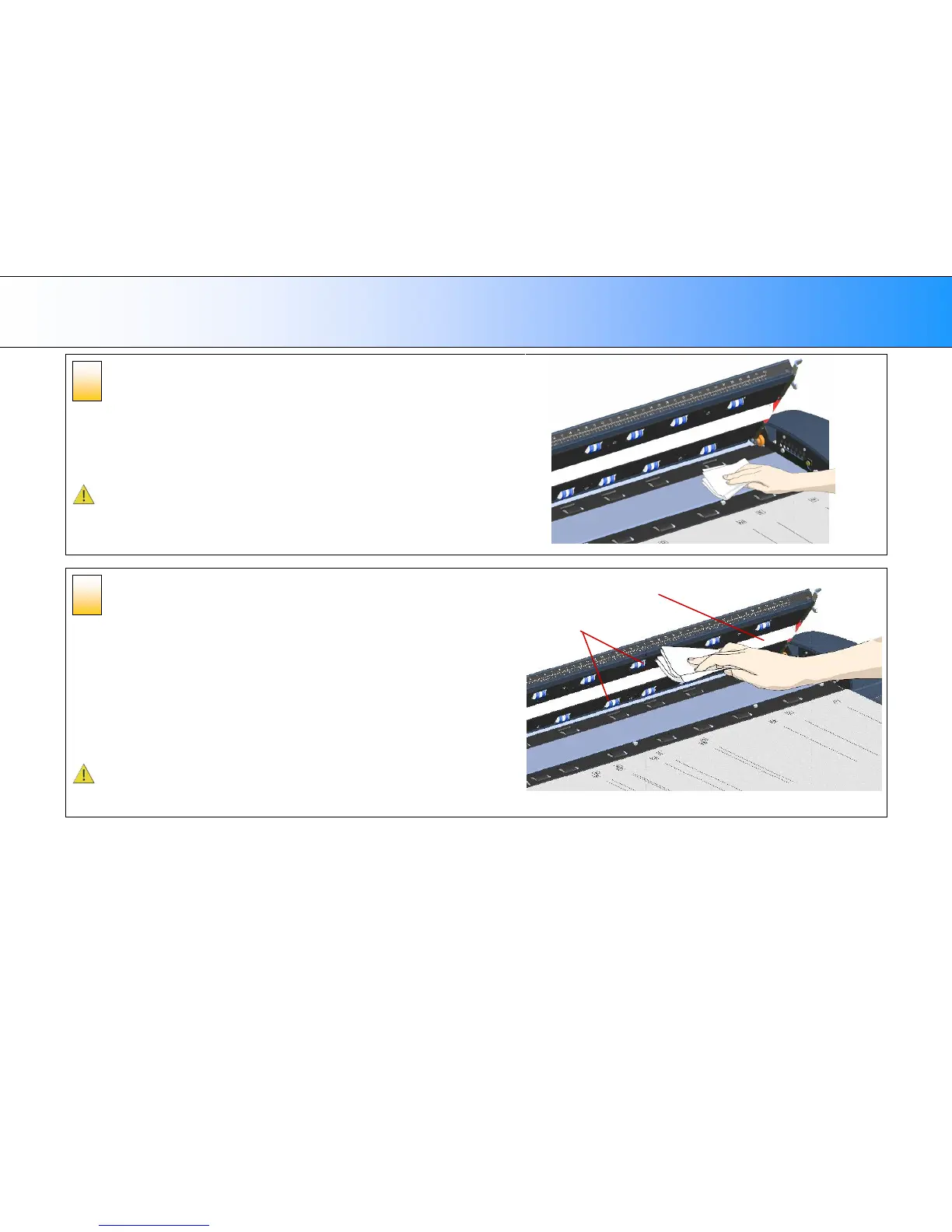
Clean the glass-plate
The glass-plate is now exposed for cleaning.
1. Clean the glass with a lint-free cloth and a mild, streak-free, glass cleaner. Apply
the cleaner to cloth and wipe the glass-plate.
2. Dry the glass completely using a separate clean, dry lint-free cloth like the one
provided with the maintenance kit.
Caution: Do not spray liquids directly onto the scanner glass-plate.
Clean the white-background platen and upper
rollers
The white-background-platen (white metal area) is fixed in the scanning area lid. The
upper rollers are aligned in 2 rows on each side of the white-background-platen.
1. Hold/support the lid in its open position for support as you clean.
2. Use a lint-free cloth and a mild, streak-free, glass cleaner. Apply the cleaner to
cloth and wipe the white-background-platen.
3. After wiping clean the whole white background platen, wipe all the upper rollers in
both rows.
4. Dry the platen and rollers completely using separate clean, dry lint-free cloths.
Caution: Do not spray liquids directly onto the scan area.
Upper Rollers













 To Next Page