Maintenance 49
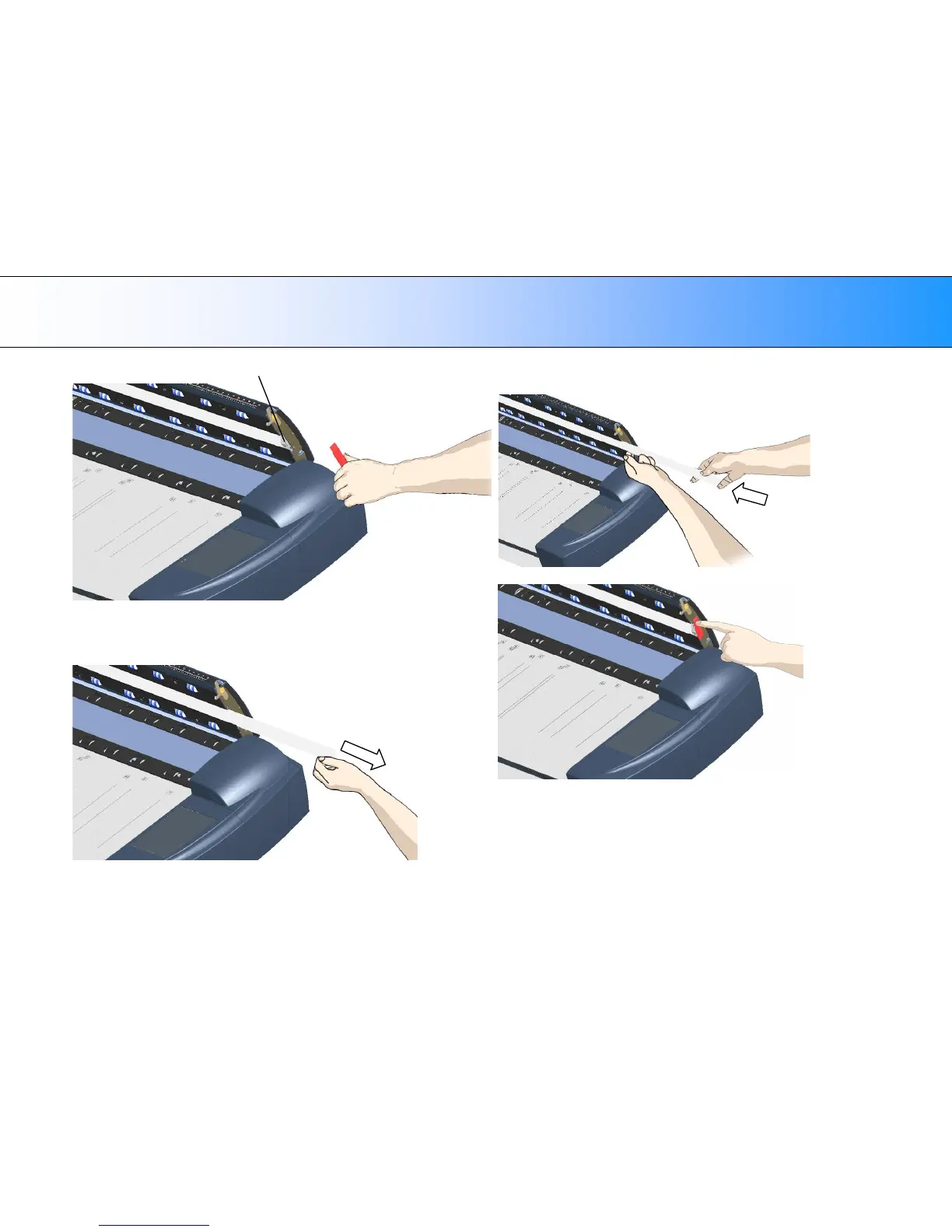
Edge of the white-background-platen
7. Grip the edge of the white-background-platen with your fingers and pull
to slide it out of the scanner.
8. Reverse the steps to insert your new white-background-platen.
Carefully slide in a new white-background-platen while taking care not
to bend it.
9. Reattach the red strip.













 To Next Page