CONTENTSINTRODUCTION
INSTALLATION
COMMISSIONINGOPERATION
9
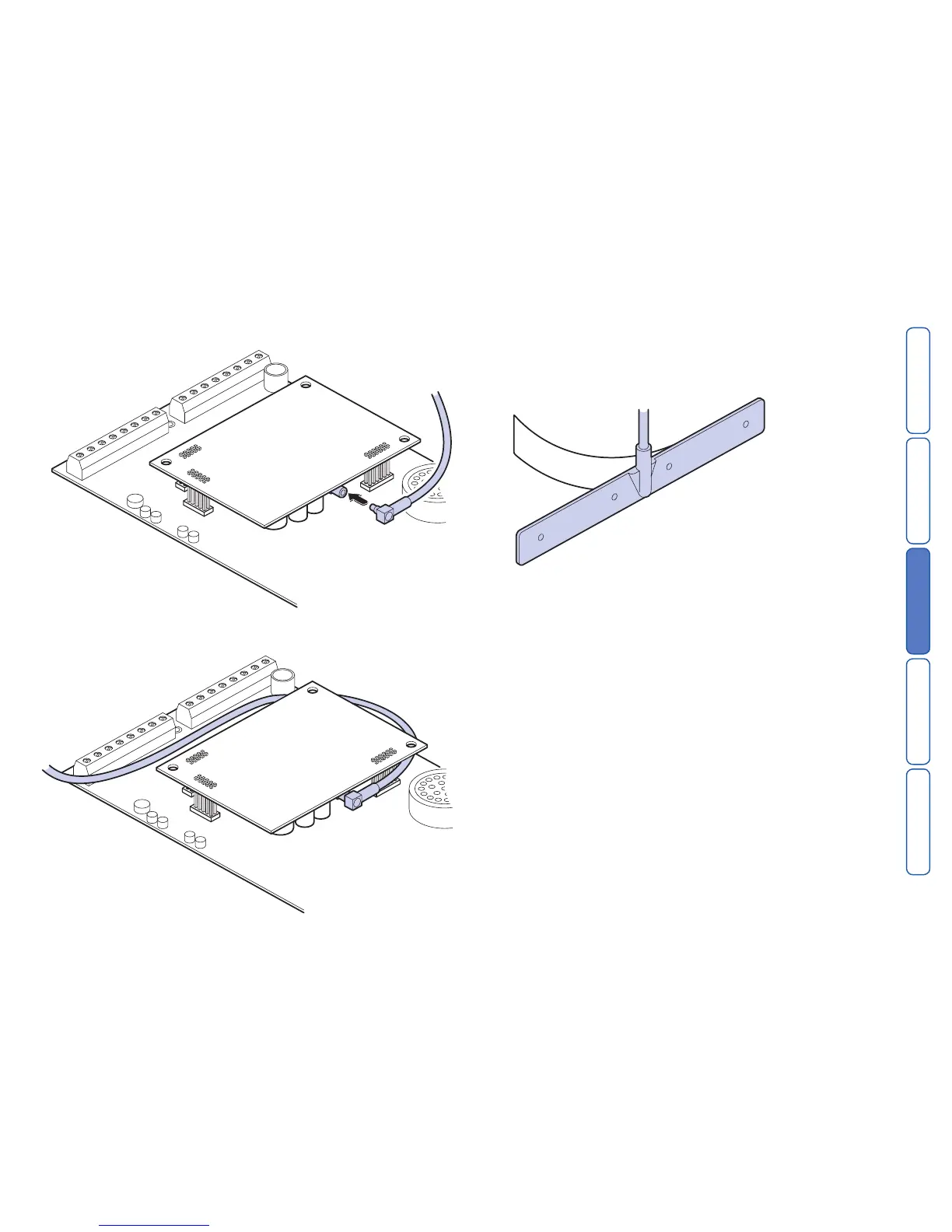
6 Thread the antenna cable through the backbox and connect it to the antenna
input socket on the GSM module.
7 Feed the antenna cable around the top and side of the module. Take care not to
unseat the antenna connector from the socket as you route the cable.
8 Using the supplied surface wipe, clean the area onto which you intend to stick
the antenna.
9 Remove the backing paper on the glued side of the antenna. Fix the antenna
onto the cleaned surface. Note: The adhesive on the antenna is fast acting. You
will not be able to reposition the antenna once you have put it in place.
10 Re-connect all previously removed connections (including power).
11 Re-attach the SD3 panel onto the backbox and refit the two screws holding the
case together.
12 Re-attach the combined unit to the wall fittings.



 To Next Page