Prism Owner’s Manual
© 2018, Cornelius Inc. - 7 - Publication Number: 548000096
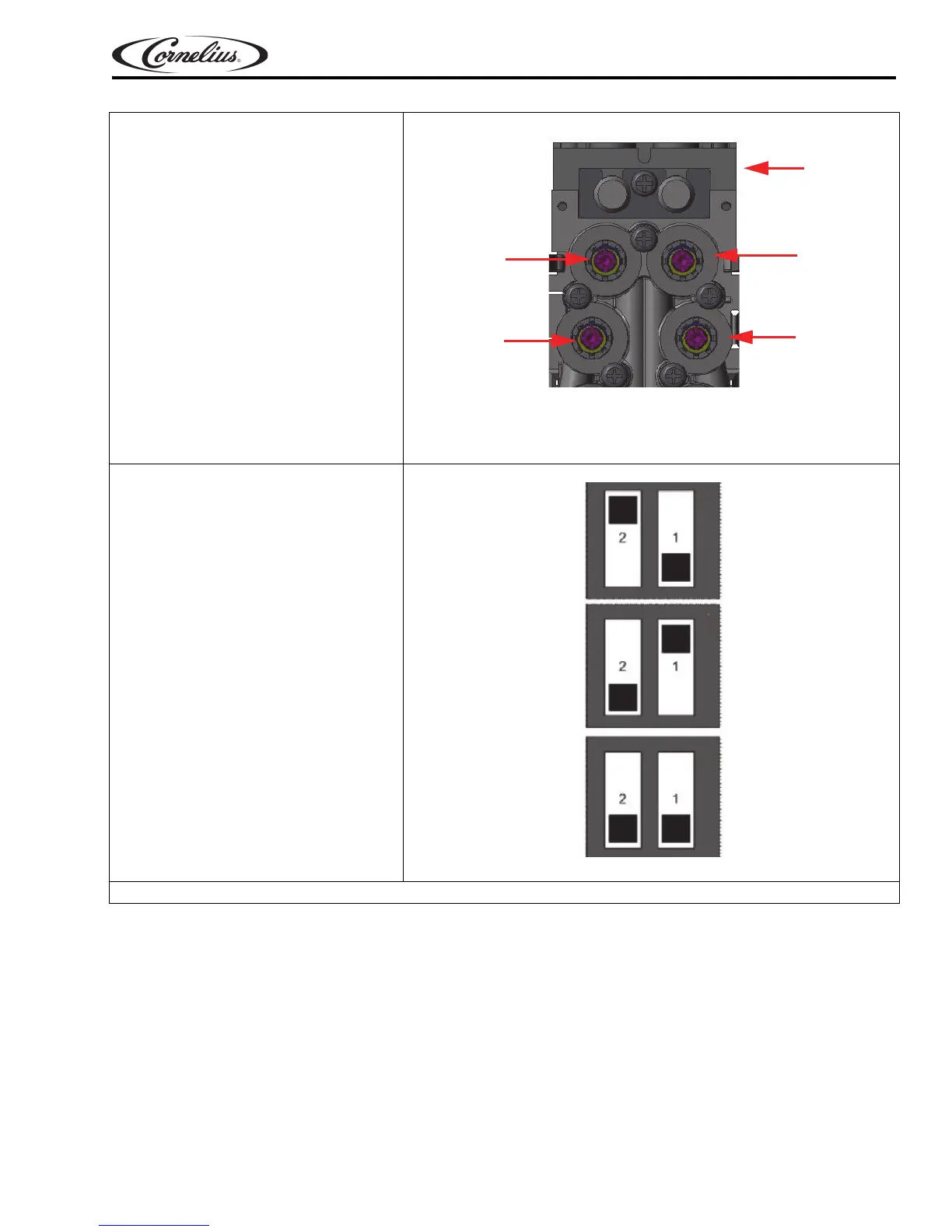
5. Press a brand to activate the time
dispense into the proper syrup
chamber. If the syrup level
doesn’t fall within one bandwidth
from the noted water level, turn
the adjust screw on the appropri-
ate syrup flow control counter-
clockwise to decrease syrup flow
or
clockwise to increase syrup
flow. Dispense a few drinks to
check the ratio. Re-adjust as nec-
essary. Repeat for the remaining
f
lavors.
Figure 8.
6. Select the respective mode
based on the type of dispense.
Figure 9.
7. Replace the rear valve cover and replace the capacitive touch module.
Sanitary Lever
Optifill
Brix Mode
Syrup 3
Syrup 2
Syrup 1
Water
Back Block
Top View













 To Next Page