Prism Owner’s Manual
Publication Number: 548000096 - 6 - © 2018, Cornelius Inc.
HOW TO CHECK PRISM RATIO
Do not expose the capacitive touch module wire to water.
Table 2.
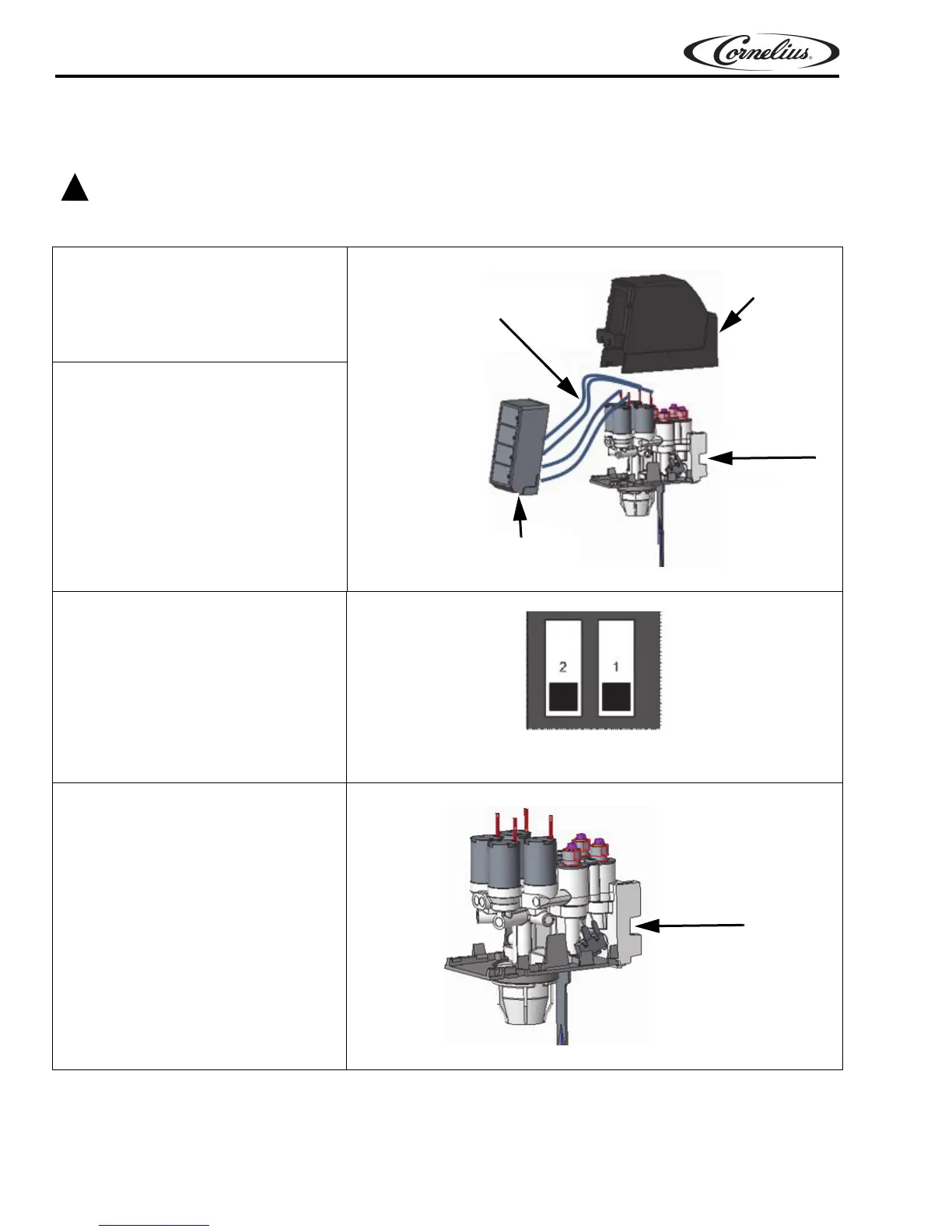
1. Remove the capacitive touch
mo
dule by lifting it upward and
pulling out. Remove the rear
valve cover. Leave the wire
attached to the capacitive touch
module.
to Capacitive touch modules
Wires from valve body
Rear Cover
Valve Body
Capacitive Touch Module
Figure 5.
2. Place the ratio cup under the
valve.
3. Place the dip switch into “ratio
mo
de”.
Figure 6.
4. Press the water button to activate
a time dispense of 5.8 sec. Target
14.5 oz into the water chamber of
the ratio cup.
NOTE: After the water flow is
ad
justed, note the level of
the ratio cup. Do not adjust
the water again for the
syrup.
Figure 7.
Ratio Mode













 To Next Page