STANDARD RECOMMENDED PROCEDURE 003-876 | ISSUE 1 | JANUARY 2012 | PAGE 6 OF 21
4.1.
The mounting brackets are factory-installed for a 5-inch projection of the housing from the front of the
rack. If a 3-inch projection is desired, skip to Section 4.1.1. If a ush-mount projection is desired, skip to
Section 4.1.2.
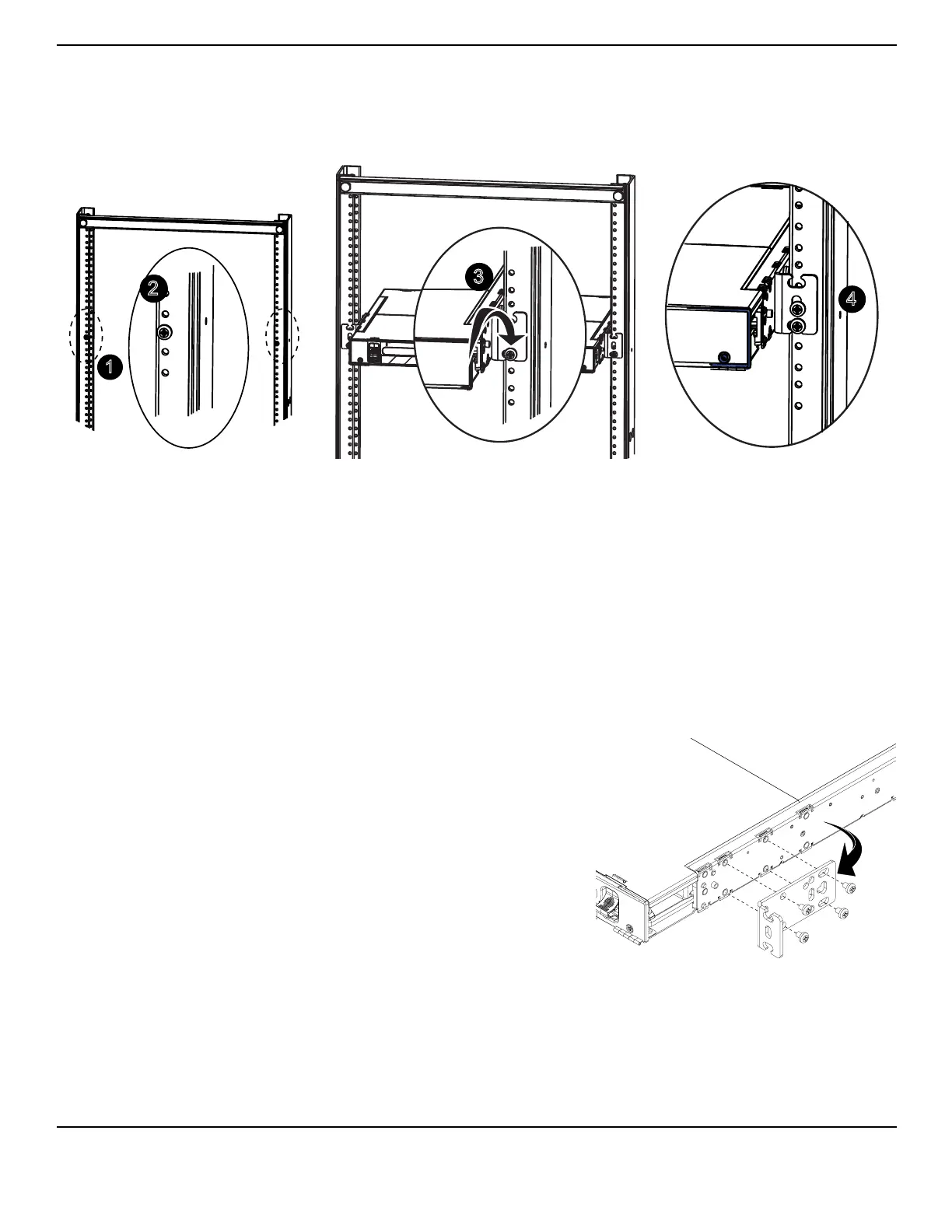
Figure 3
Identify the rack location where the housing will be mounted (Figure 3).
Insert the bottom screws into the rack just above the desired location for the bottom edge of
the housing (#12 screws provided — one per side), leaving 1/4 to 1/2-inch of screw threads
exposed.
Insert the housing into the rack and place the open-ended slot on the bottom of the
mounting brackets onto the installed screws. (The mounting brackets will support the weight
of the housing.)
Tighten the installed screws and insert one more screw per side into the center cut-out of the
mounting bracket. (For CCH-02U and CCH-03U housings: insert additional screws through
the top groove on the mounting brackets and tighten securely.)
4.1.1
Remove the factory-installed mounting bracket
(Figure 4).
Relocate the bracket toward the front of the
housing. Align the screws with the mounting
hole locations and reinstall the bracket.
Mount the housing in the rack per the steps in
Section 4.1.
Figure 4
4.1.2
Remove the front door and its hinges.
Remove the factory-installed mounting bracket.
1
TPA-3968
2
3
4
Front



 To Next Page