24
DC-ITD-PS7MAN01.A www.dodtec.com
JAN 2019 815-788-5200
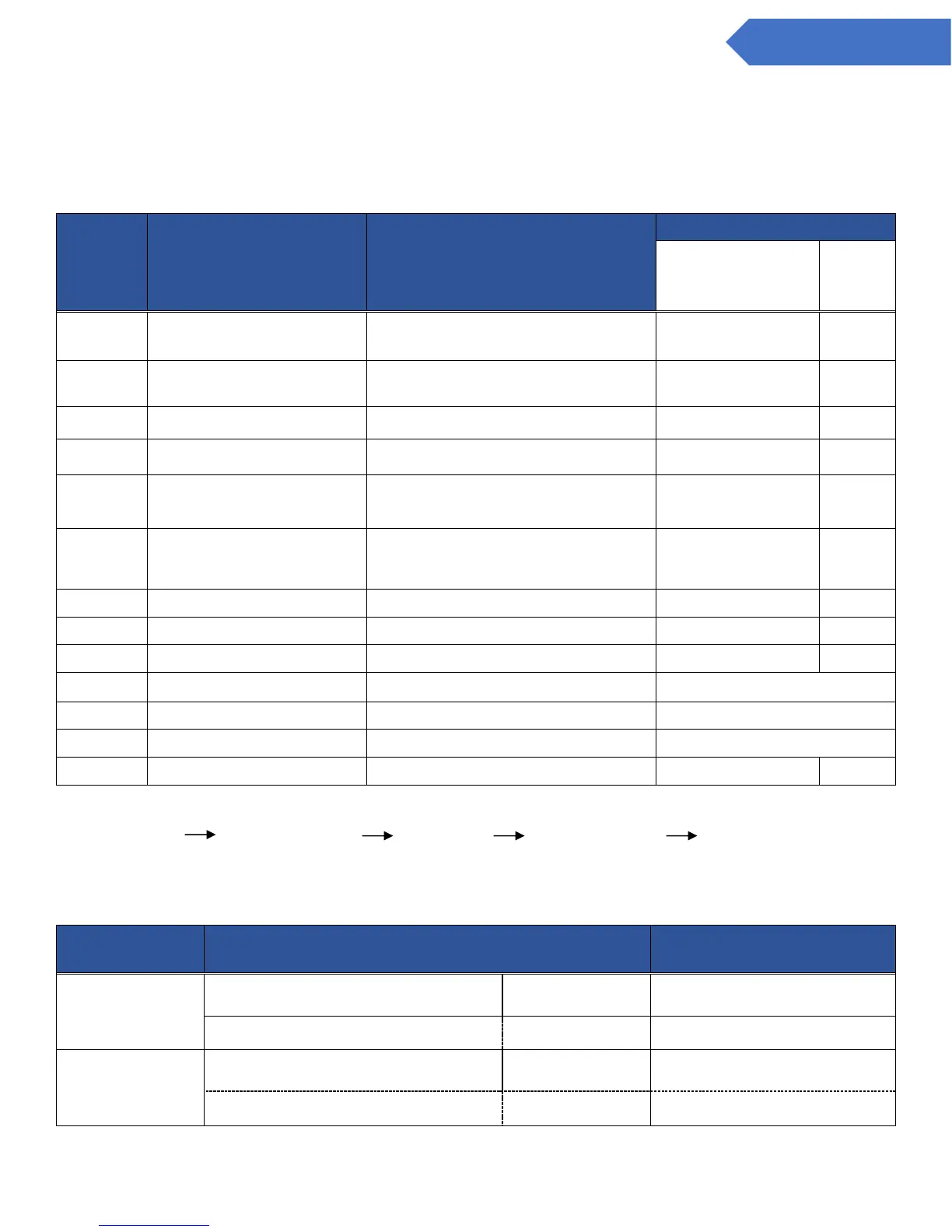
8. Check the various setting values
- The values of the various settings can be checked by pressing the up/down switch, “” or “” on
the main unit. The setting values are displayed in the bottom right hand corner of the LCD Screen.
NOTE: They may sometimes be difficult to distinguish due to the types of alphabet letters used.
The values of alarm settings can be checked by pressing the alarm setting switch “AL”.
“AL1 displayed” “AL2 displayed” “Normal” “AL1 displayed” (Repeat)
The percentage of the full-scale value for the current alarm values will be displayed in the bottom right hand
corner of the LCD screen (in units of 1%), and the alarm set value at the current gas concentration is displayed
in the middle of the screen.
Explanation of the default value
Toxic: CDS-7
Combustible: CHS-7
Toxic: CDS-7
Combustible: CHS-7
Toxic : CDS-7
Combustible: CHS-7
Time delay (secs.) of the gas alarm contact
(1st level)
Time delay (secs.) of the gas alarm contact
(2nd level)
(*For our maintenance purposes only)
(*For our maintenance purposes only)
Zero suppression, or 21vol%
suppression
Displays the percentage of the full-scale
value (rounded to the percent)
1st: Upper limit, 2nd: upper limit warning
1st: Lower limit, 2nd: lower limit warning
1st: Upper limit, 2nd: lower limit warning
Calibrated gas concentration
(*For our maintenance purposes)
The existence of DeviceNet unit
0: Non-existent 1: Existent
(*For our maintenance purposes)
Shows the current rate of flow (mL/min)
(*For our maintenance purposes)


 To Next Page