25
DC-ITD-PS7MAN01.A www.dodtec.com
JAN 2019 815-788-5200
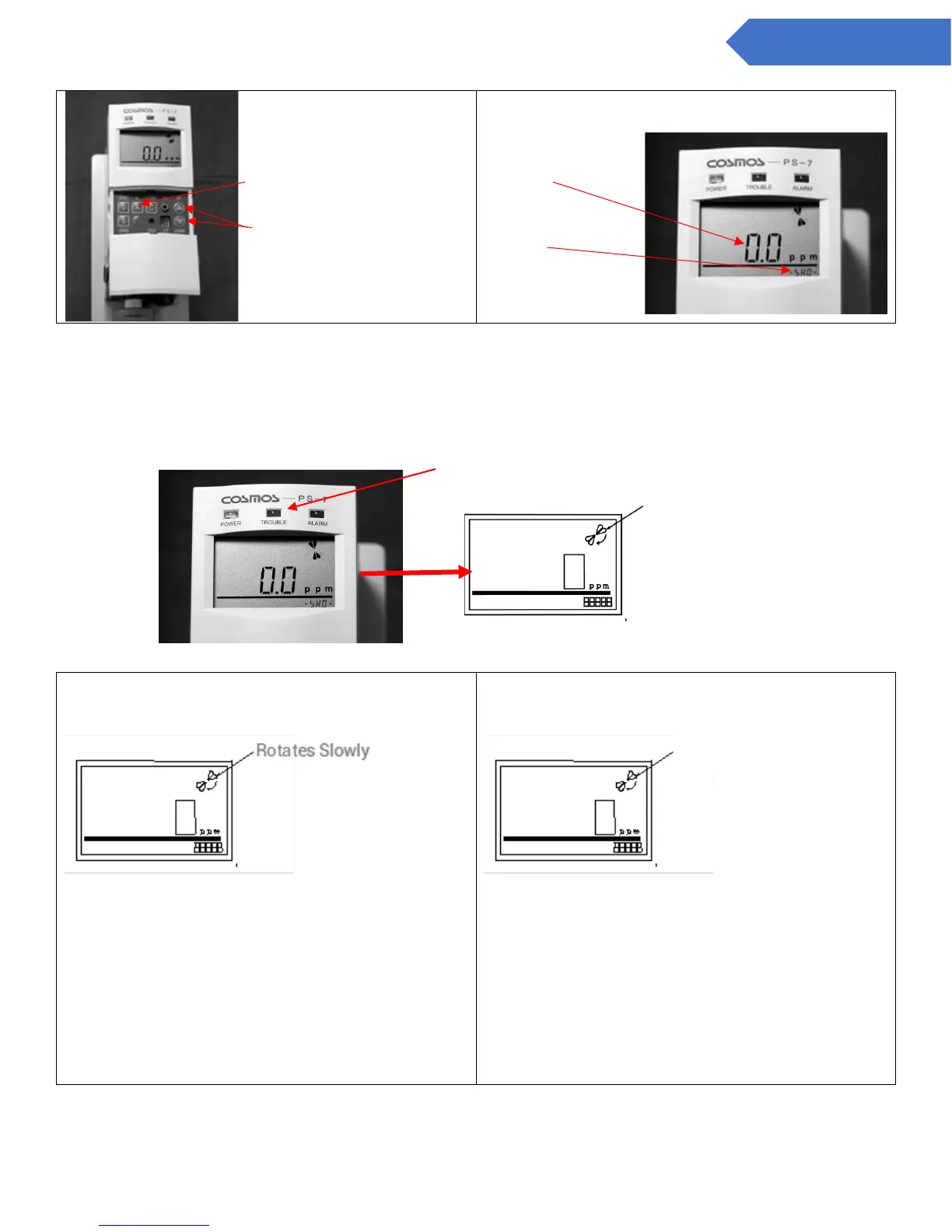
Alarm point setting switch
Up/Down Switch
Center of the
screen
Bottom right of the
screen
9. Verifying the sampling flow rate (Check flow rate)
- Check to see that the flow rotation rate is high, and the TROUBLE lamp (yellow) is off.
- If the flow rotation is high, then it is flowing at the designated rate (0.5 L/min).
NOTE:
Clogged Display
• Slowly rotating flow rate
A “Clogged Display” will be shown when the load on
the pips is high. This could mean:
• The pipes are clogged
• The filter is clogged
• The load is too high
Monitoring of gas concentration will continue even
when the “Clogged Display” is shown.
Warning that flow rate is decreasing
• No Rotation
• FLOW is displayed on the LCD Screen
• TROUBLE lamp (Yellow) blinks
• Trouble warning is activated
When the flow is not at the designated rate, a
warning that the flow rate is decreasing is output.
TROUBLE lamp (yellow) Off


 To Next Page