LEMCOM CANopen® – User manual Meaning of indicator lights
COVAL – LMCOP-EN-A-1155UM0068 13/49
4.1 Module Status (MS) indicator light
No power: Check power supply connection.
Standby: Module not configured (e.g. no address assigned to a secondary
module).
Operational: The module is configured and working properly.
Major recoverable fault: Incorrect vacuum parameters, supply voltage fault,
internal temperature of module too high
Critical unrecoverable fault: Lost part, firmware fault
Self-test: Running module startup phase
Table 2 – Indicator lights for overall module status
4.2 CAN-RUN and CAN-ERR indicator lights
The RUN (G3) and ERR (R1) indicator lights operate according to the DR-303-3 recommendations
of the CiA. These LEDs are used to determine the status of the CANopen communication.
LED states and flashing periods:
Frequency = 10 Hz: 50 ms ON – 50 ms OFF
Frequency = 2.5 Hz: 200 ms ON – 200 ms OFF
1 short flash of 200 ms every second
2 short flashes of 200 ms separated by 200 ms every second
3 short flashes of 200 ms separated by 200 ms every second
Table 3 – States of the CAN-RUN and CAN-ERR LEDs
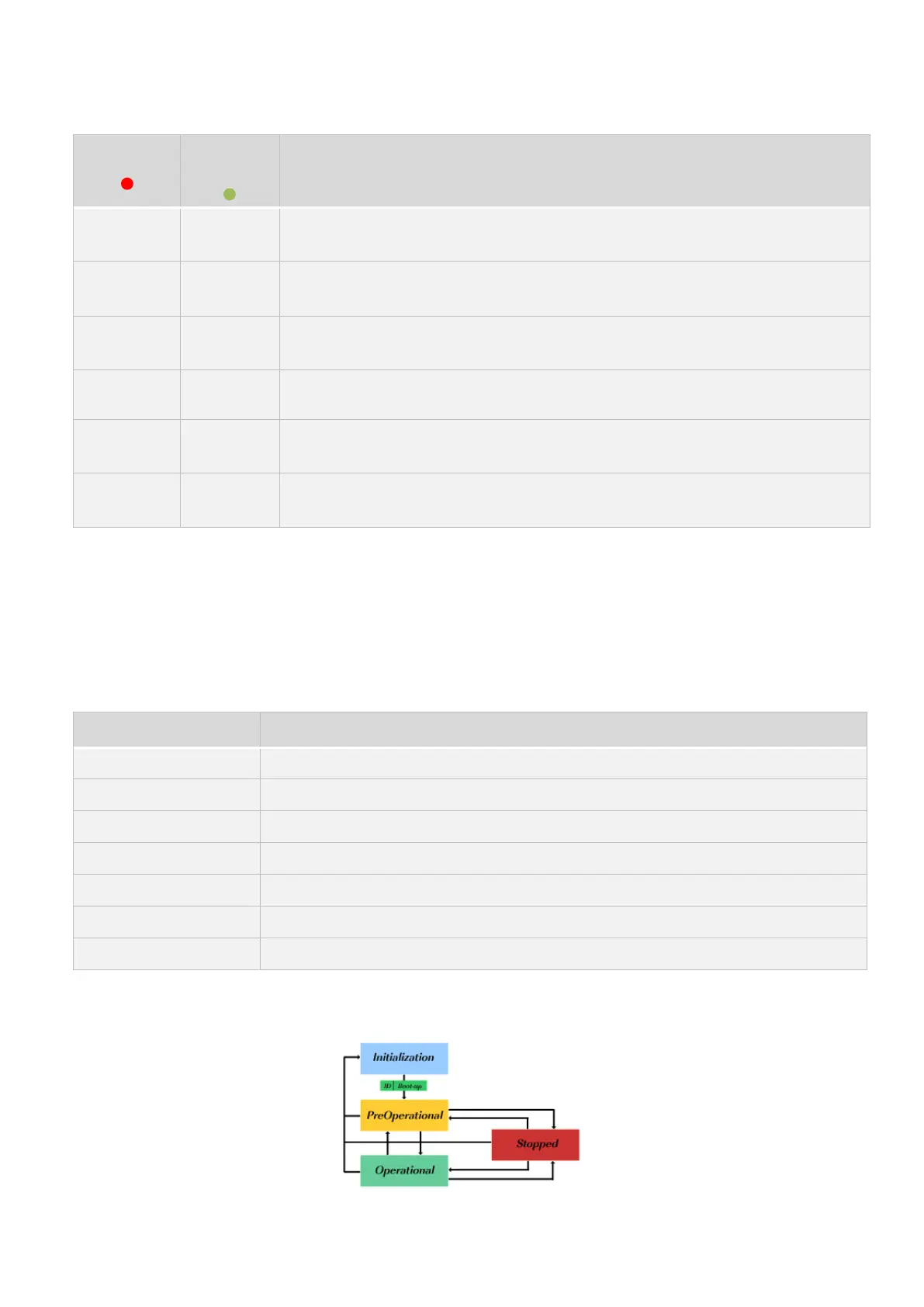
The CAN-RUN LED indicates the status of the product in relation to the NMT startup graph.
Figure 8 – CANopen NMT state machine (source: CiA)


 To Next Page