LEMCOM CANopen® – User manual CANopen® configuration
COVAL – LMCOP-EN-A-1155UM0068 17/49
6.2 Setting the baud rate using an SDO command
The baud rate can be configured using object 3002h, subindex 00h, on the basis of the LSS baud
rates defined in standard CiA 301:
125 kbit/s
(default value)
Table 7 – Baud rates
To configure the baud rate, follow steps 1 to 5 on the previous page and then send an SDO write
command to object 3002h, subindex 00h, with the value corresponding to the desired baud rate
(CANBDR):
The baud rate change will only enter into effect once the module has been restarted.
6.3 Restoring factory settings
The LEMCOM module can be reset to restore it to its initial configuration:
Node ID: 20h = 32d
Baud rate: 125 kbit/s
1. Switch off the LEMCOM module.
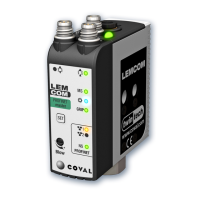
2. Press and hold the “SET” button on the front.
3. Switch the module back on while pressing the button until the green LED (MS) starts flashing.
4. Release the “SET” button. The module will restart automatically.
5. The LEMCOM module will then be restored to its default configuration (for CANopen®
parameters only).


 To Next Page