LEMCOM CANopen® – User manual Detailed description of CANopen objects
COVAL – LMCOP-EN-A-1155UM0068 42/49
12.27 2104h – ASC (Air Saving Control) parameter
Object 2104h is used to activate/deactivate the ASC control system on each module on the island.
When the ASC option is active, the LEMCOM module’s electronics automatically manage the
activation and deactivation of the suction valve in order to maintain the vacuum level between L2
and L2-h2.
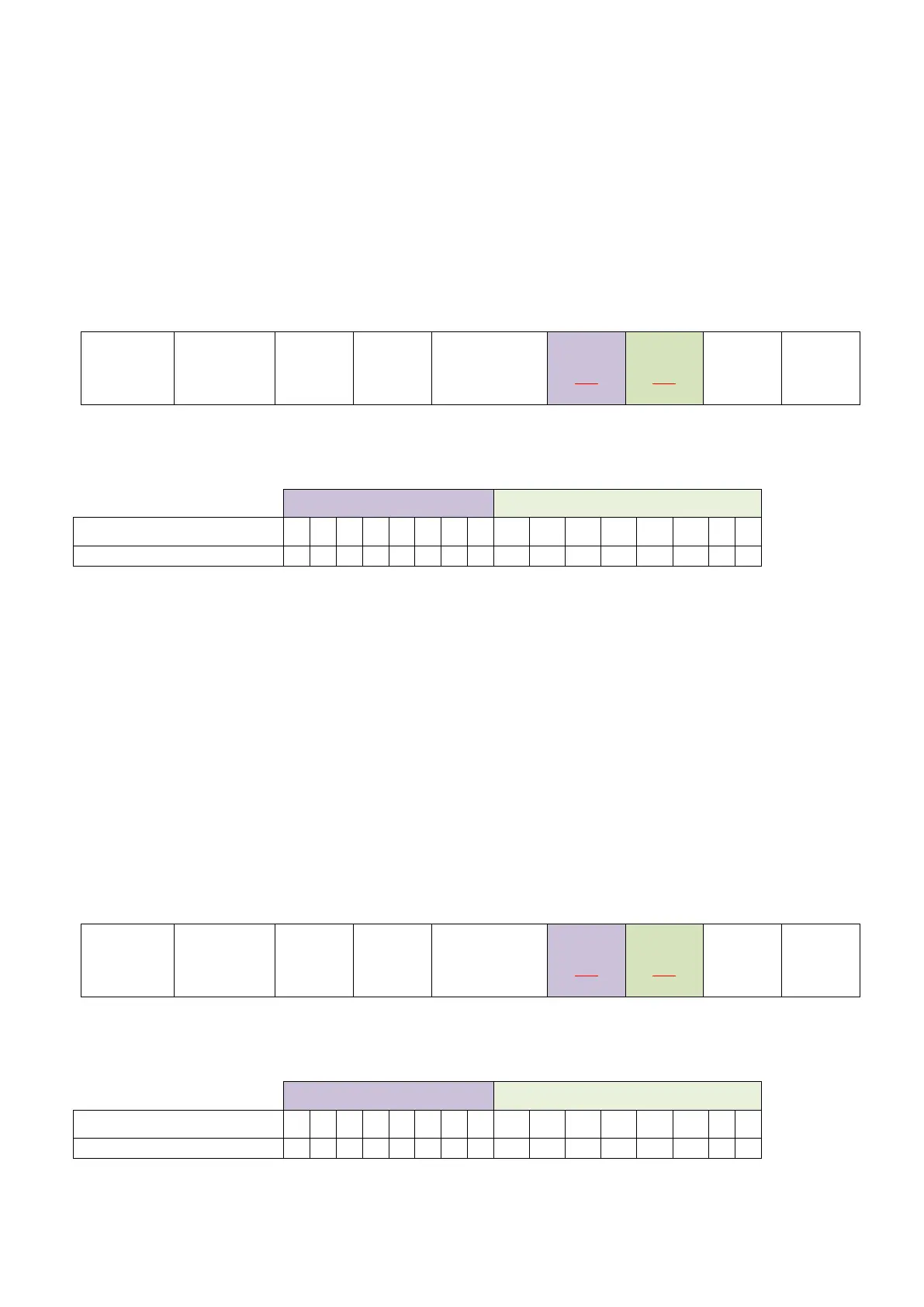
The SDO command related to the ASC is the following:
Client (master) server (LEMCOM)
The ASC option of each module (1 = active / 0 = inactive) is defined by the 16 bits of bytes Byte 1 –
Byte 0:
12.28 2105h – DIAG ECO parameter (ASC monitoring)
Object 2105h is used to activate/deactivate the monitoring function of the ASC control system for
each module on the island.
DIAG ECO is used to prevent unwanted triggering of the control in case of vacuum leakage (porous
part or fault on vacuum network).
The Venturi pump automatically switches over to continuous suction as soon as the number of
bounces of the vacuum solenoid valve exceeds the “Max. no. of bounces” over the “DIAG/E
assessment time” period.
The SDO command related to the DIAG ECO option is the following:
Client (master) server (LEMCOM)
The DIAG ECO option of each module (1 = active / 0 = inactive) is defined by the 16 bits of bytes
Byte 1 – Byte 0:


 To Next Page