LEMCOM CANopen® – User manual Detailed description of CANopen objects
COVAL – LMCOP-EN-A-1155UM0068 24/49
12 DETAILED DESCRIPTION OF CANOPEN OBJECTS
12.1 2000h – Vacuum/Blowing commands
The vacuum and blowing solenoid valves are controlled using the following SDO command:
Client (master) server (LEMCOM)
Above example: Vacuum control on module present at address #2.
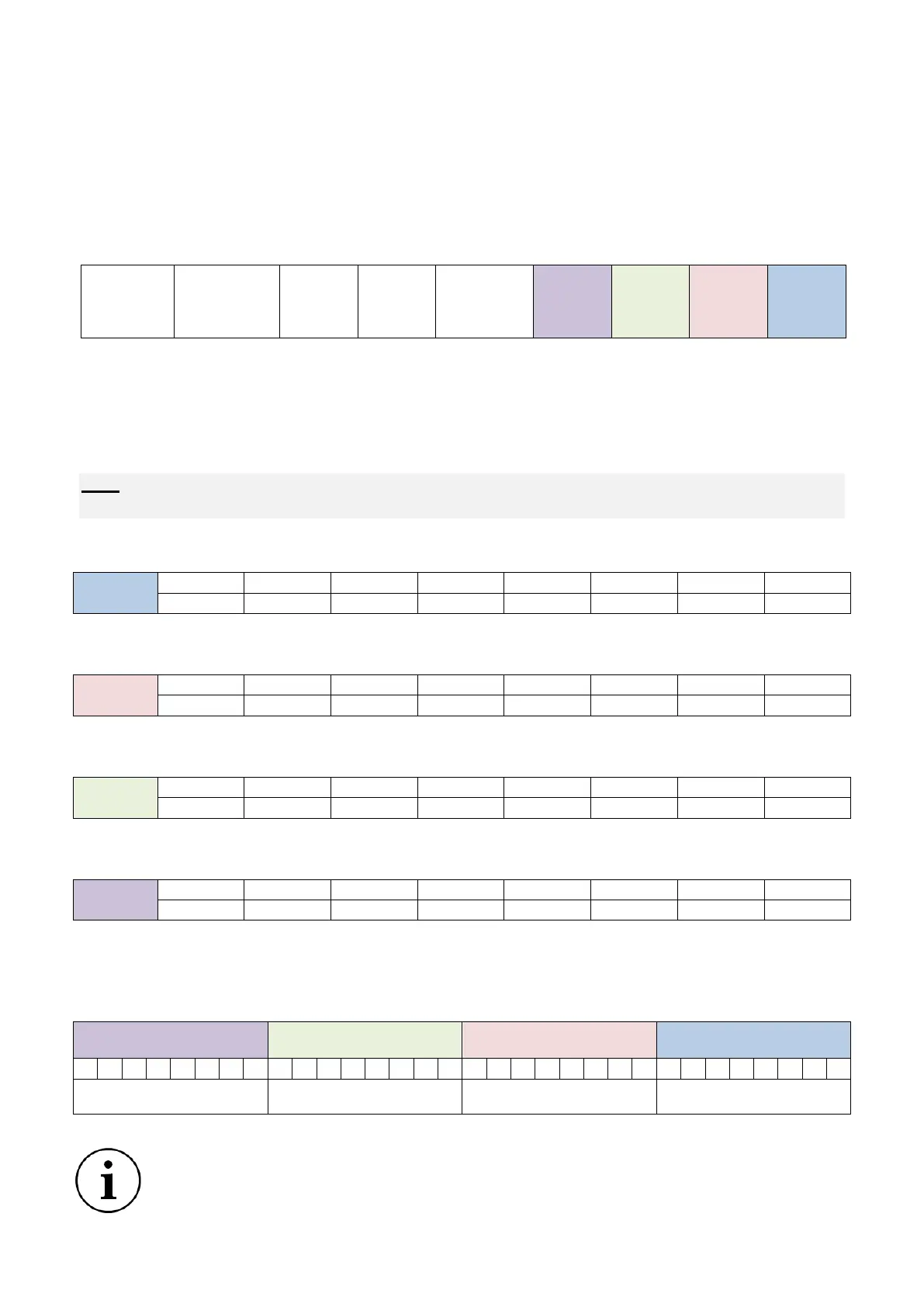
The 4 data bytes (Byte 0, Byte 1, Byte 2, Byte 3) are used to individually activate the vacuum and
blowing solenoid valves on the 1 to 15 module(s) of an island.
Structure of data
Note: Bit set to 1 vacuum or blowing active on relevant module
Bit set to 0 vacuum or blowing inactive on relevant module
Byte 3: Vacuum control on modules at addresses 0 to 7 (0 = master, 1 to 7 = secondaries)
Byte 2: Vacuum control on modules at addresses 8 to 15 (secondary modules)
Byte 1: Blowing control on modules at addresses 0 to 7 (0 = master, 1 to 7 = secondaries)
Byte 0: Blowing control on modules at addresses 8 to 15 (secondary modules)
Example
Vacuum control on modules #0, #1 and #2 + blowing control on modules #3 and #4:
PDO OBJECT
The vacuum and the blowing can also be controlled using the RX PDO1 in which object
2000h is mapped.


 To Next Page