18
SETUP (Cont’d)
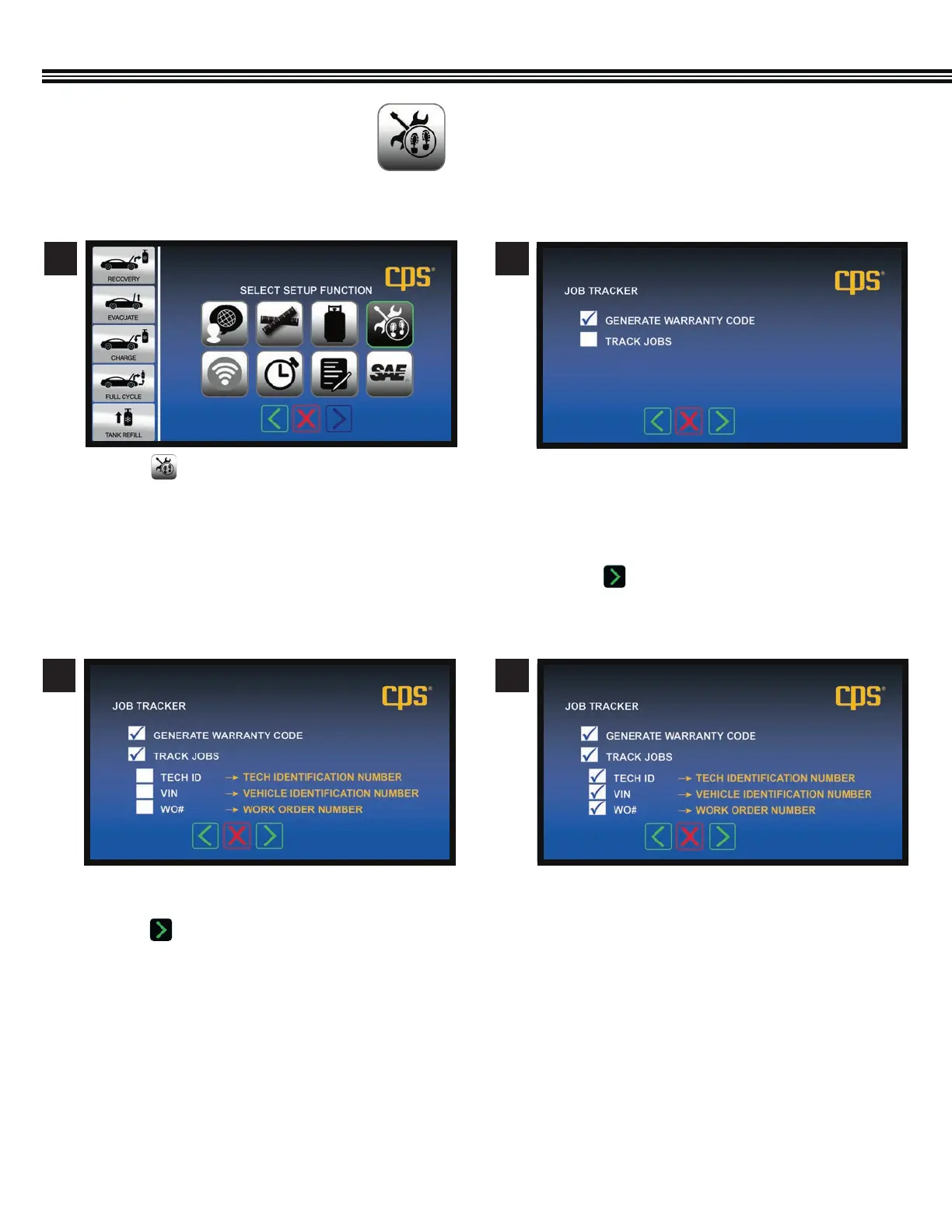
JOB TRACKER
(Not All Screens Are Shown)
a. Touch any white box to check or uncheck which
items to appear on a report.
b. Touch to enter selections and go to next
screen.
3 4
Job Tracker Screen Job Tracker Screen
a. Touch .
a. Warranty Code- Touch white box to have MX
machine generate an encrypted warranty code for
manufacturer’s vehicle being serviced.
b. Track Jobs- Touch white box to have Job Data
appear (in next screen).
c. Touch to enter selections and move to next
screen.
1 2
Setup Function Screen Job Tracker Screen


 To Next Page