29
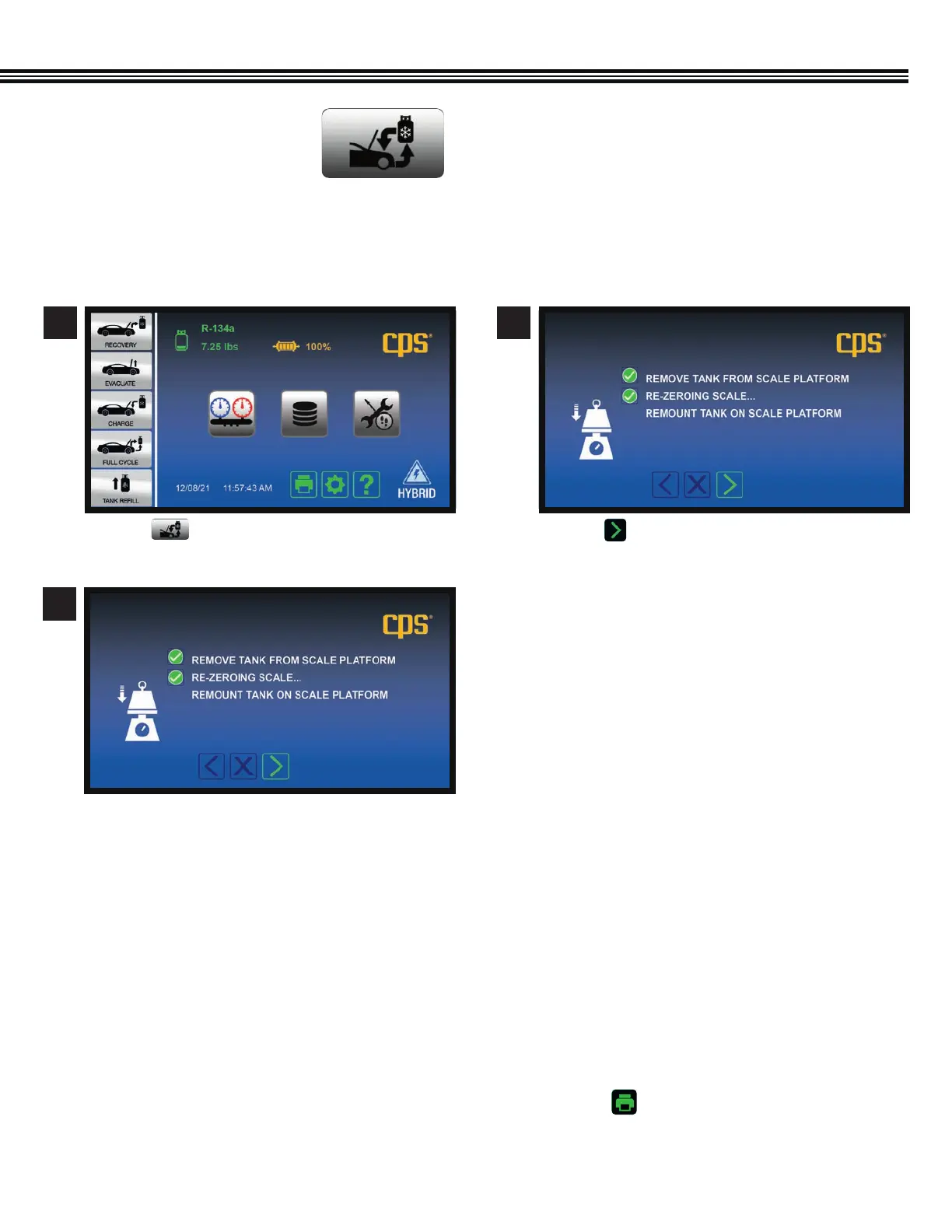
a. Touch to go to FULLY CYCLE Function.
FULL CYCLE
1. The display will prompt you to enter a vacuum time and a vehicle charge amount.
2. Once Full Cycle has been selected and started, the machine will proceed with the Recovery process described
in a previous section.
3. At the end of Recovery, the MX134 will automatically proceed to Vacuum and Leak Test (if the vacuum time
selected was greater than 10 minutes.)
4. Once the Vacuum process is complete, the desired charge amount will be installed in the vehicle.
5. The MX134 will then ask if you want to enter the Car Health Mode. Select this mode to check/print system
pressures and vent temperature.
6. If Car Health Mode is not selected, the MX134 will instruct how to transfer refrigerant contained in the
hoses into the vehicle’s AC system.
7. Final results of the Full Cycle process can be printed by touching the Print Key found at the bottom
of the “Home” screen.
Select “Full Cycle” on the Home Screen to Recover, Recycle, Vacuum, Leak Check (if desired) and Charge the vehicle’s AC
system.
FULL CYCLE
1 2
3
a. Touch to proceed to next screen.
a. The display will prompt you to enter a vacuum
time and a vehicle charge amount.
Home Screen Full Cycle Screen


 To Next Page