26
EVACUATION OF A/C SYSTEM
After all refrigerant has been recovered from the vehicle’s AC system, and the system has been reassembled following any
repairs, the AC system must be evacuated.
Within a vehicle’s AC system, any moisture that is present can mix with oil to form “sludge”, while moisture mixed with
refrigerant forms hydrofluoric and hydrochloric acids all of which can permanently damage a system. The MX134 Refrigerant
Management Center will “evacuate” (degas and dehydrate) an AC or refrigeration system prior to refrigerant charging.
A system that has been properly “evacuated” assures that non-condensable and moisture won’t later harm the
refrigerant or refrigerant oil in the system.
1 2
A/C SYSTEM EVACUATION
(Not All Screens Are Shown)
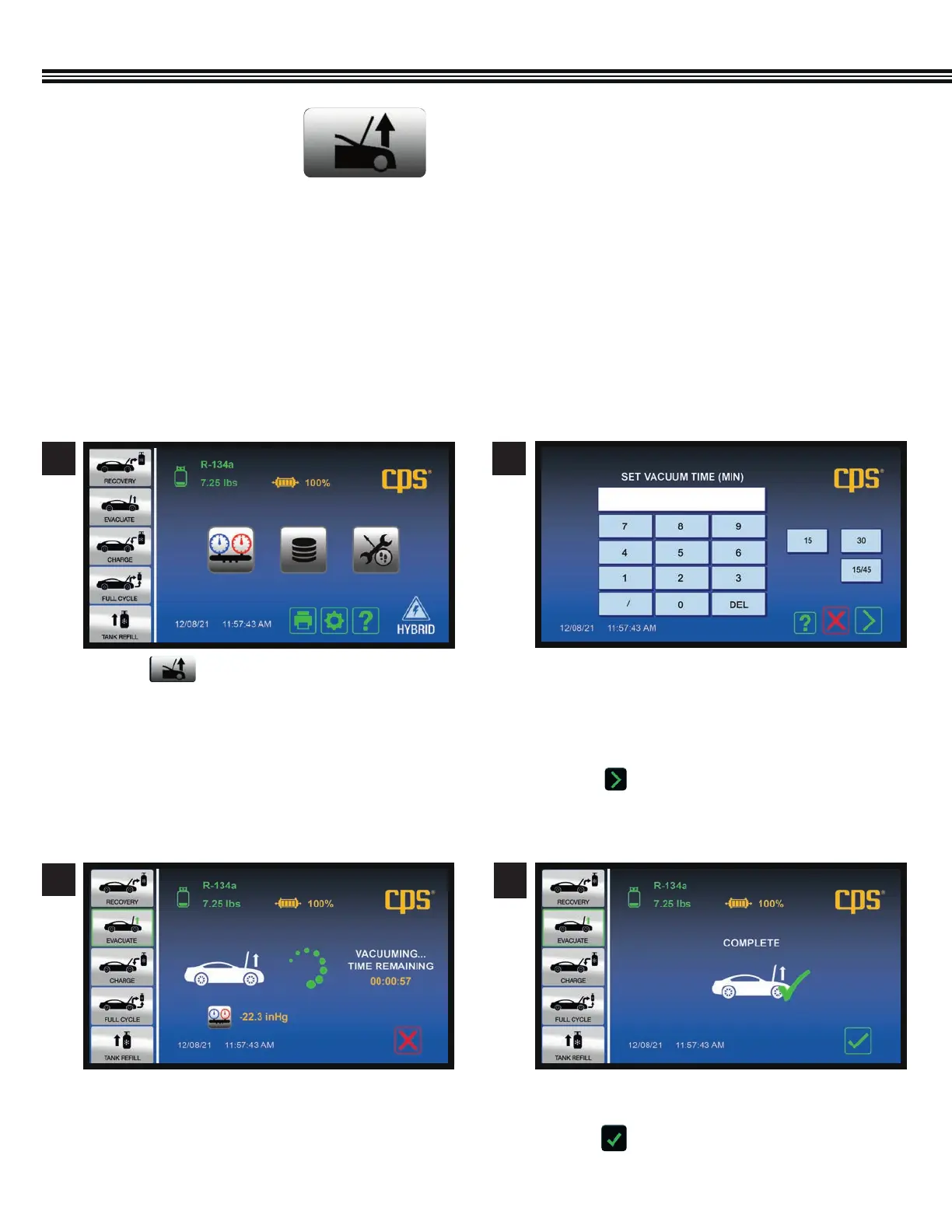
a. A custom vacuum time may be entered, or one of
the preset 15 or 30 minute times may be selected.
b. If a vacuum time of 15 minutes or greater is
selected, evacuation will be followed by a 2
minute leak test (vacuum decay test).
c. Touch to enter evacuation time and move to
the next screen.
a. “Vacuum Time Remaining” will appear on the
display.
3
Select Run Time
Evacuation In Progress
a. When the specified Vacuum Time has expired, this
screen will appear.
b. Touch to return to Home Screen.
7
Vacuum Complete
4
a. Touch for vehicle’s 2 CFM vacuum pump
to evacuate the A/C system.
Home Screen


 To Next Page