31
REFRIGERANT TANK REFILL (Cont’d)
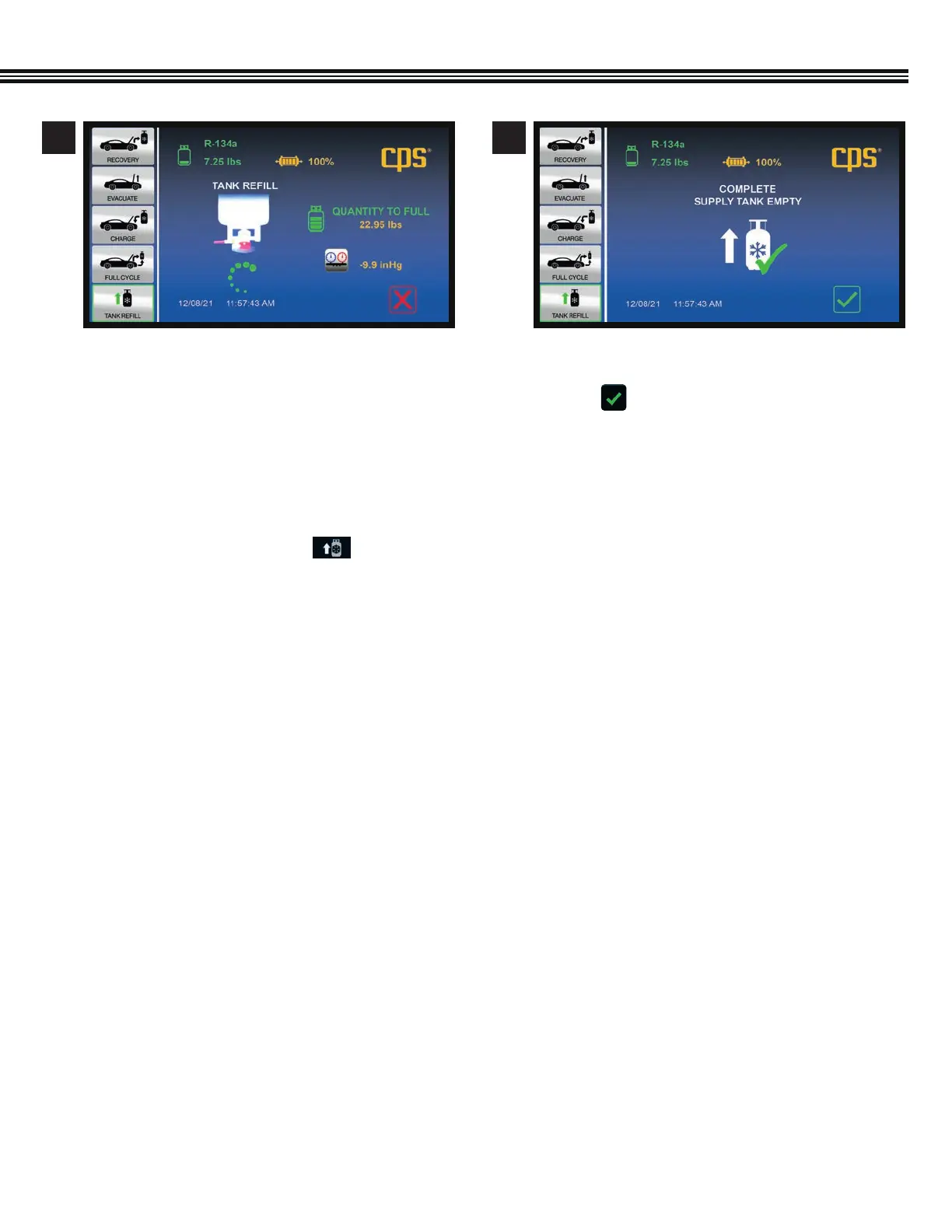
a. Refill function has been conmpleted (the SMX134
tank has been filled to capacity).
b. Touch to return to the Home Screen.
a. Refrigerant transfer in process (screen shows
weight of refrigerant that can still be transferred to
MX134 tank untill it is full).
5 6
7. A “NO PRESSURE DETECTED IN THE TANK!” message
will appear. Touch Continue to proceed.
8. A “STILL NO PRESSURE DETECTED!” message will
appear. Touch Continue to proceed.
9. The main menu will appear. Touch and refer
to page 30 (previous page) for further instructions on
how to fill the tank.
10. Please contact CPS Technical Support if you have any
problems registering this machine.


 To Next Page
 Loading...