41
TOUCH SCREEN DISPLAY CALIBRATION (Cont’d)
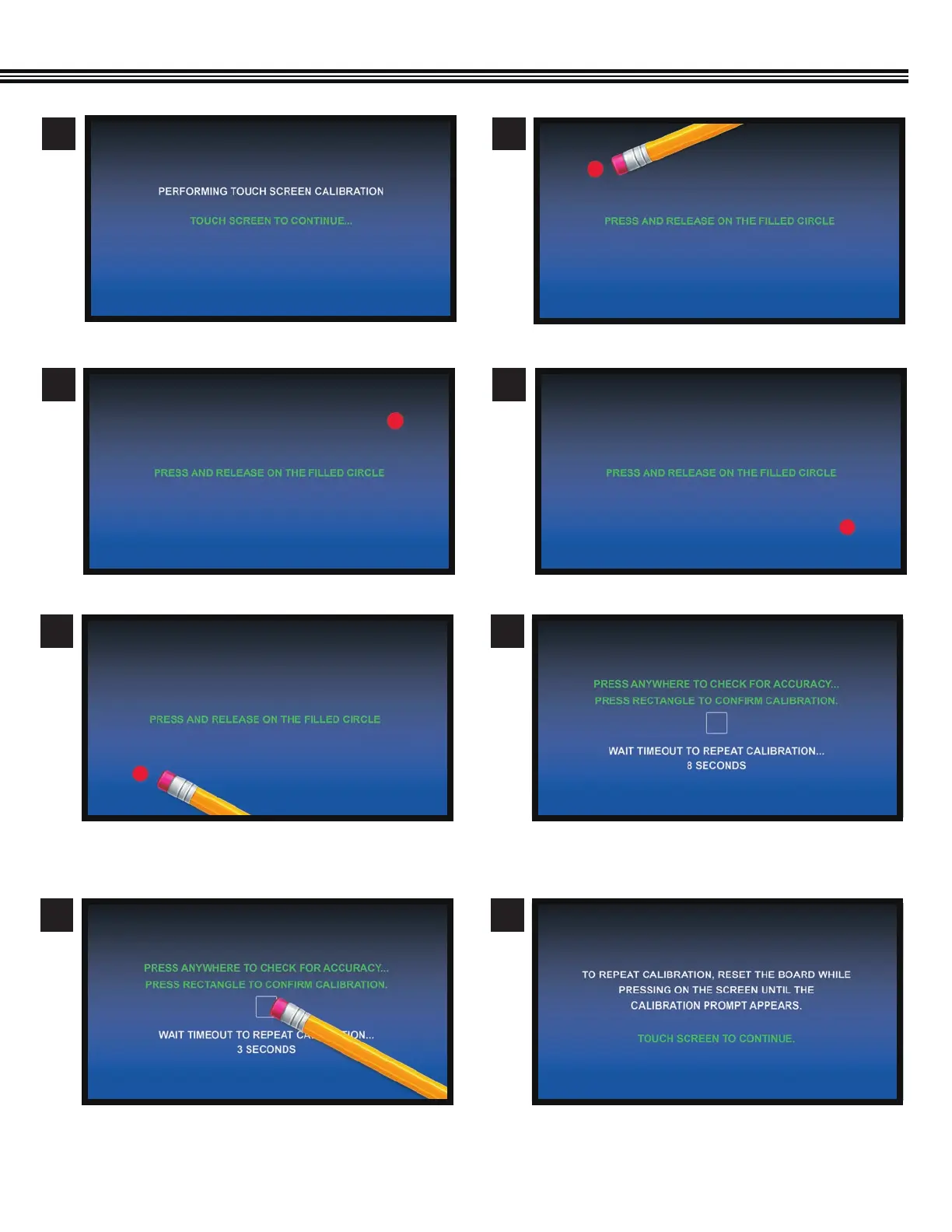
a. Touch screen to continue.
a. Touch and release the filled circle (UPPER RIGHT).
a. Touch and release the “filled” circle (UPPER LEFT).
a. Touch and release the filled circle (LOWER RIGHT).
1
3
2
4
5
7
6
8
a. Touch and release the filled circle (LOWER LEFT). a. Touch anywhere to check for accuracy.
b. Touch rectangle to confirm accuracy.
c. Wait timrout to REPEAT calibration.
a. To repeat calibration, reset the board while touching
the screen until calibration prompt appears.


 To Next Page