©2015 Cradlepoint. All Rights Reserved. | +1.855.813.3385 | cradlepoint.com
14
User Manual / CBA850
11/5/15
ADMINISTRATION PAGES
Quick Links
Dashboard
Connection Manager
Status
Networking
Security
System
QUICK LINKS
DASHBOARD
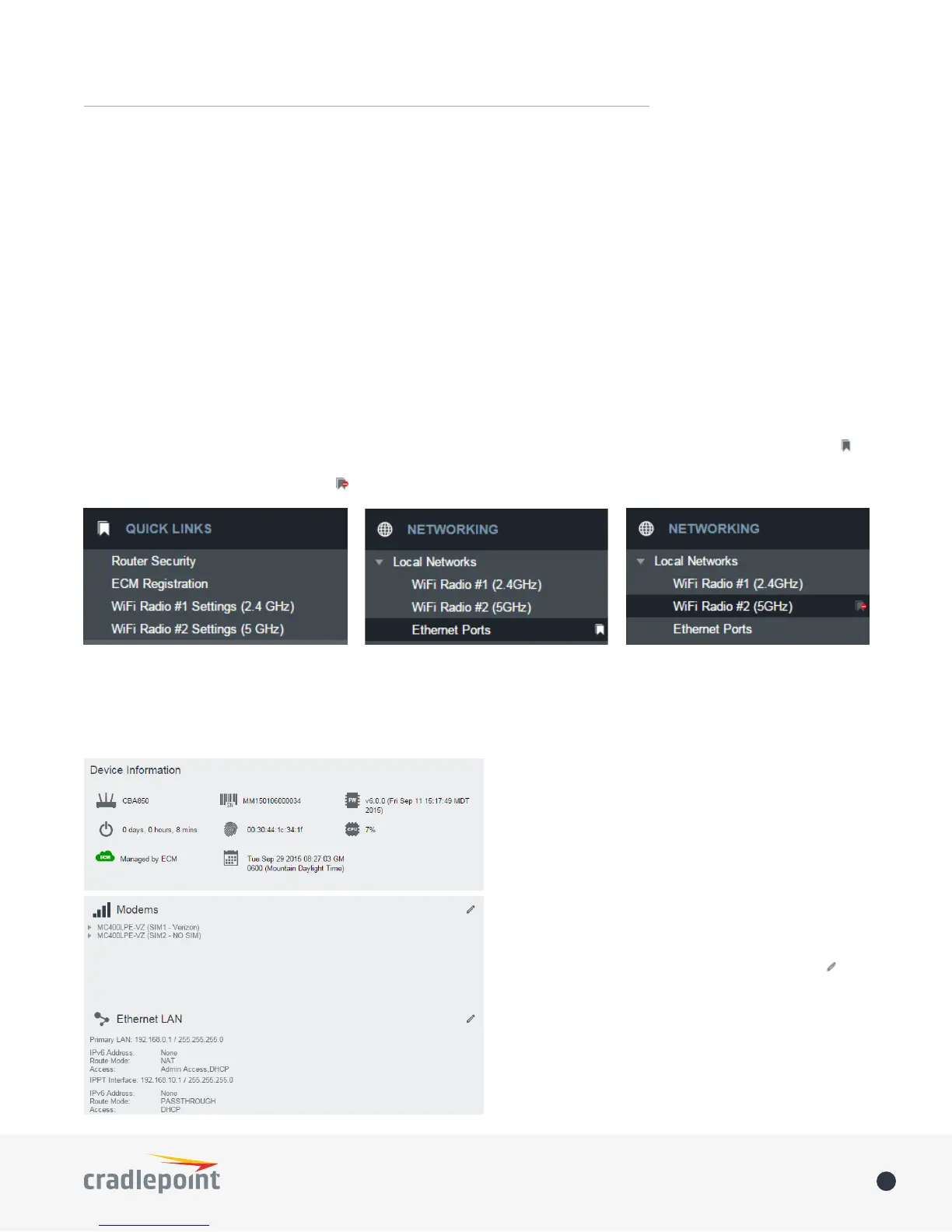
The Dashboard is a centralized location for basic
information about the status of your router. The
areas include:
• Device Information
• Ethernet WAN*
• Modems*
• WWAN*
• Ethernet LAN*
• WiFi LAN*
*-To quickly edit settings for any of these areas,
click on the pencil icon ( ) in the top-right of the
desired dialog box.
You may return to the Dashboard at any time by
clicking on DASHBOARD from the left menu or by
clicking on the Cradlepoint logo at the top-left of
the screen.
Quick Links allows you to bookmark your most commonly-used settings. Simply click on the bookmark icon ( )
to add an item to your Quick Links menu. To remove an item from your Quick Links menu, select the item and
click on the remove bookmark icon ( ).
Quick Links Menu Add Quick Link Delete Quick Link















 To Next Page