©2015 Cradlepoint. All Rights Reserved. | +1.855.813.3385 | cradlepoint.com
44
User Manual / CBA850
11/5/15
CONTENT FILTERING
WEBFILTER SETTINGS
General Settings
Enbable Webfilter: Selecting “Enable Weblter” will enable the webltering
service. This is used to enable or disable all router-based webltering and
forwarding.
Filter HTTPS: Selecting “Filter HTTPS” enables redirection of all port 443 trac
into the proxy. The proxy will then extract the host name from the SNI (Server
Name Indication). If SNI is unavailable then the original destination IP address
is used for ltering. No decoding of the SSL/TLS session is done.
Upstream Proxy Settings
Enabled: Select whether the use of an Upstream Proxy server is enabled.
Proxy Address: The Proxy Address is the address the desired HTTP proxy is hosted at. Addresses can be input
as host names or as ip addresses. If the proxy is unavailable HTTP trac will fail to cross the network and a
notication page will be shown.
endpoints to local client thereby limiting exposure to the
local LAN while still gaining the benets of GRE.
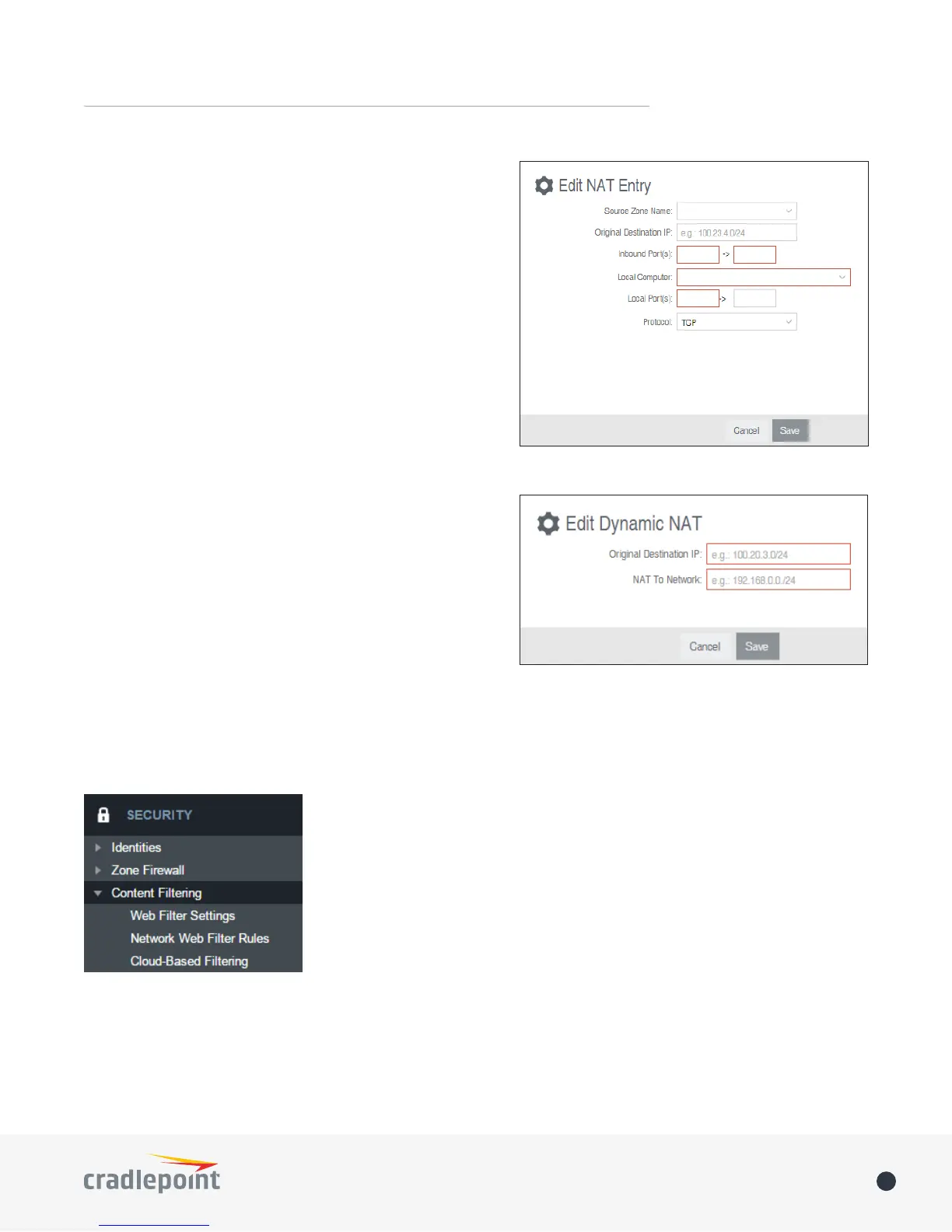
Click Add to create a Zone NAT.
• Source Zone Name: The Zone created in Zone Firewall.
Select the Zone to NAT.
• Original Destination IP: Specify which inbound trac to
this router will have the destination IP translated to an
internal network.
• Inbound Port(s): Specify the IP port(s) on the inbound
trac to forward to a local computer.
• Local Computer: Specify the local computer to receive
forwarded trac.
• Local Port(s): Specify the IP port (rst if a range) on the
local computer to receive forwarded trac.
• Protocol: Select the IP protocol trac to forward.
Dynamic 1:1 NAT
Dynamic NAT allows translating the destination ip of
incoming network trac to a local network. All ports and
protocols will be forwarded. Netmasks should generally
match. If the local network range is larger than the incoming
destination range then network trac will begin using
port overloading. One-to-One NAT can be accomplished by
specifying a host address or a /32 cidr address.
Click Add to create a Dynamic 1:1 NAT.















 To Next Page