©2015 Cradlepoint. All Rights Reserved. | +1.855.813.3385 | cradlepoint.com
25
User Manual / CBA850
11/5/15
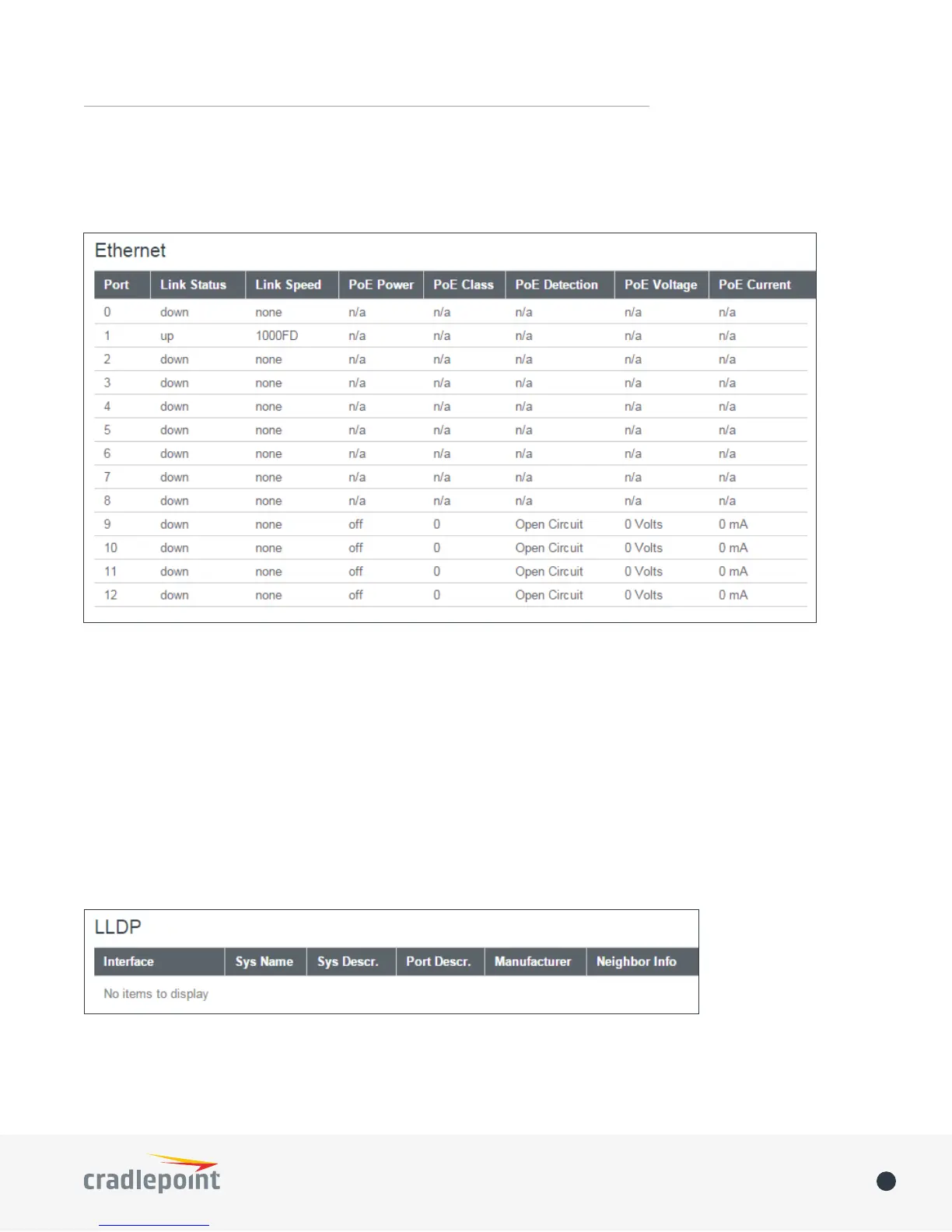
ETHERNET
Displays information about your Ethernet ports. To congure Ethernet ports, go to NETWORKING > Local
Networks > Ethernet Ports.
GPS
Displays GPS location and status. To enable and congure GPS, go to SYSTEM > Administration > GPS.
LLDP
Displays LLDP information. To enable LLDP, go to SYSTEM > Administration > LLDP.















 To Next Page