©2015 Cradlepoint. All Rights Reserved. | +1.855.813.3385 | cradlepoint.com
56
User Manual / CBA850
11/5/15
This allows the administrator to load new rmware onto the router to add new
features or x defects. If you are happy with the operation of the router, you
may not want to upgrade just because a new version is available. Check the
rmware release notes (cradlepoint.com/rmware) for information to decide if
you should upgrade.
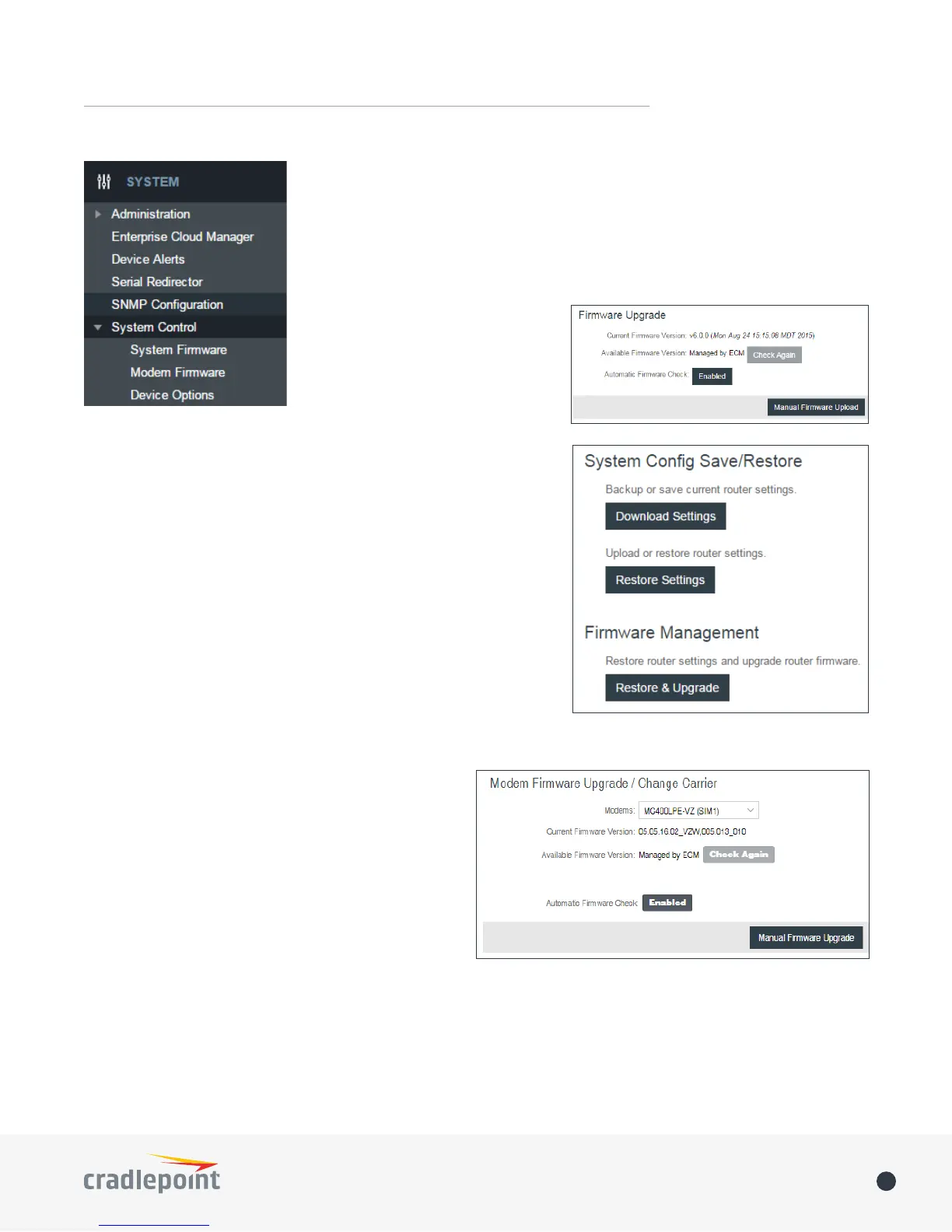
Current Firmware Version: Shows the
number of the current rmware and
the date it was updated.
Available Firmware Version: If there
is a new rmware version available,
this will list the version number. Click
“Check Again” to have the router
check for the newest rmware.
Automatic Firmware Check: Automatically check for new rmware
updates once daily.
Manual Firmware Upload: Upload the router rmware from an
attached computer. (Go to cradlepoint.com/rmware to download
the rmware.)
System Cong Save/Restore
Download Settings: Click on “Dowload Settings” to save your current
settings to a le on a computer.
Restore Settings: Click on “Restore Settings” to restore your
previous settings from a le on a computer.
Firmware Management
Load new rmware and restore your previous settings from a le on
a computer without rebooting between steps.
MODEM FIRMWARE
DEVICE OPTIONS
Modems: Select desired modem.
Current Firmware Version: Shows the number of the
current rmware and the date it was updated.
Available Firmware Version: If there is a new rmware
version available, this will list the version number. Click
“Check Again” to have the router check the newest
rmware.
Automatic Firmware Check: Automatically check for
new rmware updates once daily.
Manual Firmware Upload: Upload the router rmware
from an attached computer.
Reboot Options
• Reboot the Device: Manually restart the router.
• Factory Reset Router: Reset the router to its original settings. Once reset your SSID and admin password will
match the sticker on the bottom of the router.
SYSTEM CONTROL
SYSTEM SOFTWARE















 To Next Page