©2015 Cradlepoint. All Rights Reserved. | +1.855.813.3385 | cradlepoint.com
54
User Manual / CBA850
11/5/15
SNMP CONFIGURATION
SNMP, or Simple Network Management Protocol, is an Internet standard protocol for remote management. You
might use this instead of Enterprise Cloud Manager if you want to remotely manage a set of routers that include
both Cradlepoint and non-Cradlepoint products.
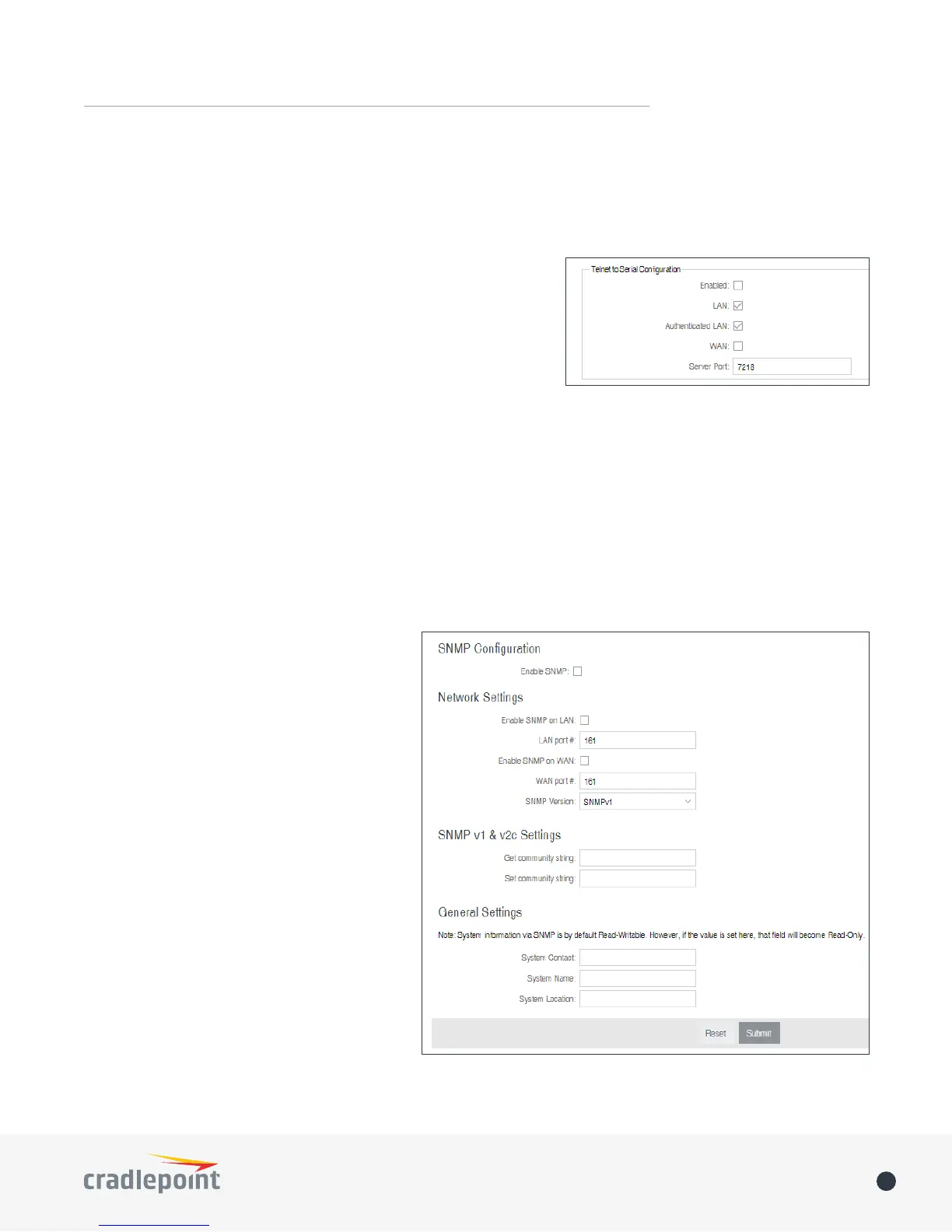
SNMP Conguration
• Enable SNMP: Selecting “Enable SNMP”
will reveal the router’s SNMP conguration
options.
Network Settings
• Enable SNMP on LAN: Enabling SNMP on
LAN will make SNMP services available
on the LAN networks provided by this
router. SNMP will not be available on
guest or virtual networks that do not have
administrative access.
• LAN port #: Use the LAN port # eld to
congure the LAN port number you wish to
access SNMP services on. (Default: 161)
• Enable SNMP on WAN: Enabling SNMP on
WAN will make SNMP services available to
the WAN interfaces of the router.
• WAN port #: Use the WAN port # eld to
congure which publicly accessible port
you wish to make SNMP services available
on. (Default: 161)
• SNMP Version
• SNMPv1: SNMP version 1 is the most
basic version of SNMP. SNMPv1 will
congure the router to transmit with settings compatible with SNMP version 1 protocols.
SERIAL REDIRECTOR
A single USB Serial device can be used to establish a serial link to a host port on the router. The USB Serial
device can also be accessed by running “serial” from an SSH session.
Telnet to Serial Conguration
• Enabled: Enabling Telnet to Serial will start a Telnet server that
passes its connection to the serial adapter. Enabling this service
is not necessary when accessing serial through SSH.
• LAN: Enable serial redirector for LAN connections.
• Authenticated LAN: Enable serial redirector for Authenticated
LAN connections. You must be logged into the router to use the
redirector.
• WAN: Enable serial redirector for WAN connections.
• Server Port: Enter a port number for the redirector to use. (Default: 7218)















 To Next Page