©2015 Cradlepoint. All Rights Reserved. | +1.855.813.3385 | cradlepoint.com
53
User Manual / CBA850
11/5/15
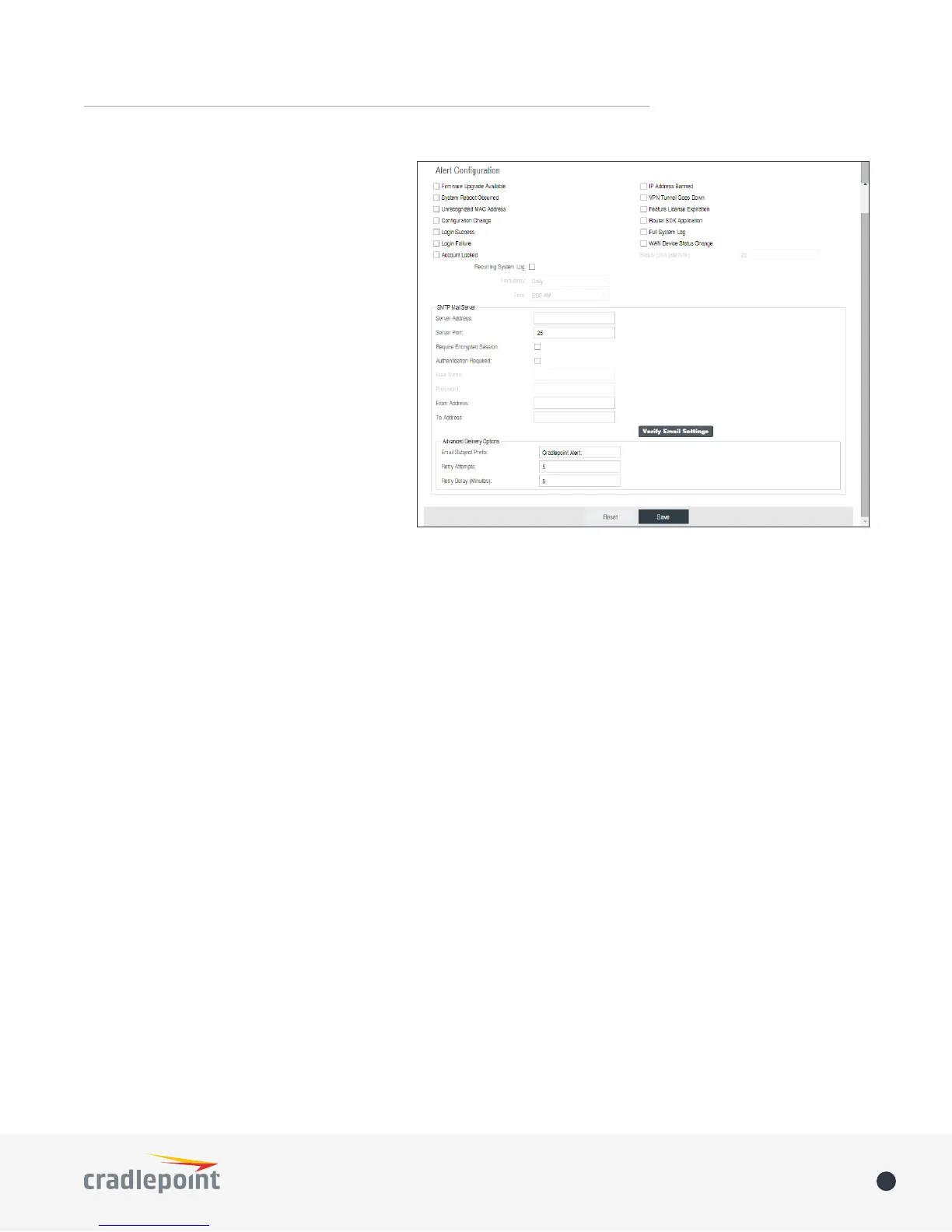
• WAN Device Status Change: An attached
WAN device has changed status. The
possible statuses are plugged, unplugged,
connected, and disconnected.
• Conguration Change: A change to the
router conguration.
• Login Success: A successful login attempt
has been detected.
• Login Failure: A failed login attempt has
been detected.
• Account Locked: Account has been locked
due to excessive failed login attempts.
• IP Address Banned: An IP address has
been banned.
• VPN Tunnel Goes Down: Sends an alert
when a VPN tunnel goes down.
• Feature License Expiration: Sends an alert
when a feature license is about to expire.
• Router SDK Application: A router SDK
Application may send an alert.
• Full System Log: The system log has lled.
This alert contains the contents of the system log.
• Recurring System Log: The system log is sent periodically. This alert contains all of the system events since
the last recurring alert. It can be scheduled for daily, weekly and monthly reports (Frequency). You also
choose the Time you want the alert sent.
SMTP Mail Server
Since your router does not have its own email server, to receive alerts you must enable an SMTP server. This is
possible through most email services (Gmail, Yahoo, etc.)
Each SMTP server will have dierent specications for setup, so you have to look those up separately. The
following is an example using Gmail:
• Server Address: smtp.gmail.com
• Server Port: 587 (for TLS, or Transport Layer Security port; the router does not support SSL).
• Authentication Required: For Gmail, mark this checkbox.
• User Name: Your full email address
• Password: Your Gmail password
• From Address: Your email address
• To Address: Your email address
Once you have lled in the information for the SMTP server, click on the “Verify SMTP Settings” button. You
should receive a test email at your account.
Delivery Options (Advanced)
Email Subject Prefix: This optional string is prexed to the alert subject. It can be customized to help you
identify alerts from specic routers.
Retry Attempts: The number of attempts made to send an alert to the mail server. After the attempts are
exhausted, the alert is discarded.
Retry Delay: The delay between retry attempts.















 To Next Page