©2015 Cradlepoint. All Rights Reserved. | +1.855.813.3385 | cradlepoint.com
57
User Manual / CBA850
11/5/15
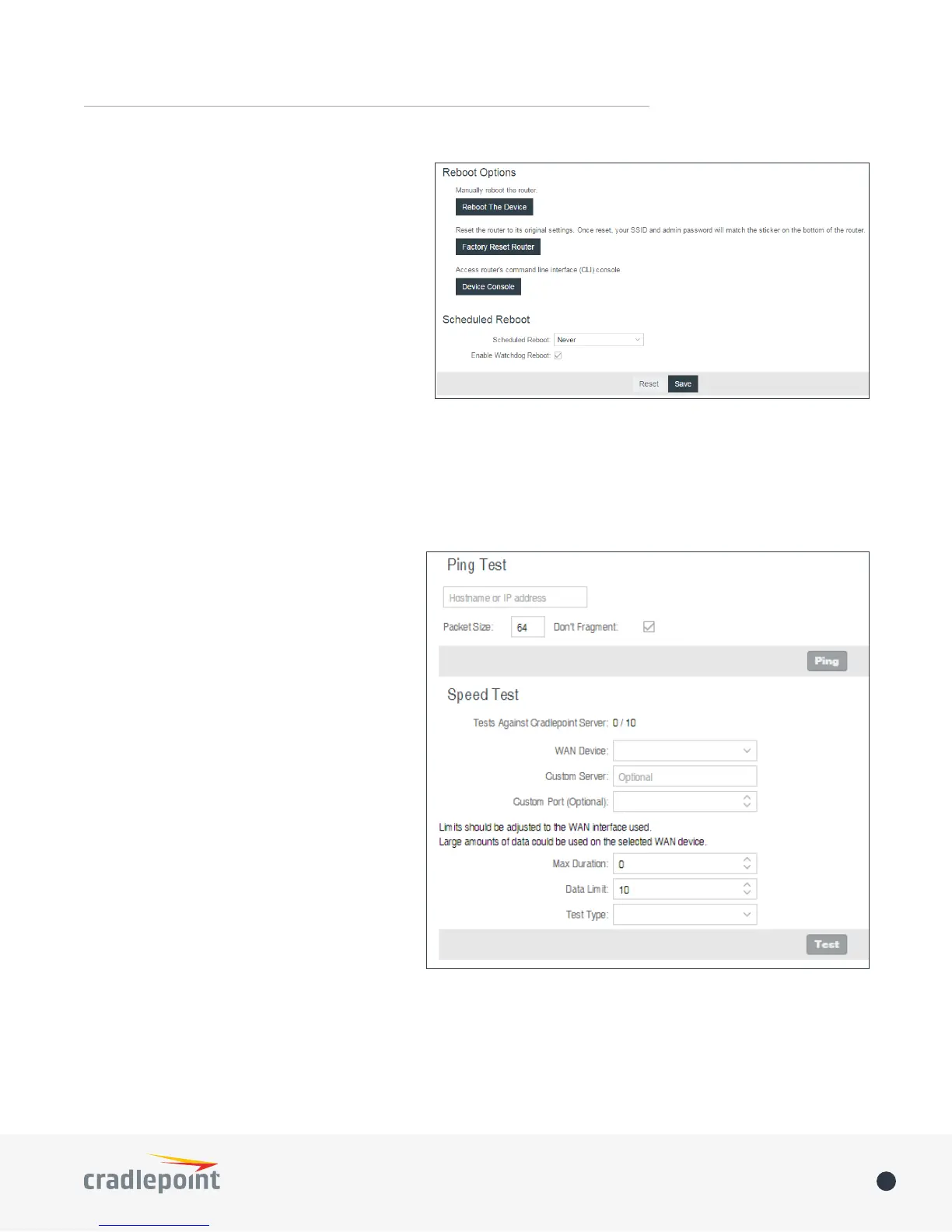
• Device Console: Access router’s command
line interface (CLI) console.
Scheduled Reboot
• Scheduled Reboot: Router will restart at
user-specied time.
• Enable Watchdog Reboot: Router will restart
when it determines an unrecoverable error
condition has occurred.
DIAGNOSTICS
Ping Test
A simple test to check Internet connectivity.
Type the Hostname or IP address of the
computer you want to ping and click the ‘Ping’
button.
Speed Test
• Tests Against Cradlepoint Server - Up to
ten speed tests are permitted against a
Cradlepoint server.
• WAN Device - The WAN Device that is
selected will have the test run on it. If no
device is selected then the highest priority
connected device will be used.
• Custom Server - Type the Hostname or IP
address of the server to which you wish to
perform a test. If left empty the test will
be done to a Cradlepoint server.
• Custom Port (Optional) - The port to which
the test is directed.
• Max Duration - The Max Duration is the
Maximum amount of time for which the
test should be run. The test may nish
sooner if sucient data is collected.
• Data Limit - The Data Limit is the limit of
how much data will be transferred while measuring the connection speed; this should be limited to reduce
the expense of a speed test. Setting the limit to 0 will cause the test to run until enough data is collected
or the duration limit is met.
• Test Type - Select the type of test you would like to run. TCP Upload will test speed going to the server, TCP
Download will test speed coming to the client, and UDP will measure the speed going to the server.















 To Next Page