©2015 Cradlepoint. All Rights Reserved. | +1.855.813.3385 | cradlepoint.com
33
User Manual / CBA850
11/5/15
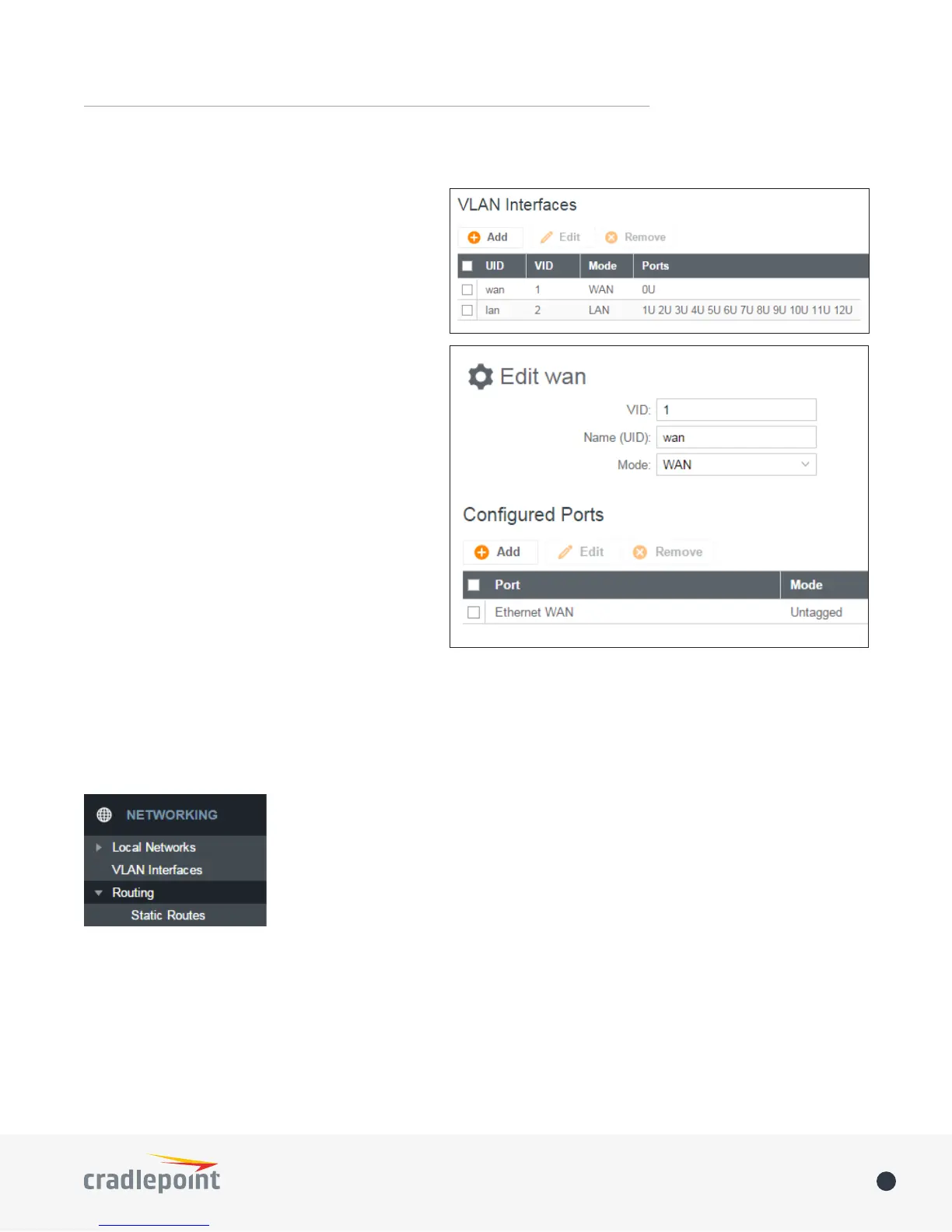
VLAN INTERFACES
A virtual local area network, or VLAN, functions as
any other physical LAN, but it enables computers
and other devices to be grouped together even
if they are not physically attached to the same
network switch.
To enable a VLAN, select a VID (virtual LAN ID) and
a group of Ethernet ports through which users
can access the VLAN. Then go back up to the Local
Network Editor to attach your new VLAN to a
network. To use a VLAN, the VID must be shared
with another router or similar device so that
multiple physical networks have access to the one
virtual network.
Click Add to create a new VLAN interface. To edit
an interface, select the check box next to the
desired interface.
ROUTING
STATIC ROUTES
Add a new static route to the IP routing table or edit/remove an existing route.
Static routes are used in networks with more than one layer, such as when there
is a network within a network so that packet destinations are hidden behind an
additional router. Adding a static route is a way of telling the router about an
additional step that packets will need to take to reach their destination.
Click Add to create a new static route.
IP Version: Select IPv4 or IPv6. Depending on your selection, you have dierent options for dening the
address range.
IP/Network Address or IPv6 Address: The IP address of the target network or host. The IPv6 address eld
includes CIDR notation to declare a range of addresses.
Netmask/Prex: The Netmask, along with the IPv4 address, denes the network the computer belongs to
and which other IP addresses the computer can see in the same LAN. An IP address of 192.168.0.1 along with















 To Next Page