©2015 Cradlepoint. All Rights Reserved. | +1.855.813.3385 | cradlepoint.com
24
User Manual / CBA850
11/5/15
FIREWALL
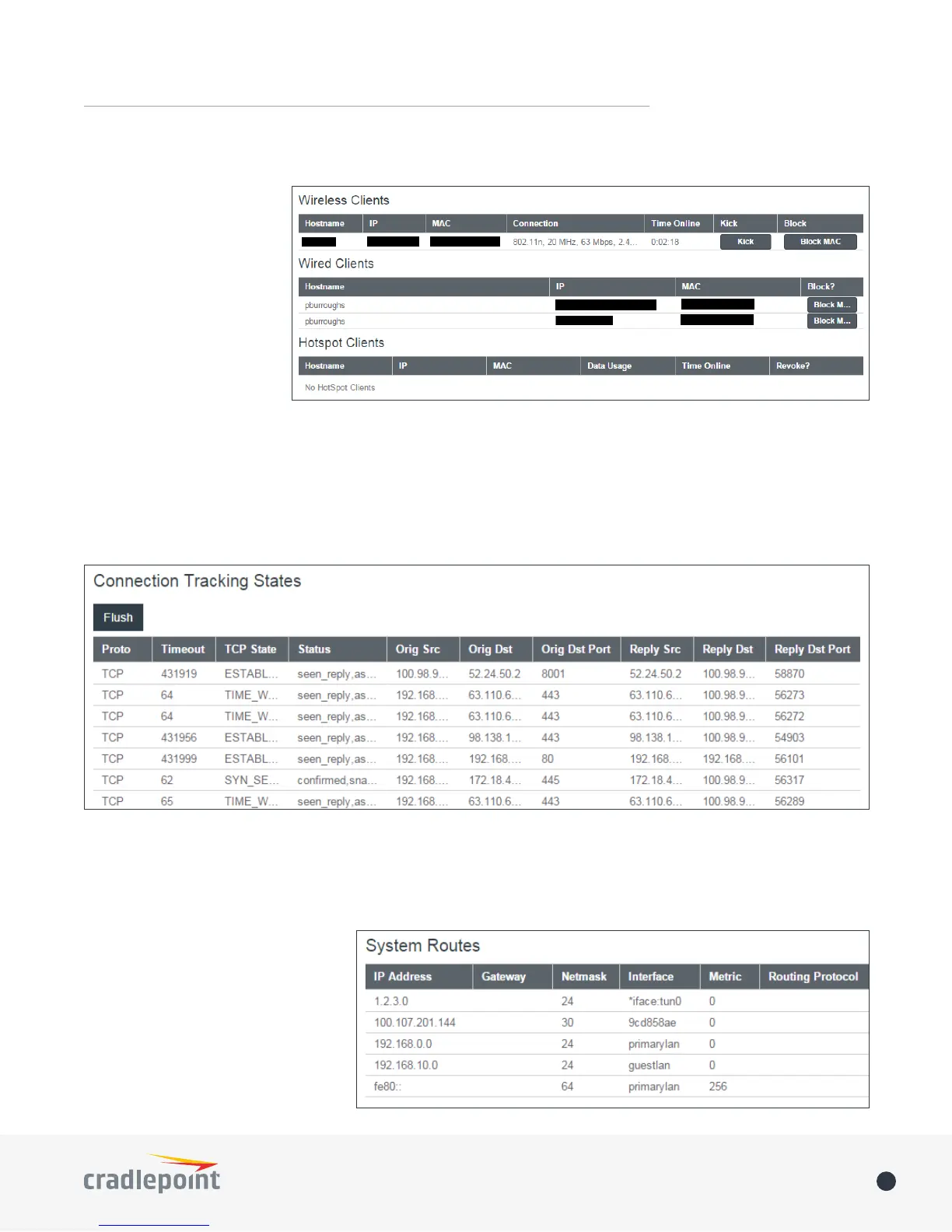
Displays information about your Firewall Connection Tracking States. To congure your rewall, select SECURITY
from the left navigation.
CLIENT LIST
Displays information about
your Wireless, Wired, and
Hotspot Clients, and allows
you to Kick Wireless Clients,
block MAC addresses of both
Wireless and Wired Clients,
and Revoke Hotspot Clients.
ROUTING
Displays information about your
System, GRE, and NEMO Routes.
To congure these routes, go to
NETWORKING > Tunnels.















 To Next Page