©2015 Cradlepoint. All Rights Reserved. | +1.855.813.3385 | cradlepoint.com
18
User Manual / CBA850
11/5/15
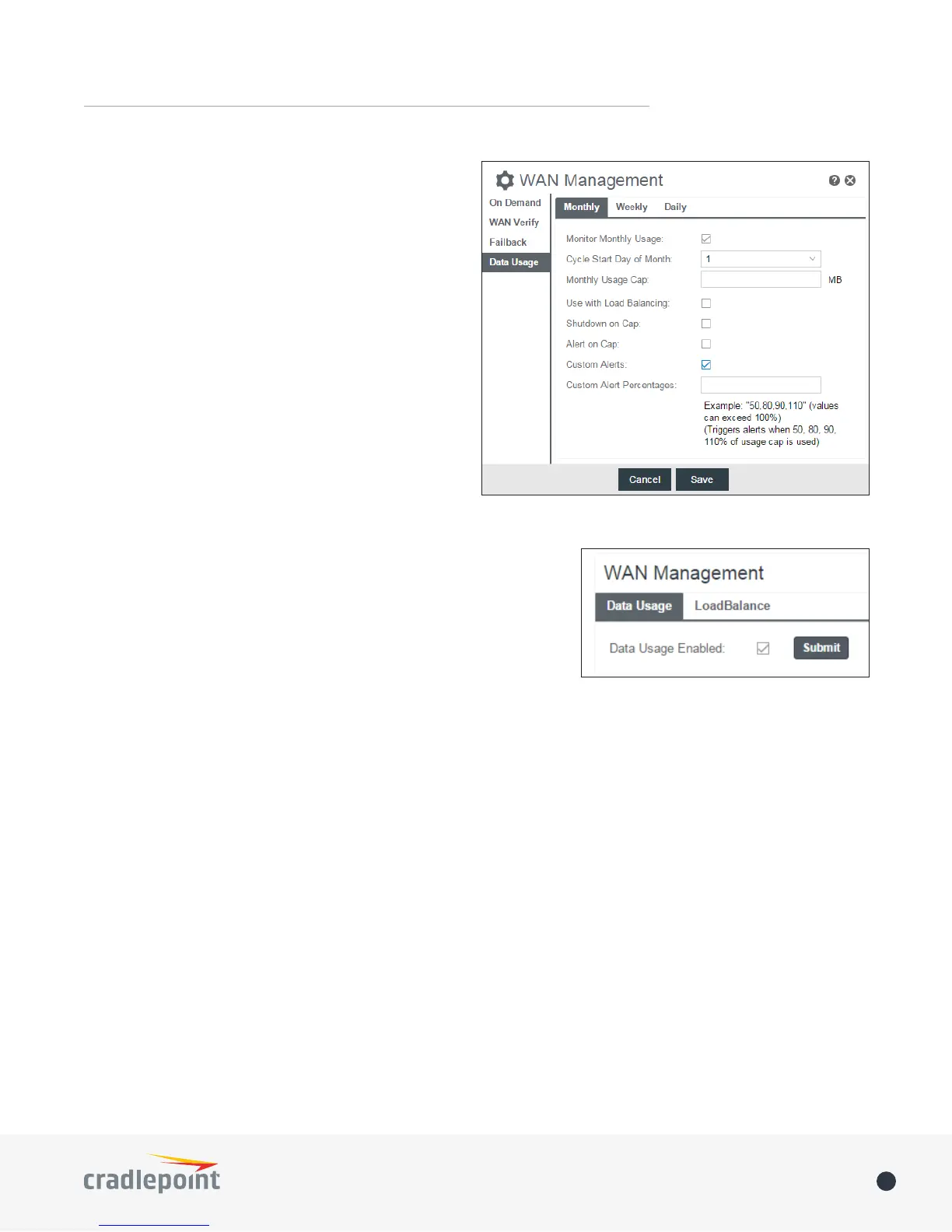
Use with Load Balancing: When checked, the Load
Balancing feature is allowed to use the thresholds and
metrics of this rule when making balance decisions. This
causes Load Balancing to spread the data usage between
interfaces according to the assigned usage rather than
bandwidth. This is a best eort to keep all interfaces with
these rules at a similar percentage utilization of data (e.g.
10%, 50%, 90%) as the cycle progresses, rather than quickly
using 100% of a fast 1GB capped interface while using only
a fraction of a slow 10GB capped interface, thus leaving
the rest of the cycle with only the slow interface. The Data
Usage algorithm on the WAN Anity/Load Balancing page
must be selected or this checkbox has no eect.
Shutdown on Cap: When checked, the WAN device will
shutdown when the assigned usage is reached. A cycle
reset or a rule deletion will re-enable the device.
Alert on Cap: An email alert will be generated and sent
when the assigned data cap is reached. NOTE: The SMTP
mail server must be congured in System > Device Alerts.
Custom Alerts: Check to enable custom alerts at specied percentage of
usage cap.
Custom Alert Percentages: Example: “50,80,90,110” (values can exceed
100%) (Triggers alerts when 50, 80, 90, 110% of usage cap is used)
NOTE: To enable data usage, check Data Usage Enabled from WAN
Management.















 To Next Page