©2015 Cradlepoint. All Rights Reserved. | +1.855.813.3385 | cradlepoint.com
37
User Manual / CBA850
11/5/15
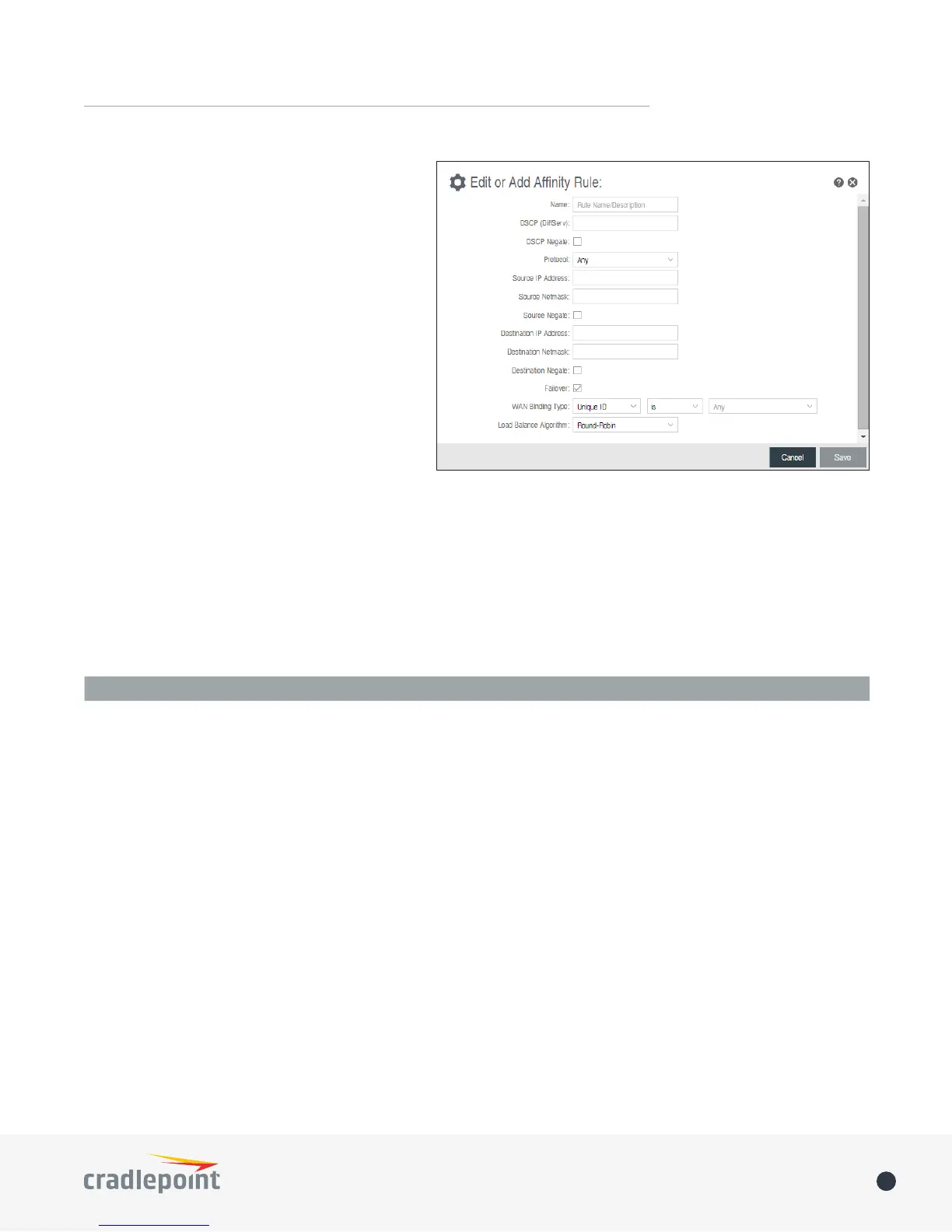
Protocol: Select from the dropdown list to
specify the protocol for a particular data use.
Otherwise, leave “Any” selected.
• Any
• ICMP
• TCP
• UDP
• GRE
• ESP
• SCTP
Source IP Address, Source Netmask, Destination
IP Address, and Destination Netmask: Specify
an IP address or range of IP addresses by
combining an IP address with a netmask for
either “source” or “destination” (or both). Source
vs. destination is dened by trac ow. Leave
these blank to include all IP addresses (such as if
your rule is dened by a particular port instead).
EXAMPLE: If you want to associate this rule with your guest LAN, you could input the IP address and netmask
for the guest LAN here (leaving the last slot “0” to allow for any user attached to the guest network):
• Source IP Address: 192.168.10.0
• Source Netmask: 255.255.255.0
Failover: (Default: Selected.) When this is selected and trac from the chosen WAN device for this rule is
interrupted, the router will fail over to another available WAN device. Deselect this option to restrict this
trac to only the selected WAN interface.
When Condition Value
Port Is USB Port 1
Type Is not WiMax
• When:
• Port – Select by the physical port on the router that you are plugging the modem into (e.g., “USB Port
2”).
• Manufacturer – Select by the modem manufacturer (e.g., “Cradlepoint Inc.”).
• Model – Set your rule according to the specic model of modem.
• Type – Select by type of Internet source (Ethernet, LTE, Modem, Wireless as WAN, WiMAX).
• Serial Number – Select a 3G or LTE modem by the serial number.
• MAC Address – Select from a dropdown list of attached devices.
• Unique ID – Select by ID. This is generated by the router and displayed when the device is connected
to the router.
• Condition: Select “is,” “is not,” “starts with,” “contains,” or “ends with” to create your condition’s
statement.
• Value: If the correct values are available, select from the dropdown list. You may need to manually input
the value.
Load Balance Algorithm: Select the Load Balance Algorithm for this WAN Anity rule from the following
dropdown options:















 To Next Page