©2015 Cradlepoint. All Rights Reserved. | +1.855.813.3385 | cradlepoint.com
51
User Manual / CBA850
11/5/15
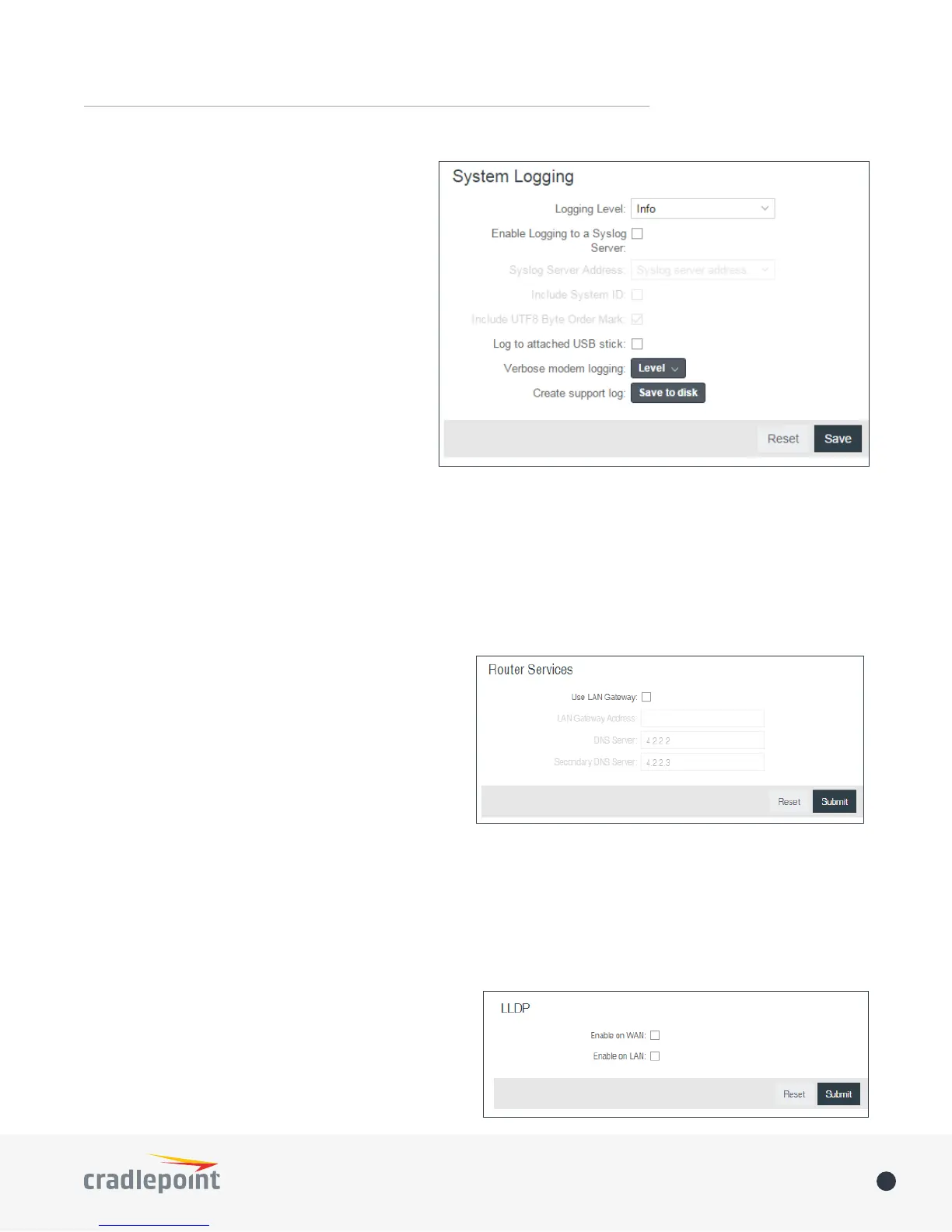
ROUTER SERVICES
By default, router services (Enterprise Cloud Manager,
NTP, etc.) connect to the router via the WAN. In some
setups it makes sense to use the LAN instead. For
example, if your router is used strictly for 3G/4G
failover behind another router, you may not want to
use 3G/4G data unnecessarily. Select Use LAN Gateway
to set your router services to connect via the LAN.
LAN Gateway Address: Input the IP address of the
LAN side connection. If this is a 3G/4G failover router
operating behind another router, the LAN Gateway
Address is the IP address of that other router.
DNS Server and Secondary DNS Server: The primary and secondary DNS server numbers match the static DNS
values (set at NETWORKING > DNS Servers). You can leave the default values or set them manually here.
(Changing these values also changes the static DNS values.)
• Include System ID: This option will include
the router’s “System ID” at the beginning of
every log message. This is often useful when
a single remote Syslog server is handling logs
for several routers.
• Include UTF8 Byte Order Mark: The log
message is sent using UTF-8 encoding. By
default the router will attach the Unicode
Byte Order Mark (BOM) to the Syslog
message in compliance with the Syslog
protocol, RFC5424. Some Syslog servers may
not fully support RFC5424 and will treat
the BOM as ASCII text, which will appear as
garbled characters in the log. If this occurs,
disable this option.
Log to attached USB stick: Only enable this
option if instructed by a Cradlepoint support
agent. This will write a very verbose log le to the root level of an attached USB stick. Please disable the feature
before removing the USB stick, or you may lose some logging data.
Verbose modem logging: Only enable this option if instructed by a Cradlepoint support agent.
Create support log: This functionality allows for a quick collection of system logging. Create this log le when
instructed by a Cradlepoint support agent.
LLDP
The Link Layer Discovery Protocol (LLDP) is a standard
method for network devices to share information about
themselves among their neighbors. The router stores
the information it receives from its neighbors, which
can be viewed on the STATUS > LLDP page.
Enable LLDP for Ethernet on the WAN and/or LAN.















 To Next Page