35
Crane Electronics Ltd
The force in torque management
Crane Electronics Ltd
Watling Drive
14 88
-electronics.com
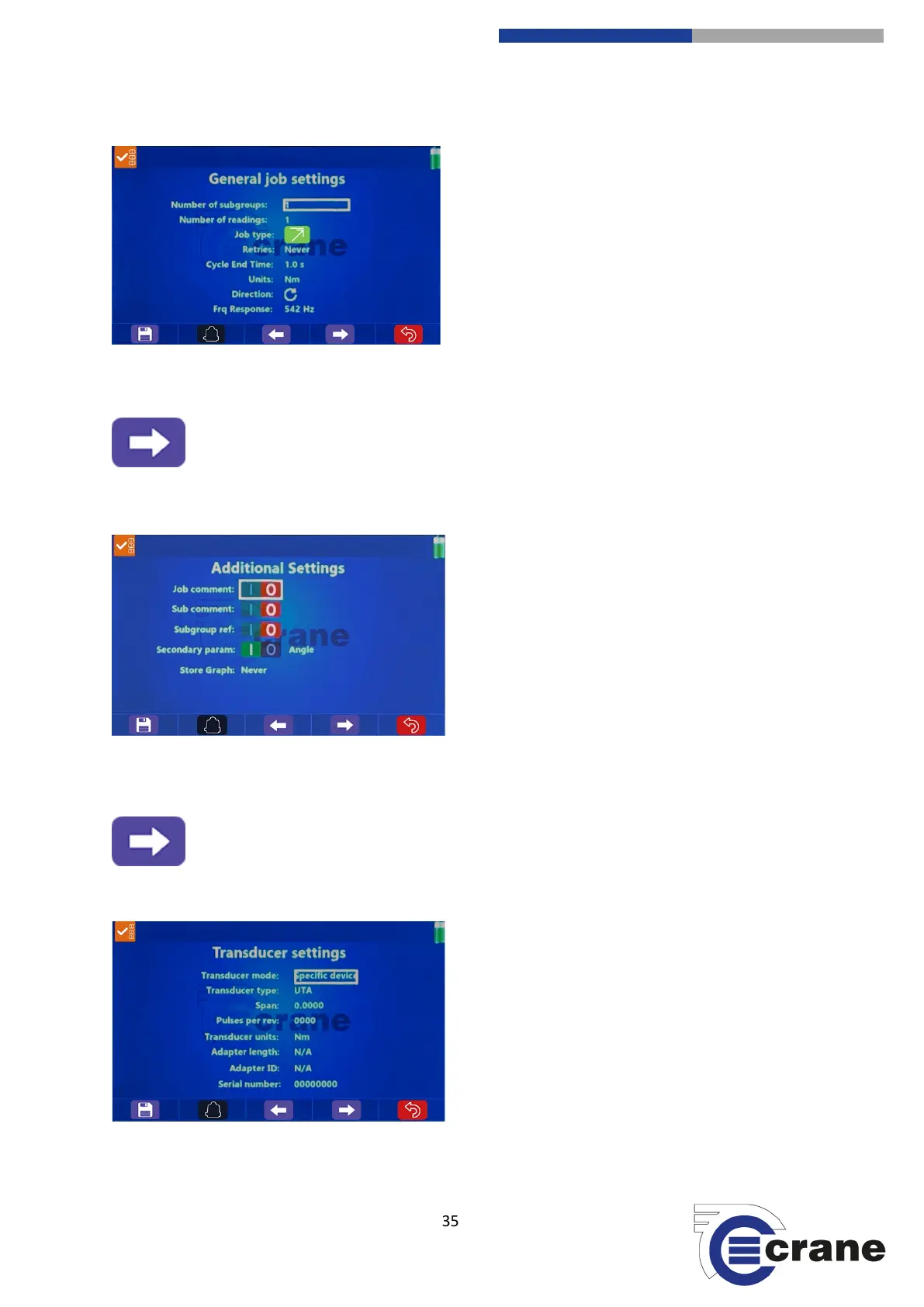
Screen 2: General Job Settings
Number of subgroups = (1 – number in global settings)
Number of readings = (1 – 50)
Job Type = (Peak, Impulse, Yield, MoveOn, Angle Control,
Audit, Force, Retighten, Click Dip)
Retries = (Never, Always, Manual, Single)
Cycle End Time = (0.2s, 0.5s, 1.0s, 2.0s, 5.0s, 10.0s, 20.0s)
Units = (Change if force or torque job type)
Direction = (CW, CCW, Auto)
Frequency Response
Screen 3: Additional Settings
Job Comment
Subgroup Comment
Subgroup Reference
(For each of the above it can state if it
occurs before or after)
Secondary Parameter = (Could be angle, pulse count or
peak torque depending on job type)
Store Graph = (Never, Always, Manual, NOK)
Audit Angle = (1 – 0 degrees) (Appears if Audit Job Type
selected)
Screen 4: Transducer Settings
Transducer Mode = (Any appropriate, Fixed Type,
Specific Device)
Transducer Type = (UTA, IS, CheckStar Multi, Wrench)
Span = (1 – 8000)
Pulses per rev (PPR)
Transducer Units
Adapter Length



 To Next Page