EasyManua.ls Logo

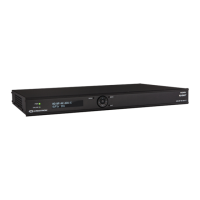
Crestron DM-NVX-D30 - User Manual

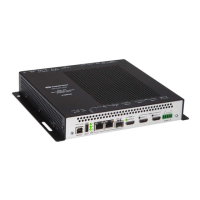
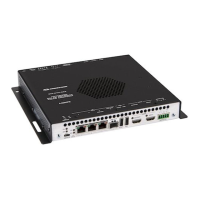
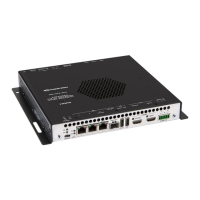
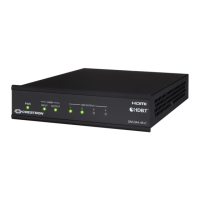
Crestron DM-NVX-D30
40 pages
Print Icon
To Next Page IconTo Next Page
Loading...
DM NVX™ Network AV
Encoders/Decoders
DM-NVX-E30
DM-NVX-D30
DM-NVX-E30C
DM-NVX-D30C
DM-NVX-D80-IOAV
Product Manual
Crestron Electronics, Inc.

Other manuals for Crestron DM-NVX-D30

Questions and Answers

  • C
    Christian GomezSep 12, 2025
    Why is video flickering or not displayed when multiple DM NVX devices connect to a network switch with my Crestron DM-NVX-D30?
    • M
      Ms. Tonya CowanSep 12, 2025
      This can happen when neither IGMPv2 nor IGMPv3 snooping is enabled in the network switch for the associated port or VLAN. To resolve this, enable IGMPv2 or IGMPv3 snooping in the correct VLAN.
  • G
    Gregory NixonSep 9, 2025
    What to do if video is not being displayed, but the audio can be heard on Crestron Media Converter?
    • J
      Jason MackSep 10, 2025
      This issue can occur if the HDCP settings of one or more DigitalMedia devices in the signal path do not support the HDCP level of the source or if the display does not support the HDCP level of the source. Ensure that the HDCP settings of all DigitalMedia devices in the signal path and the display support the HDCP level of the source.
  • A
    Alex BrownSep 8, 2025
    What to do if 4K60 4:4:4 2-channel non-HDR or 4K60 4:4:4 2-channel HDR video is intermittent on my Crestron DM-NVX-D30 Media Converter?
    • B
      bennettmichaelSep 8, 2025
      Intermittent video can occur due to: * Improperly configured display device. Refer to the display device documentation for proper configuration to support 4K60 4:4:4 2-channel non-HDR or 4K60 4:4:4 2-channel HDR video. * Using a non-Crestron HDMI cable. Use a Crestron HDMI cable only. * Using a Crestron HDMI cable that exceeds 20 ft (6.1 m). Use a Crestron HDMI cable that does not exceed 20 ft (6.1 m).
  • M
    Michele RamirezSep 7, 2025
    Why is there no video or audio on my Crestron Media Converter?
    • V
      Victoria WalkerSep 7, 2025
      There could be several reasons: * Check if all cables are securely connected. * The selected EDID for the HDMI input may be incorrect. Select the EDID supported by the devices in the signal path. * The HDCP settings of DigitalMedia devices in the signal path might not support the HDCP level of the source. Ensure that the HDCP settings of all DigitalMedia devices in the signal path support the HDCP level of the source. * If you are using DM-NVX-D80-IOAV, the input source of the display may not be set to use the DM-NVX-D80-IOAV in the OPS slot. Set the input source to use the DM-NVX-D80-IOAV in the OPS slot.
  • S
    Sarah SampsonAug 23, 2025
    How to fix intermittent 4K60 video on Crestron DM-NVX-D30 Media Converter?
    • M
      Michael WatsonAug 23, 2025
      To resolve intermittent 4K60 4:4:4 2-channel non-HDR or HDR video issues with your Crestron Media Converter, ensure that your display device is properly configured to support the video format. Use only Crestron HDMI cables, and make sure the cable length does not exceed 20 ft (6.1 m).
  • J
    John PenningtonSep 5, 2025
    Why is Crestron DM NVX streaming video not seen in receiver?
    • C
      Chad CarrilloSep 5, 2025
      If DM NVX streaming video is not seen in the receiver, configure the DM NVX receiver using the correct streaming URL and multicast IP address.
  • L
    Linda GonzalezSep 4, 2025
    What causes a stopped DM NVX multicast stream on Crestron?
    • H
      harveybrianSep 4, 2025
      If a DM NVX multicast stream has stopped, ensure that the multicast address is not a duplicate of a multicast address set on another DM NVX device and that a valid multicast address is used on the DM NVX device.
  • A
    Anthony AyalaSep 3, 2025
    How to stop Crestron DM-NVX-D30 video flickering from transmitters?
    • P
      Patrick HarrisSep 3, 2025
      If video is flickering when multiple DM NVX transmitters connect to a network switch, configure the network switch to drop the unknown multicast IP address by setting the IGMP filter.
  • A
    Amber CalhounSep 2, 2025
    Why is Crestron Media Converter video flickering on network switch?
    • T
      Terry KellySep 2, 2025
      If video is flickering or not displayed when multiple DM NVX devices connect to a network switch, enable IGMPv2 or IGMPv3 snooping in the correct VLAN on the network switch for the associated port or VLAN.
  • H
    hatfielddonaldSep 1, 2025
    What if Crestron DM-NVX-D30 stream started but no video?
    • E
      Erin RodriguezSep 1, 2025
      If the DM NVX device indicates that the stream has started, but video is not being displayed, ensure that either IGMPv2 or IGMPv3 is enabled on the network switch.

Crestron DM-NVX-D30 Specifications

General IconGeneral
BrandCrestron
ModelDM-NVX-D30
CategoryMedia Converter
LanguageEnglish

Related product manuals