Air conditioning
Temperature
1
/
2
The temperature of the right and left sides
can be adjust
ed separ
ately using the adjust-
ers. The selected temperature is shown on
the display of the climate control panel.
Synchronisation: press button so that
settings on the driver's side apply to the pas-
senger side. Use the temperature regulator
for the passenger side to set a different tem-
perature.
Blower
The power of the fan is automatically adjus-
ted.
The fan is also adjusted manually by turning
the control.
Air distribution / /
The airflow adjusts automatically for com-
fort. It can also be manually distributed to
the desired zone by pressing the corre-
sponding button:
The airflow is directed towards the chest
The airflow is directed towards the foot-
well.
The airflow is directed at the wind-
screen.
Maximum cooling power
The recirculation of air and the cooling sys-
tem turn on automatically and air distribu-
tion adjusts automatically to the position .
Defrost/demist function
The air drawn in from outside the vehicle is
directed at the windscreen and air recircula-
tion is automatically switched off. To defrost
the windscreen more quickly, the air is dehu-
midified at temperatures over approximately
+3°C (+38°F) and the fan runs at maximum
output.
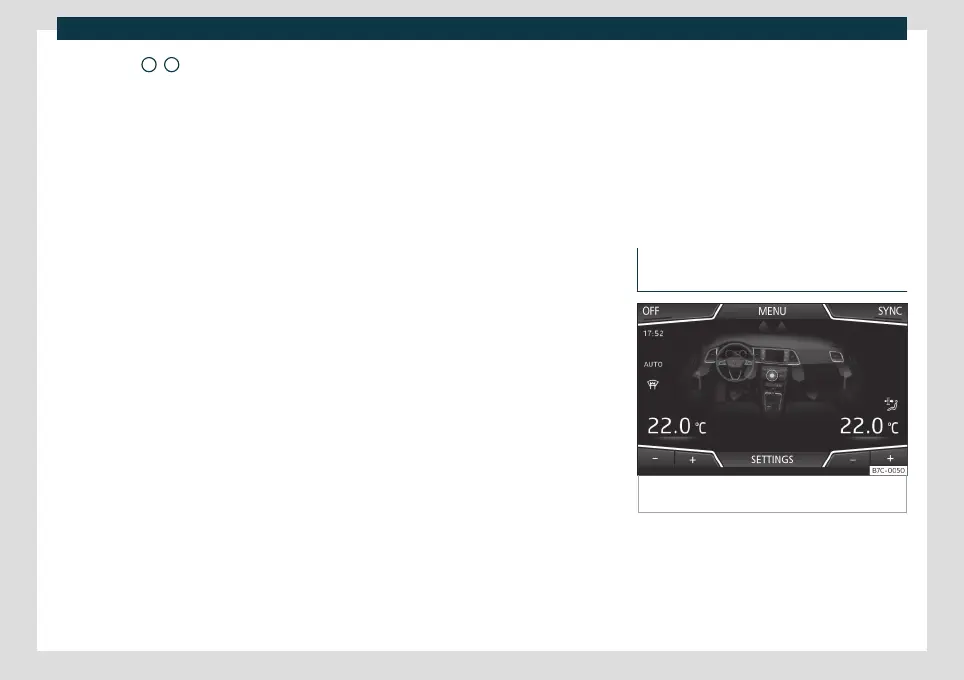
Infotainment system:
The climate control operation and settings
menu will be displayed on the Easy Connect
system screen.
Heated rear window
This only works when the engine is running
and switches off automatically after a maxi-
mum of 10 minutes.
It should be switched off as soon as the glass
is demisted. By saving electrical power you
can also save fuel.
To avoid possible damage to the battery, an
automatic temporary disconnection of this
function is possible, coming back on when
normal operating conditions are re-estab-
lished.
Air recirculation
›››
page 141
Seat heating
›››
page 142
Switching off
Press button or manually set the fan to .
Operating the Climatronic through
the Easy Connect system*
Fig. 123 Easy Connect screen: Climate control
menu.
In the Easy Connect system it is also possible
t
o perf
orm various adjustments to the Clima-
tronic.
»
139



 To Next Page