Infotainment System
The available audio channel languages and
subtitles depend on the D
VD that is insert
ed.
All or part of the content of a video DVD can
be protected by a password (PIN) if the DVD
allows parental settings. In addition, you can
choose the restriction level based on age,
with 1 being the least restrictive (all audien-
ces) and 8 the most restrictive (adults).
Images
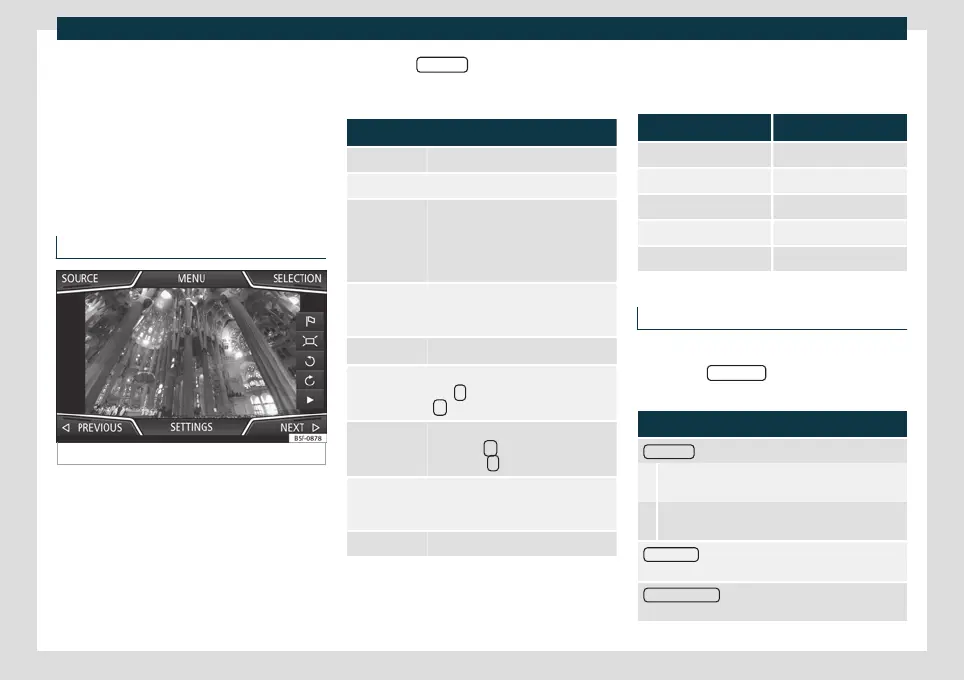
Fig. 160 Images main menu.
Using the Imag
es
menu, image files can be
viewed (e.g. photos) individually or as a slide-
show.
The image files must be stored on a compat-
ible data storage device.
●
Press the Infotainment button and then
select the Images context.
●
Press the SOURCE
function button to se-
lect the sour
ce wher
e the pictures in ques-
tion are located.
Function button: function
SOURCE Selection of the source.
SELECTION Opens a list of image files.
The image viewed was obtained via
GPS localisation and upon pressing
this function button, the navigator
menu opens to start a route to this
destination.
/
Rotate the image view 90° left or
right, or by swiping your fingers across
the screen in a circular direction.
Reset the view of the image.
To stop the playback of a slideshow.
The
function button changes to
.
To continue the playback of a slide-
show. The
function button
changes to
.
/
Change image PREVIOUS or NEXT , or
by sliding your finger horizontally
across the screen.
SETTINGS Open the Image settings menu.
Enlarging or reducing the view
●
Slide 2 fingers across the screen, moving
them further apart or clo
ser t
ogether.
●
OR: turn the settings button.
Requirements for viewing images
Image files Maximum resolution
BMP 4MP
JPEG 4MP (Progressive Mode)
JPG 64MP
GIF 4MP
PNG 4MP
Image settings
Open the Image settings menu
●
Press the SETTINGS function button in the
main Imag
es
menu.
Function button: function
Image view
: To adjust the image view format.
Automatic: Images scale to the size of the screen
(the image may not be displayed completely).
Complete: The images are displayed fully on the
screen.
Display time
: To adjust the display time of images dur-
ing a slideshow.
Repeat slideshow
: The active slideshow is repeated in-
finitely.
194



 To Next Page