Driving
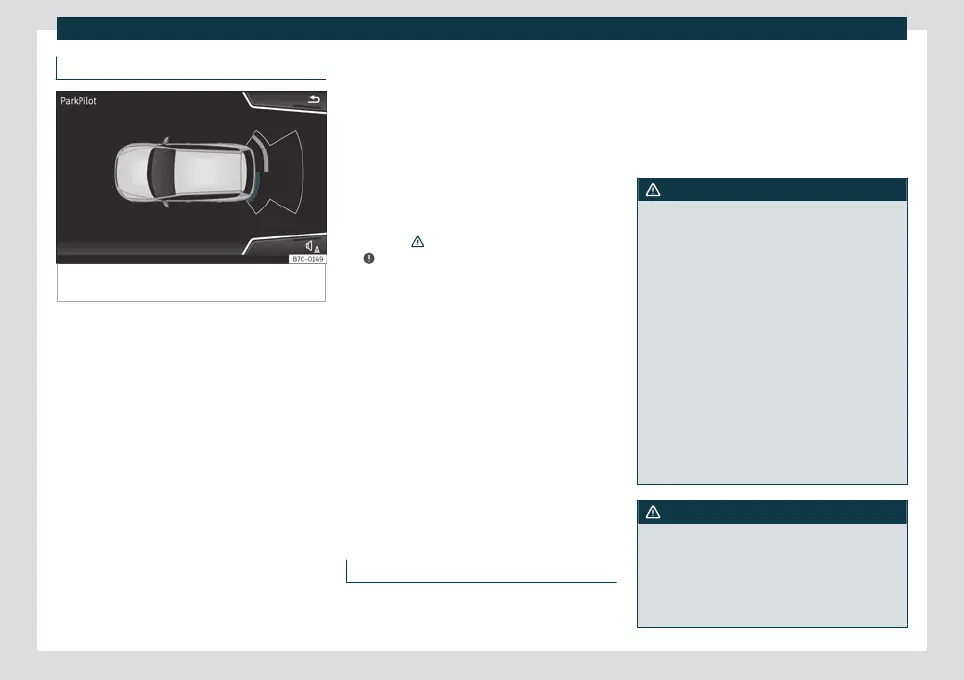
Visual indication segments
Fig. 243
Parking Aid display on the Easy Connect
system screen.
The distance to the obstacles can be estima-
t
ed with the help of the se
gments at the rear
of the vehicle.
The optical indication of the segments works
as follows:
White segments: the obstacle is more
than approx. 30 cm away from the path
or in the direction opposite to travel.
They are also displayed when the elec-
tronic parking brake is activated.
Yellow segments: the obstacles lie on
the vehicle’s path and are at a distance
of less than approx. 30 cm away.
Red segments: obstacles are less than
approx. 30 cm away.
–
–
–
Whenever the obstacle is located in the ve-
hicle’s direction of travel, the corresponding
audible warning will sound.
As the vehicle approaches an obstacle, the
segments are displayed closer to the vehicle.
When the penultimate segment is displayed,
this means that the vehicle has reached the
collision zone. In the collision zone, the ob-
stacles are represented in red (including
those out of the path). Do not continue to
reverse
›››
in Introduction on page 290,
›
›
›
in Introduction on page 290!
If y
ou ar
e equipped with the Top View
Camera*
Segments are not displayed when the vehi-
cle is equipped with Top View Camera*.
The Parking Aid system will issue an audible
warning for objects that are near the rear of
the vehicle, and the Top View Camera* im-
age will be available on the screen, giving a
real image of the objects around the car.
Peripheral view system (Top
View Camera)*
Introduction
Using 4 cameras, the system generates a
r
epr
esentation that is shown on the infotain-
ment system display. The cameras are loca-
ted on the radiator grille, the exterior mirrors
and the rear lid.
The functions and representations of the
Area View system may vary depending on
whether or not the vehicle has ParkPilot.
WARNING
The image from the cameras does not
make it possible to calculate the distance to
the obstacles (people, vehicles, etc.) pre-
cisely, so using them could cause serious
accidents and injury.
●
The camera lenses augment and distort
the visual field and the objects on the
screen are seen differently and imprecisely.
●
Certain objects may not be shown or may
not be shown very clearly, for example,
posts or thin rails, due to the screen resolu-
tion or if light conditions are insufficient.
●
The cameras have blind spots in which
obstacles and people are not registered.
●
The camera lens must be kept free, with-
out snow or ice, and should not be covered.
WARNING
The smart technology incorporated into
the Top View Camera* system cannot over-
come the limits imposed by the laws of
physics and it only works within the limits of
the system. The greater convenience provi-
ded by the Area View system should never
296



 To Next Page