Infotainment System
●
Mark the Flagged destination in the
destination memory.
●
Press the St
or
e
function button.
The name can be chang
ed in the f
ollowing
input window. Press the
function button
t
o st
ore the destination.
Routes
In the Route mode, you can define various
destinations (final destination and stop-
overs).
The starting point of a route is always the
vehicle’s current position. The destination is
the end point of a route. Stopover destina-
tions are driven to before the destination.
●
In the Navigation main menu, press the
My Destinations
function button.
●
Press the ROUTES function button.
If y
ou ha
ve not stored any routes or want to
create a new route, press the New route
function button and then follow the instruc-
tions as f
or a ne
w destination, before press-
ing Store
.
Pr
essing on a st
ored route brings up the fol-
lowing function buttons:
Function button: function
Delete
: To delete a stored route.
Edit
: To edit and store a route.
Function button: function
Start
: To start route guidance.
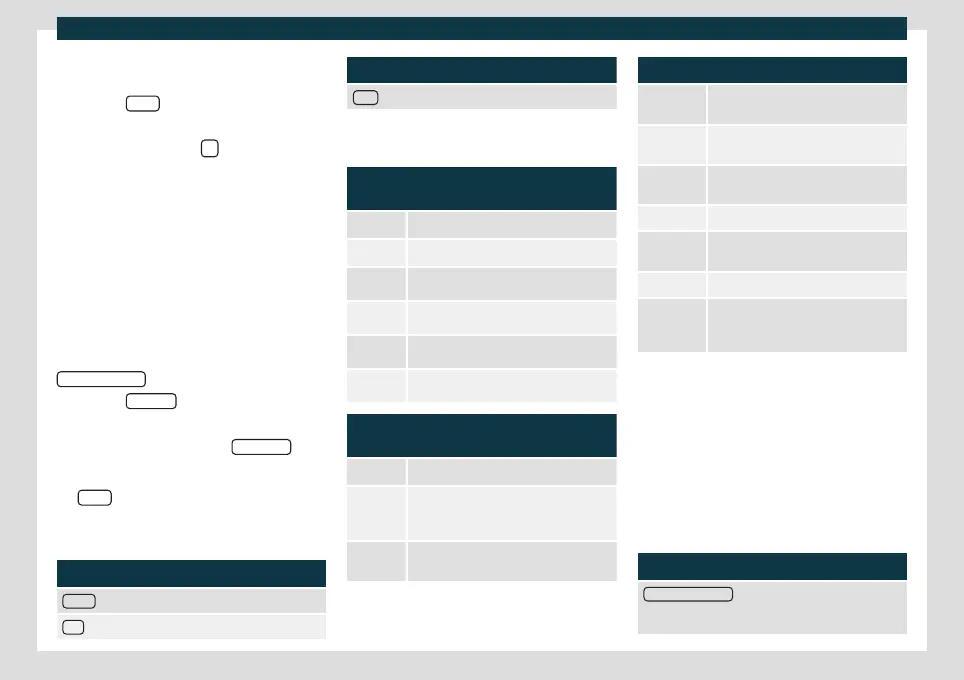
Function buttons and indications in the
New route or Edit menu
Function button or message: function or
meaning
Stopover.
Destination.
...
Estimated time of arrival.
...
Calculated distance to destination.
...
Estimated travelling time.
...
Distance to the next stopover.
Press on the destination to display the func-
tion buttons
Delete destination.
Starting route guidance direct to the se-
lected destination. The stages are omit-
ted.
Opening the detailed view of the destina-
tion in question.
Available function buttons
New desti-
nation
Add a new destination.
Destina-
tions
Adding a new destination from My des-
tinations.
Storing To store the created route in the route
memory.
Start Start route guidance.
Calculate To update the calculated distance and
estimated arrival time.
a)
Stop To stop active route guidance.
b)
Moving a stopover or a destination to
another position on the list. Press and
drag to move the destination.
a)
Only displayed with route guidance activated and
when a destination has been added t
o the t
our.
b)
Only displayed with route guidance activated.
Last destinations
List of last destinations.
My destinations
●
Press the Options function button and se-
lect the desired function button.
Function button: function
Destination memory
: View of destinations stored man-
ually and from imported vCards
›››
page 204, Import-
ing vCards (electronic business cards).
200



 To Next Page