Infotainment System
Changing track in the MEDIA main
menu
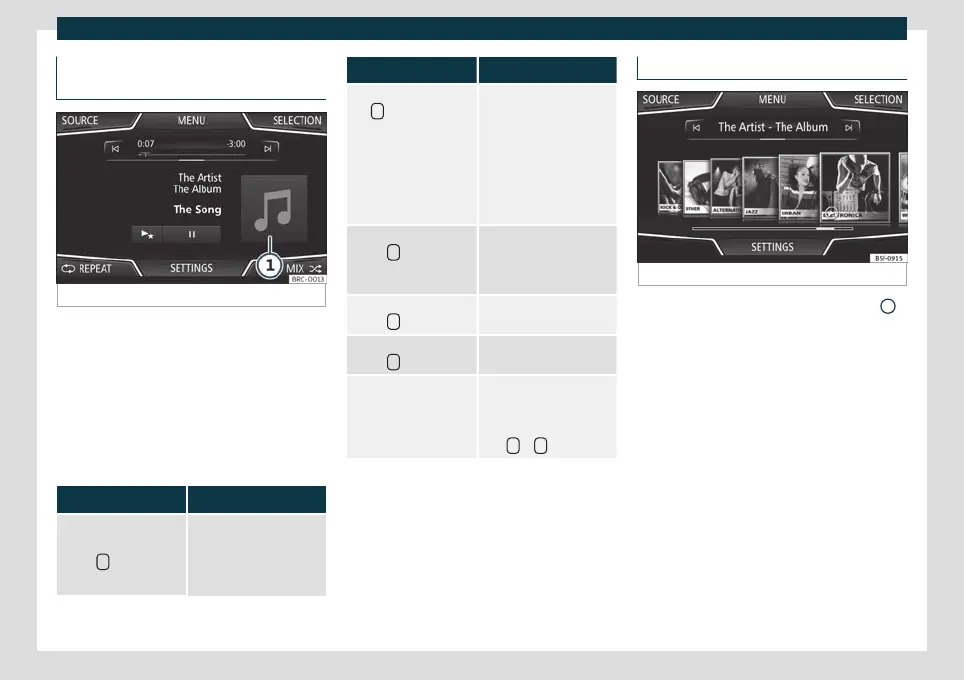
Fig. 151
MEDIA main menu.
The tracks of the Media source that is being
list
ened t
o can be changed successively us-
ing the arrow buttons.
The arrow buttons cannot be used to exit a
playlist or start the playback of a playlist.
Both actions have to be performed manually
from the track selection menu
›››
page 185.
Control through the MEDIA main menu
Action Function
Briefly press the function
button
once.
At the start of the current
track. If the track has been
played for less than 3 sec-
onds, it returns to the start
of the previous track.
Action Function
Press the function but-
ton
twice in a row.
If the track has been
played for more than 3
seconds, it returns to the
start of the previous track.
If the first track is being
played, pressing the but-
ton goes back to the last
track on the data media
that is being played.
Briefly press the function
button
once.
To the next track. It
changes the last track to
the first track on the data
media that is being played.
Press and hold function
button
.
Rewind.
Press and hold function
button
.
Fast forward.
Slide your finger hori-
zontally over the screen.
Change to the previ-
ous/next track, with the
same playback times as
changing tracks with the
keys
or
.
Selecting an album by cover
Fig. 152
Selection by cover.
Clicking on the current cover
›
›
›
Fig. 151
1
will display all of the album covers available in
the activ
e Media sour
ce
›››
Fig. 152.
It is possible to browse through all the al-
bums by sliding the covers right or left, by us-
ing the bottom horizontal scroll bar, or by us-
ing the settings button.
The cover selection view closes after ap-
proximately 5 seconds of inactivity and the
Media main menu is displayed again.
184



 To Next Page