Infotainment System
Symbol: Meaning
: Accident
: Slippery road surface (ice or snow)
: Slippery road surface
: Danger
: Road works
: Strong wind
: Road closed to traffic
During route guidance, traffic incidents that
do not aff
ect the calculat
ed route calculated
are displayed in grey.
The length of a traffic jam on the calculated
route is shown by a red line.
Incidents that affect the calculated route
and that have led to the recalculation of the
route are shown in orange.
The position of a symbol indicates the start
of the traffic jam if it is precisely specified in
the traffic bulletin.
Predictive navigation
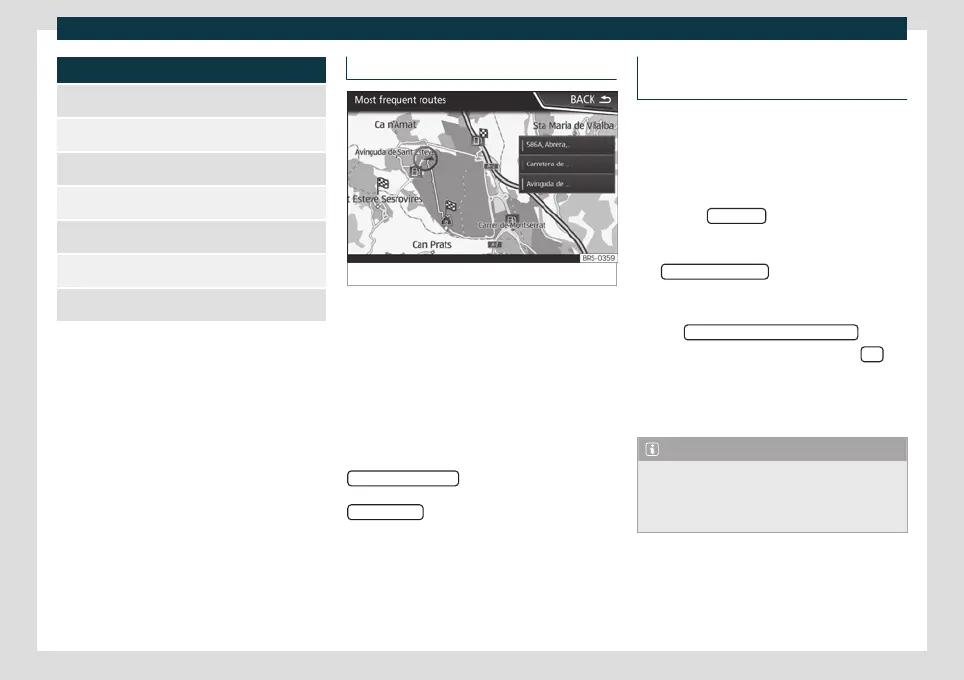
Fig. 169
Predictive navigation
When you activate Predictive navigation, the
s
y
stem detects and stores in the background
routes that are frequently followed, without
them being active destination routes.
This function has no navigation announce-
ments unless the user requires them, getting
them by pressing the settings button.
●
On the main screen of the Navigation
menu, in the pop-up window, press the
FREQUENT ROUTES
button. To display fre-
quently f
ollo
wed routes press the
Show on map
button
›
›
›
Fig. 169.
Importing vCards (electronic business
cards)
Importing vCards to the destination mem-
ory
●
Insert the data storage device with the
stor
ed vCards or connect it to the Infotain-
ment system
›››
page 177.
●
Press the SETTINGS
function button in the
main Navig
ation menu.
●
In the Navigation settings menu, press
the Import destinations
function button.
●
Select the data carrier with the vCards
sa
v
ed in the list.
●
Press Import all vCards from this folder
.
●
Confirm the import notice with the OK
function button.
Sa
v
ed vCards will now be in the destinations
memory
›››
page 199 .
Note
Only one address per vCard can be impor-
ted. In the event any vCards have multiple
addresses, only the main address will be im-
ported.
204



 To Next Page