Operating modes
Function button: function
To centre the destination on the map. On-
ly displayed if either Display destination on
map or Display route on the map is selec-
ted
›››
page 201.
To change the orientation of the map
(north-facing or direction of travel). Only
available in 2D mode.
Map scale. To change the scale, turn the
adjustment knob or move two fingers to-
gether or apart on the screen.
Select the automatic scale. If the function
is active, the symbol is displayed in blue.
Briefly increases the scale of the map
(zoom) The selected scale is displayed
again after a few seconds.
Mute or repeat the last announcement,
change the announcement volume.
Road signs: Depending on the vehicle's equipment,
the road signs stored in the navigation data are dis-
played. Select Navigation > Settings > Map >
Show road signs.
Traffic bulletins and dynamic destina-
tion guidance (TRAFFIC)
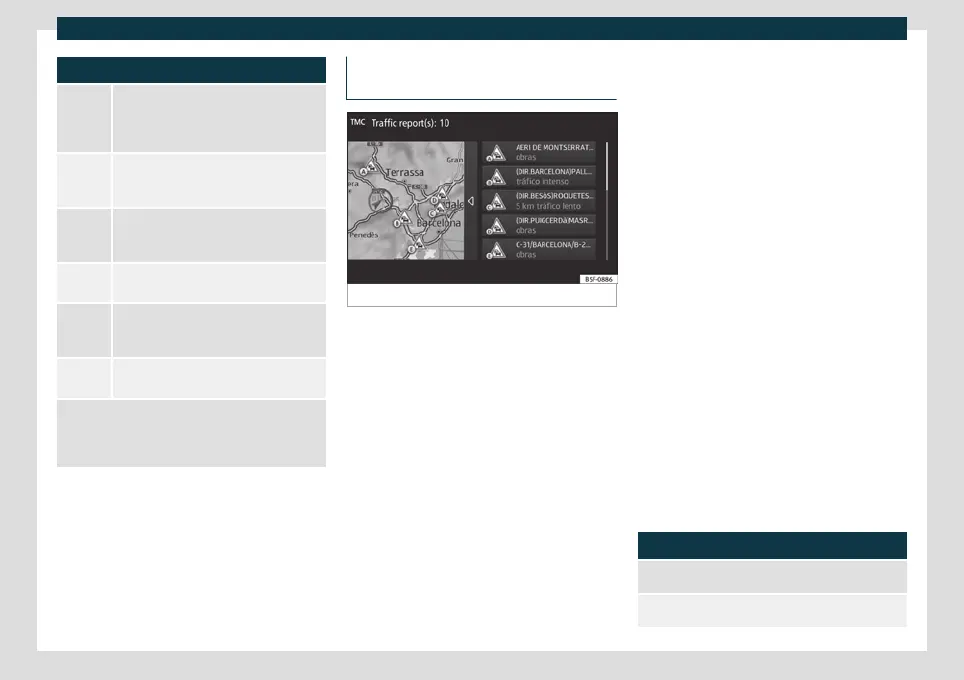
Fig. 168
Traffic reports
The Infotainment system constantly receives
tr
affic r
eports (TMC/TMCpro) in the back-
ground, if a traffic information station is
tuned.
Traffic bulletins are displayed on the map
with symbols
›››
page 203, Traffic reports
on map (selection) and they are required
dynamic destination guidance
›››
page 203,
Dynamic route guidance.
List of available traffic reports
●
Press the Infotainment button and then
select the Traffic context.
Dynamic route guidance
In order for dynamic route guidance to func-
tion, Dynamic route must be activated in
the route options.
If a traffic report is received that affects the
route being travelled, an alternative route will
be searched for if the system calculates that
time can be saved.
If, on the other hand, the alternative route
does not save time, the route will continue
with the traffic jam. In both cases, an an-
nouncement will be made.
Shortly before reaching the announced traf-
fic jam, it is indicated again.
Avoiding a traffic jam by following the in-
structions of a traffic bulletin does not always
save time, for example, if alternative routes
are congested. The effectiveness of dynamic
navigation depends on the traffic bulletins
that are received.
The rest of the route that has to be travelled
can be manually excluded to force its recal-
culation
›››
page 199.
Traffic reports on map (selection)
Symbol: Meaning
: Slow traffic
: Traffic jam
»
203



 To Next Page