Home
Custom Audio Electronics
Printer
K3
Page 88
Custom Audio Electronics K3 - Page 88
120 pages
Manual
Save Page as PDF
To Next Page
To Next Page
To Previous Page
To Previous Page
Loading...
If the problem persists, please
contact the customer service.
5
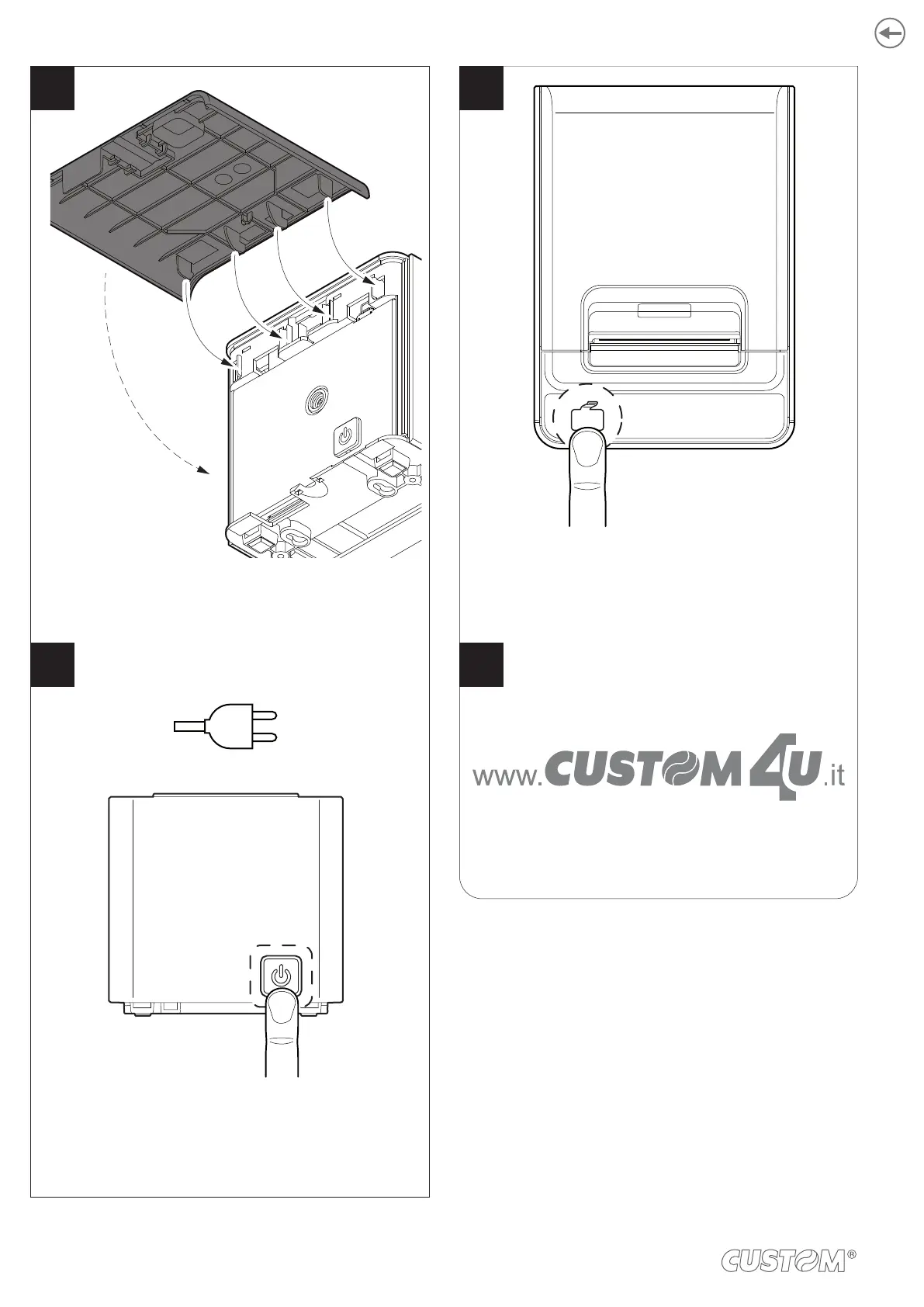
Reassemble the cover removed previously
.
6
Connect the power supply and
switch the device ON.
8
7
Press the FEED key to verify the proper
functioning of the device.
FEED
ON
88
87
89
Table of Contents
Main Page
Table of Contents
7
Introduction
9
Identification of the Models
11
Description
13
Box Contents
13
Device Components: External Views
14
Device Components: Internal Views
15
Product Label
16
Key Functions: Power up
17
Key Functions: Standby
19
Status Messages
20
Installation
21
Wall Mounting
21
Connections
27
Pinout
28
Driver and SDK
32
Operation
33
Opening the Cover
33
Adjusting the Alignment Sensor (Optional)
34
Adjusting the Paper Width (Optional)
36
Switch the Device ON/OFF
37
Loading the Paper Roll
38
Loading the Fan-Fold
39
Configuration
55
Coniguration by Keys
55
Coniguration by Software
59
Coniguration by Ile
61
Printhead Status
63
Device Status
64
Communication Parameters
65
Operating Parameters
68
Alignment Parameters
71
Hexadecimal Dump
73
Alignment
75
Enable Alignment
76
Calibration
79
Alignment Parameters
82
Printing Area
85
Maintenance
87
Autocutter Paper Jam
87
Planning of Cleaning Operations
89
Cleaning
90
Firmware Upgrade
95
Specifications
97
Hardware Speciications
97
Character Speciications
101
Device Dimensions
102
Power Supply and Power Cord Dimensions
104
Paper Speciication
106
Character Sets in CUSTOM/POS Emulation
110
Consumables
113
Accessories
115
Technical Service
117
Other manuals for Custom Audio Electronics K3
Short Guide
28 pages
Related product manuals
Custom Audio Electronics K80
76 pages
Custom Audio Electronics KPM302
204 pages
KPM 216 H
88 pages
KPM216HII-ETH
112 pages
Custom Audio Electronics Q3X
100 pages
Custom Audio Electronics PLUS4
80 pages
Custom Audio Electronics TK303
204 pages
Custom Audio Electronics TK180
108 pages
Custom Audio Electronics TK302
204 pages
Custom Audio Electronics VKP80II
76 pages
VKP80III
124 pages
VKP80II-SX
84 pages












 To Next Page