8 MAINTENANCE
8.1 Autocutter paper jam
1
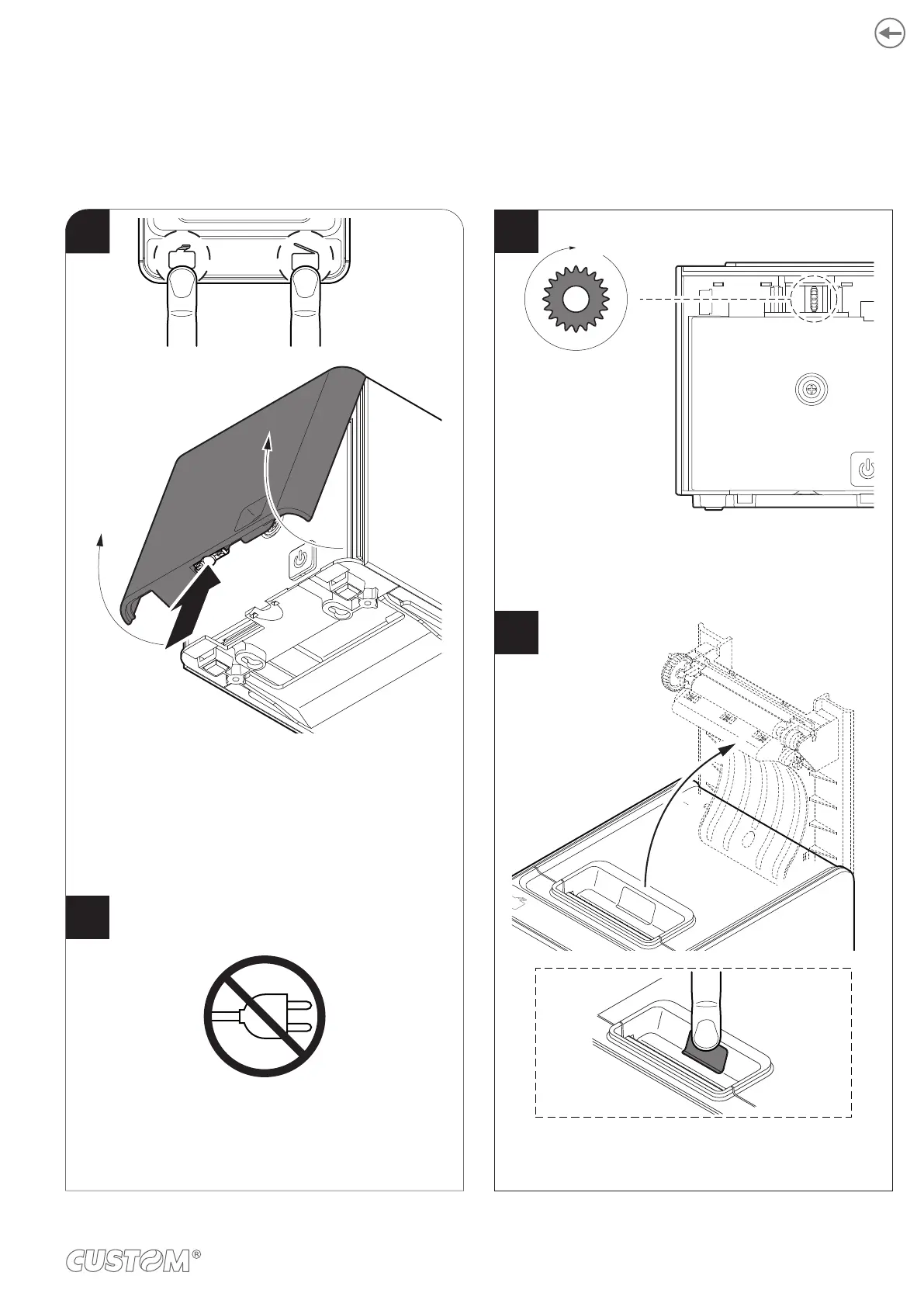
Press the FEED key and the OPEN key simultaneously
to try to unlock the autocutter. If the autocutter did not
unlock press the release button and remove the front
cover.
3
4
2
Rotate the gear in the direction with no resistance until
the autocutter does not return to its inital position.
FEED OPEN
Disconnect the power supply.
SERVICE
Press the service button and try to open
carefully the device cover. If it opens, the autocutter is
in the correct position.
87












 To Next Page