7
EXCEL V OPERATOR MANUAL
D1025, REV H, 10/17
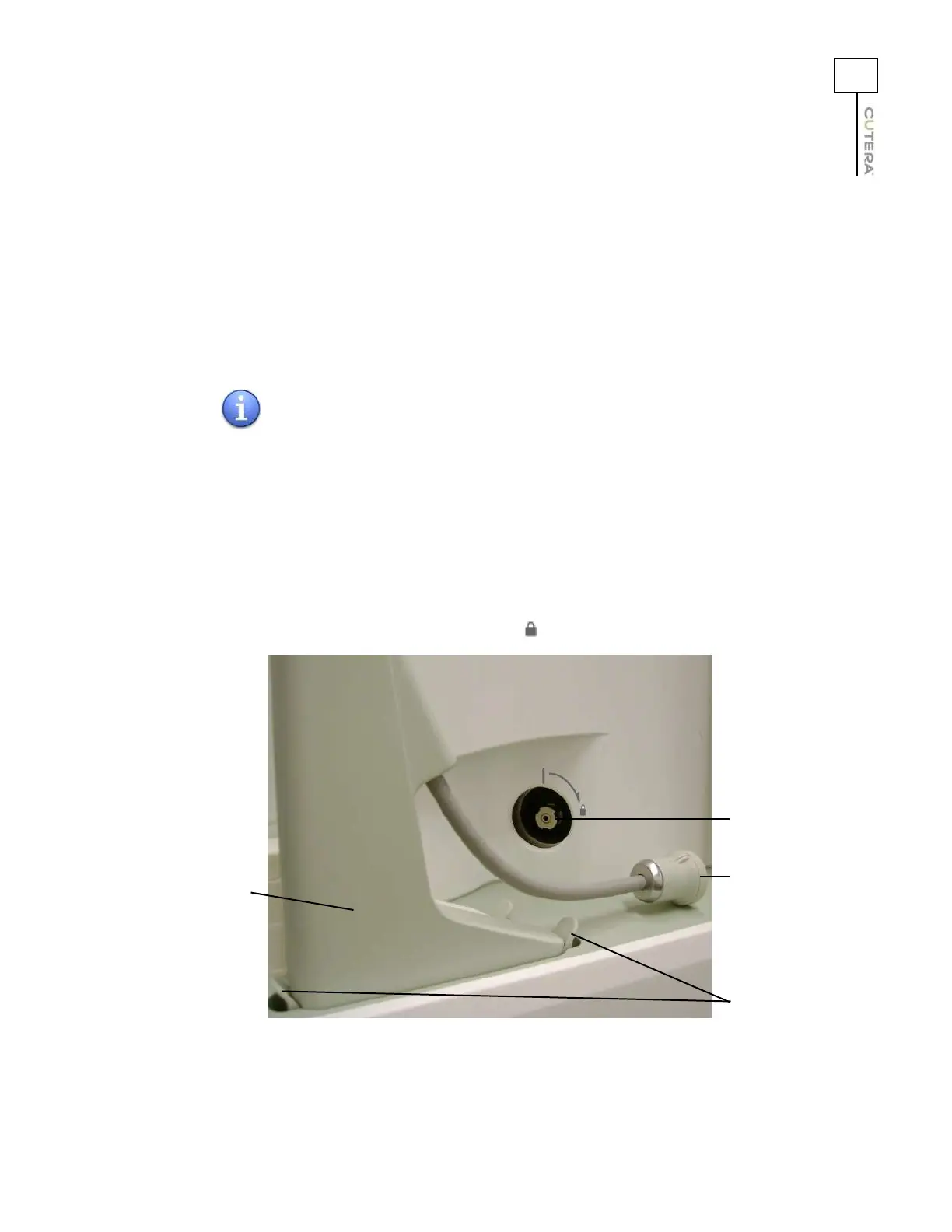
Connecting the Handpiece
Connect the desired handpiece to the system console, as follows:
1. Align the handpiece connector over the handpiece receptacle on the side of the system
console, and press down gently to align the fittings.
2. Once aligned, press down firmly until you hear two audible clicks, indicating that both
locking tabs are engaged.
3. Remove the protective cap from the fiber connector.
4. Insert the fiber connector into the fiber receptacle on the side of the system console,
ensuring that the alignment guide on the fiber connector lines up with the alignment guide
above the fiber receptacle.
5. Lock the fiber connector in place by gently pushing the fiber connector into the receptacle
and then turning clockwise toward the icon.
NOTE
It is important to listen for two clicks when installing the handpiece.
The handpiece is properly connected only when both locking tabs
are engaged.
Handpiece
connector
Fiber receptacle
Fiber connector
Locking tabs



 To Next Page