26
EXCEL V OPERATOR MANUAL
D1025, REV H, 10/17
Displays and Indicators
The Excel V system includes various indicators and controls to ensure safe and accurate operation.
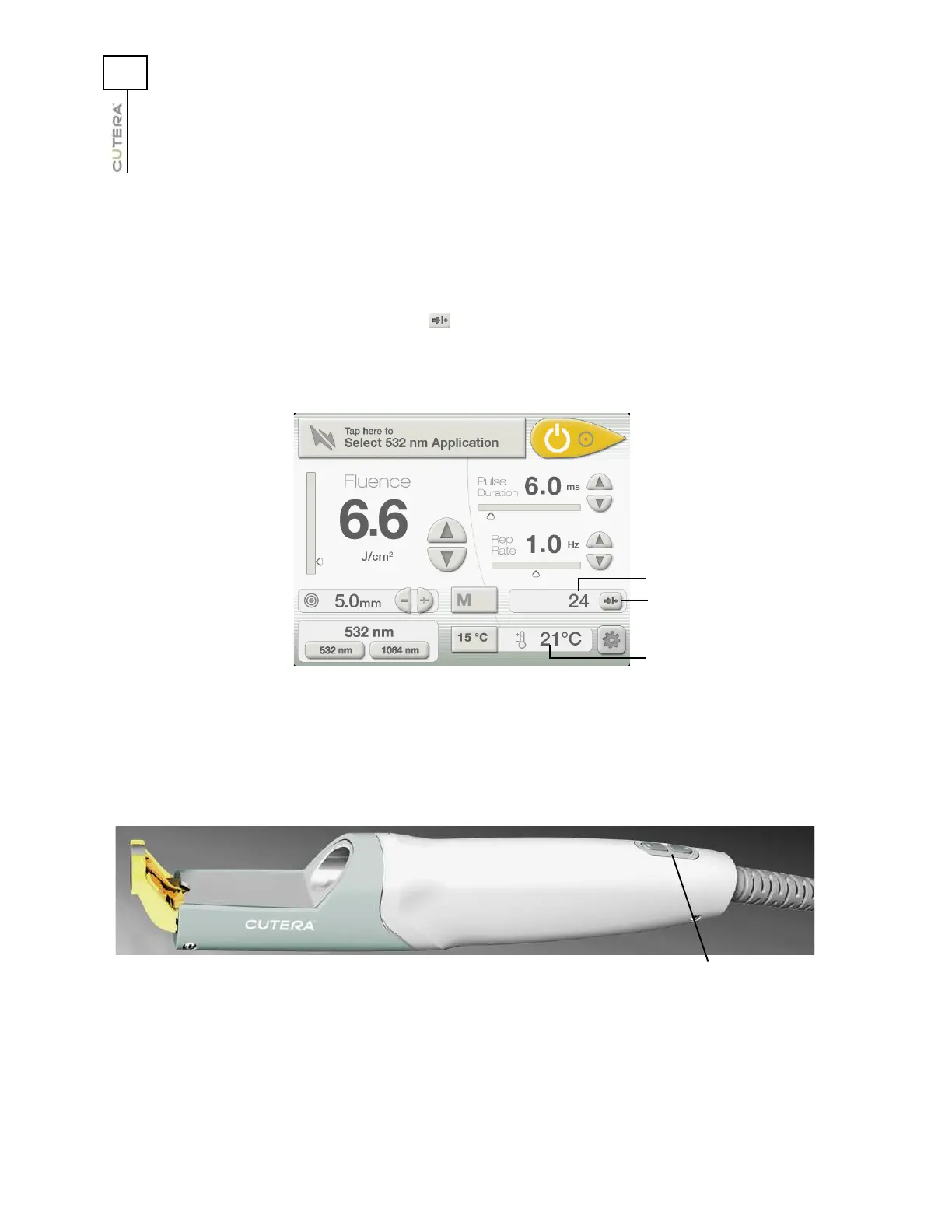
On the CoolView Treatment Screen:
• A pulse counter records the total number of laser pulses that the system has fired since the
counter was last reset, and a (reset) button allows you to reset the counter.
• A temperature display shows the actual temperature of the CoolView handpiece sapphire
cooling window.
On the CoolView handpiece:
• A laser emission indicator illuminates when the system is set to READY and the footswitch
is pressed.
CoolView Treatment Screen
Pulse counter reset
button
Pulse counter reset
button
Pulse counter display
Temperature display
CoolView Handpiece
Laser emission
indicator



 To Next Page