24
EXCEL V OPERATOR MANUAL
D1025, REV H, 10/17
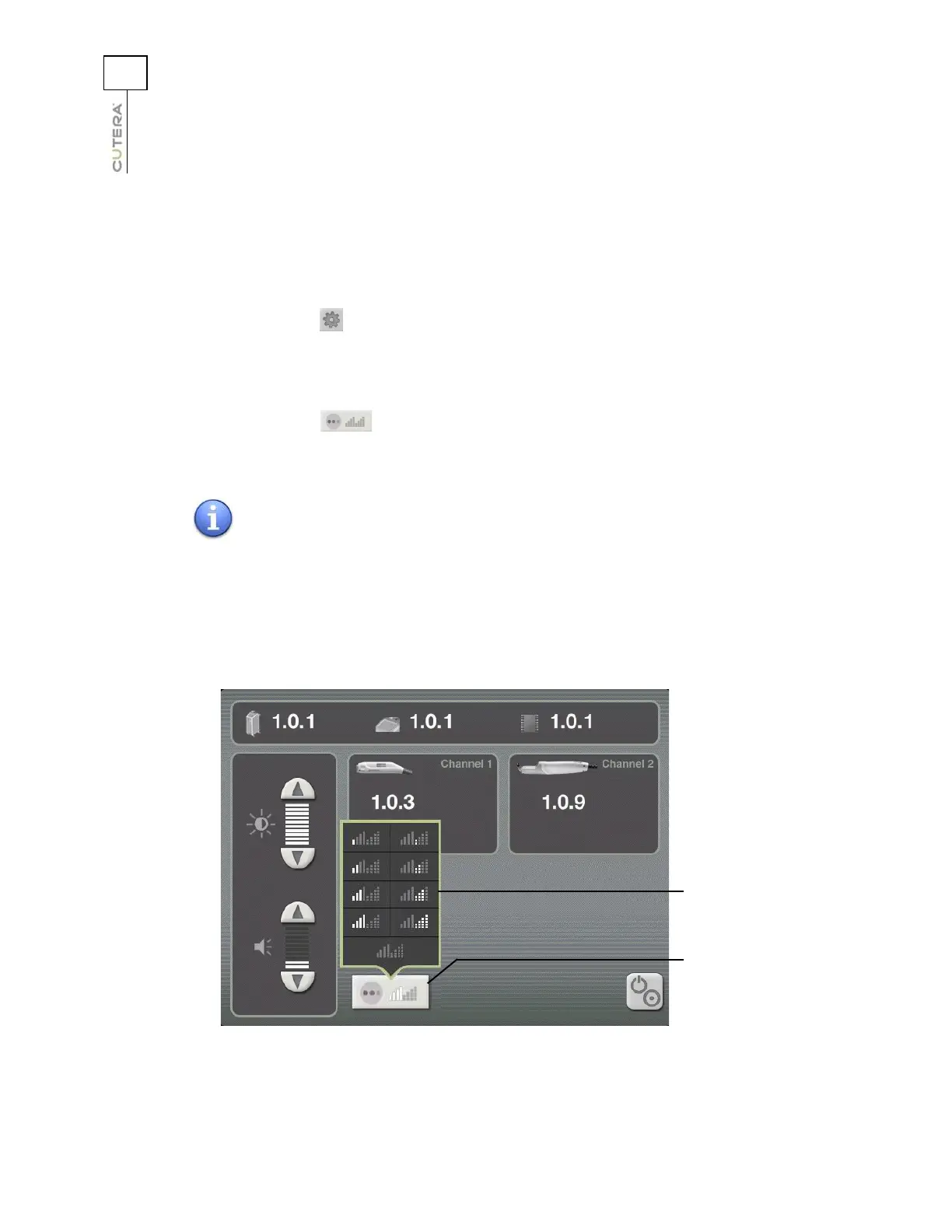
Aiming Beam
All aiming beam functions are controlled from the Information & Adjustment Screen. There are four
intensities in continuous and blink modes, as well as an OFF mode. To adjust the aiming beam intensity
and mode:
1. Press the (info) button on the Treatment Screen to go to the Information & Adjustment
screen.
2. Point the handpiece at the targeted treatment site.
3. Press the (aiming beam) button to display the aiming beam pop-up window.
4. Select the desired aiming beam setting from the aiming beam pop-up window.
NOTE
The aiming beam is wavelength-specific, allowing you to set
different aiming beam characteristics for the 532 nm and 1064 nm
wavelengths. The aiming beam settings that you select for the 1064
nm wavelength will apply to both the Genesis V and CoolView
handpieces.
Location of Aiming Beam Button
(CoolView Information & Adjustment Screen shown)
Aiming beam
pop-up window
Aiming beam
pop-up window
Aiming beam
button



 To Next Page