37
EXCEL V OPERATOR MANUAL
D1025, REV H, 10/17
Selecting the Laser Spot Size
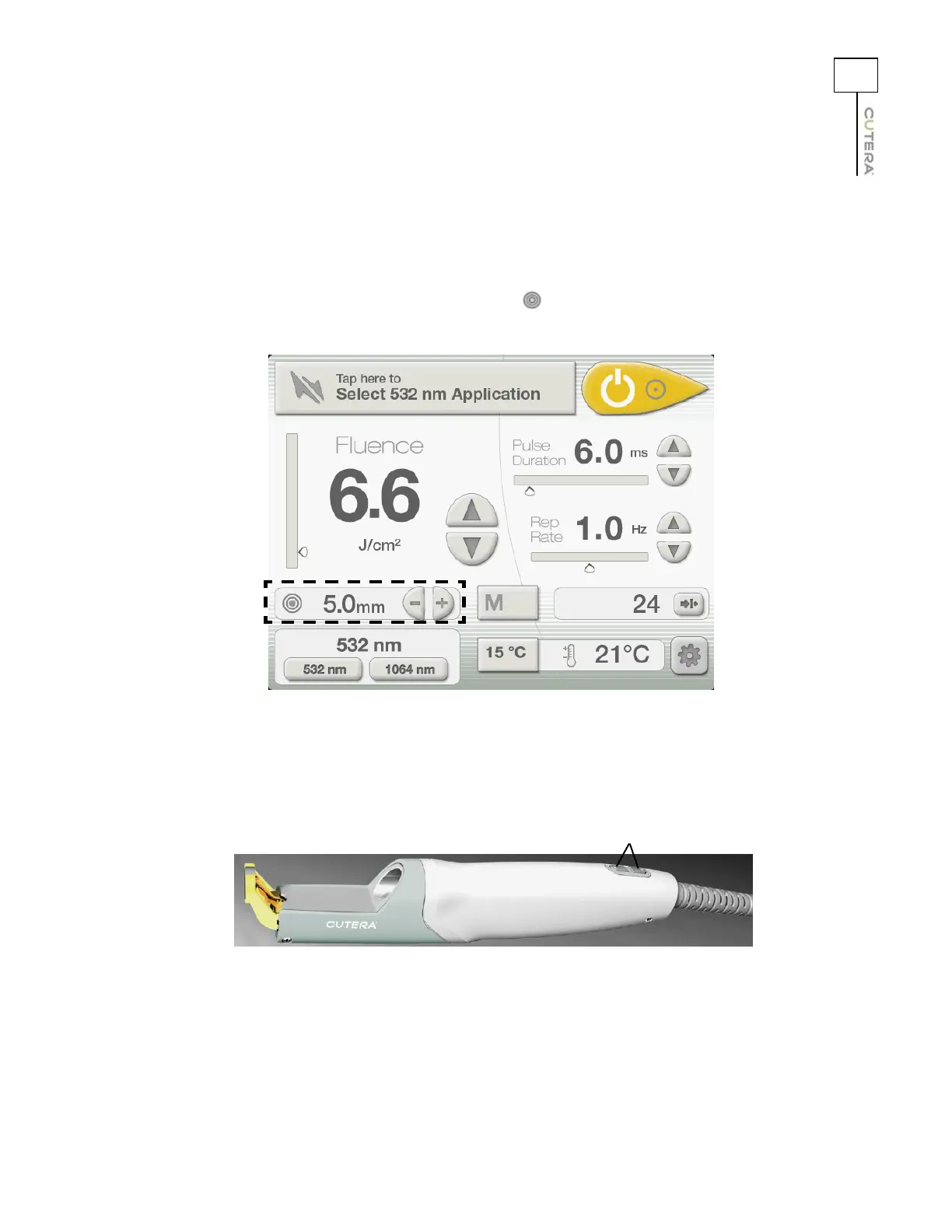
The laser spot size ranges from 2 mm to 12 mm and is adjustable in 0.1 mm increments. To select the
laser spot size:
1. Press the
- and + buttons next to the (spot size) display on the CoolView Treatment
Screen to select the approximate laser spot size.
2. Press the - and + buttons on the CoolView handpiece to fine-tune the laser spot size.
Location of Spot Size Controls and Display on
CoolView Treatment Screen
Location of Spot Size Adjustment Buttons on CoolView Handpiece
Spot size adjustment buttons



 To Next Page