27
EXCEL V OPERATOR MANUAL
D1025, REV H, 10/17
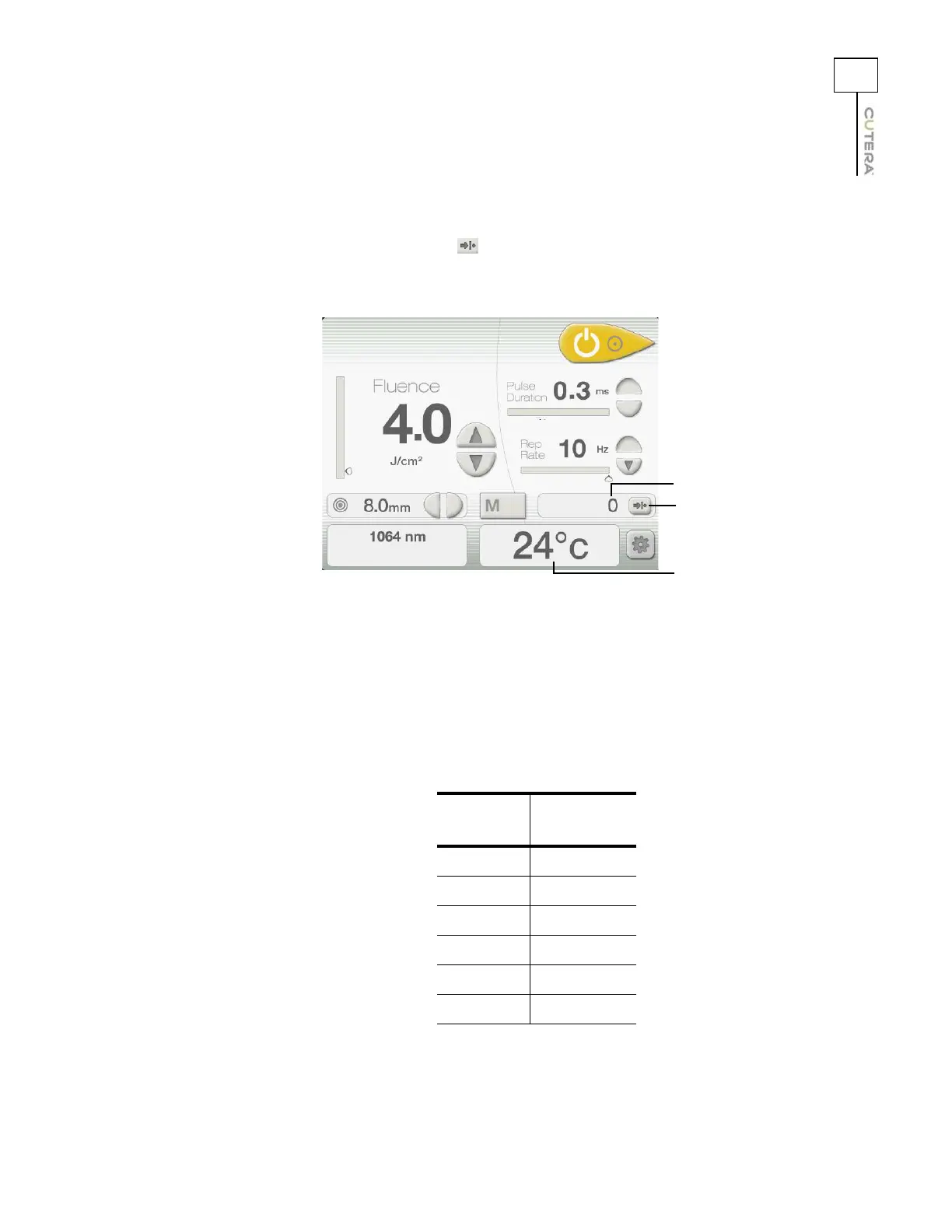
On the Genesis V Treatment Screen:
• A pulse counter records the total number of laser pulses that the system has fired since the
counter was last reset, and a (reset) button allows you to reset the counter.
• A temperature display shows the measured temperature of the target tissue.
On the Genesis V handpiece:
• A laser emission indicator illuminates when the system is set to READY and the footswitch
is pressed.
• An integrated temperature sensor and six LED temperature indicators enable thermal
monitoring of the target tissue. The sensor measures the temperature of the target tissue,
and the LEDs indicate the measured temperature. The following table shows the
temperature ranges associated with each LED:
LED Color
Temperature
Range
Red 47 - 50º C
Yellow 43 - 46º C
Yellow 39 - 42º C
Green 35 - 38º C
Green 31 - 34º C
Green 26 - 30º C
Genesis V Treatment Screen
Pulse counter reset
button
Pulse counter display
Temperature display



 To Next Page